If you run a WordPress agency or freelance practice with WooCommerce clients, you already know this phone call:
“Our sales have been dead since Thursday. Did you change something?”
Maybe you did update a plugin. Maybe the client’s payment gateway changed something. Maybe their marketing person installed a new popup plugin. It doesn’t matter: you’re the one they call, and you’re the one who looks bad, because you found out from the client rather than the other way round.
Most agency care plans cover updates, backups, uptime and security. Very few cover the thing clients actually care about: is the store taking money correctly? This playbook shows how to close that gap across many client stores without drowning in dashboards, and how to turn it into something clients happily pay for.
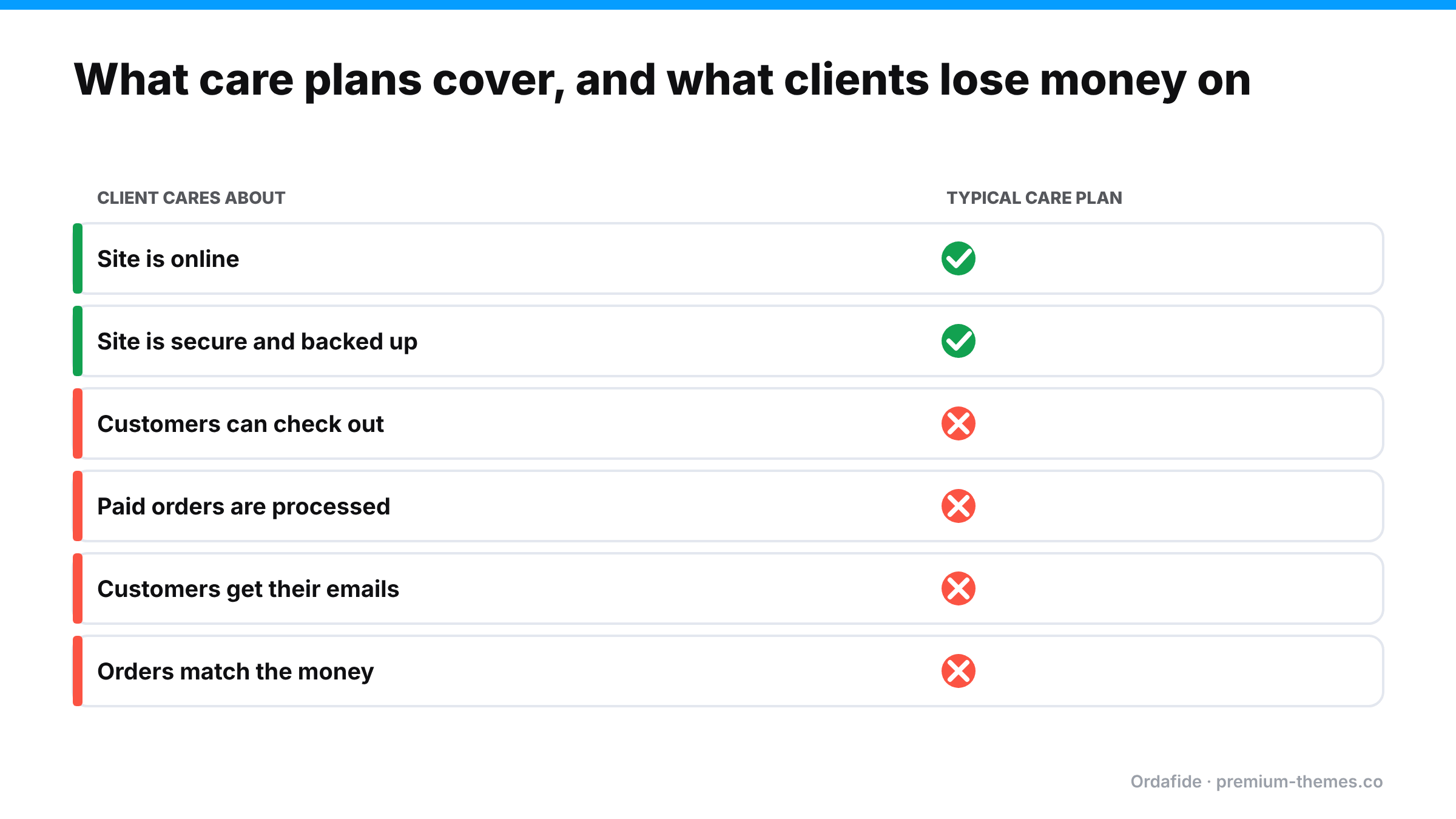
The coverage gap in a typical care plan
| What clients care about | Typical care plan covers it? |
|---|---|
| Site is online | ✅ Uptime monitor |
| Site is secure | ✅ Security plugin, updates |
| Site can be restored | ✅ Backups |
| Site is fast | ⚠️ Sometimes |
| Customers can actually check out | ❌ Rarely |
| Paid orders are processed | ❌ Rarely |
| Customers get their emails | ❌ Rarely |
| Orders match the money | ❌ Almost never |
The bottom four rows are where clients lose money, and where agencies lose clients. An uptime monitor that checks the home page every five minutes will happily report 100% uptime through a three-day checkout outage.
What can go wrong on a client store (that you won’t hear about)
From experience across many stores, the order-level failures that reach agencies as angry calls are:
- Checkout broken after an update: JavaScript conflicts, optimization plugins, template overrides, block/classic incompatibilities. (Guide)
- Webhooks blocked: a security plugin, WAF or host firewall change stops payment confirmations, so paid orders sit on Pending payment and auto-cancel. (Guide)
- Background queue dead: `DISABLE_WP_CRON` set by a host migration without a server cron; emails and order processing stop. (Guide)
- Card testing attack on an unprotected checkout. (Guide)
- Client-installed plugins that break totals, emails or checkout without telling you.
- Gateway account changes: new keys, expired credentials, reconnect required.
- Refund chaos: client staff refunding in the gateway dashboard, so orders get shipped after refund. (Guide)
Each one is invisible to standard monitoring, and each one is, in the client’s eyes, your fault.
The playbook
1. Define what “healthy” means for every store
Agree with each client, in writing, what you monitor and how fast you respond. For order health, a reasonable baseline is:
- Checkout tested automatically at least every 15–30 minutes
- Paid-but-stuck orders flagged within a day
- Duplicate charges and refund mismatches flagged within a day
- Background queue and email delivery checked daily
- Unusual drops or spikes in order volume flagged within the hour
2. Standardize the toolset across stores
Running a different monitoring approach on every client site is how things get missed. Pick one stack, install it everywhere during onboarding, and configure it the same way. Variation should be in thresholds, not tools.
3. Keep client data where it belongs
Clients, especially in the EU and UK, increasingly ask where their customers’ data goes. A monitoring approach that copies order and customer data into a third-party service creates a data-processing question you then have to answer. Prefer tools that run on the client’s own server and, if they report centrally, send only aggregates (counts and totals), not customer details.
4. Route alerts to the right people
Not every alert should wake you up, and some alerts should go to the client:
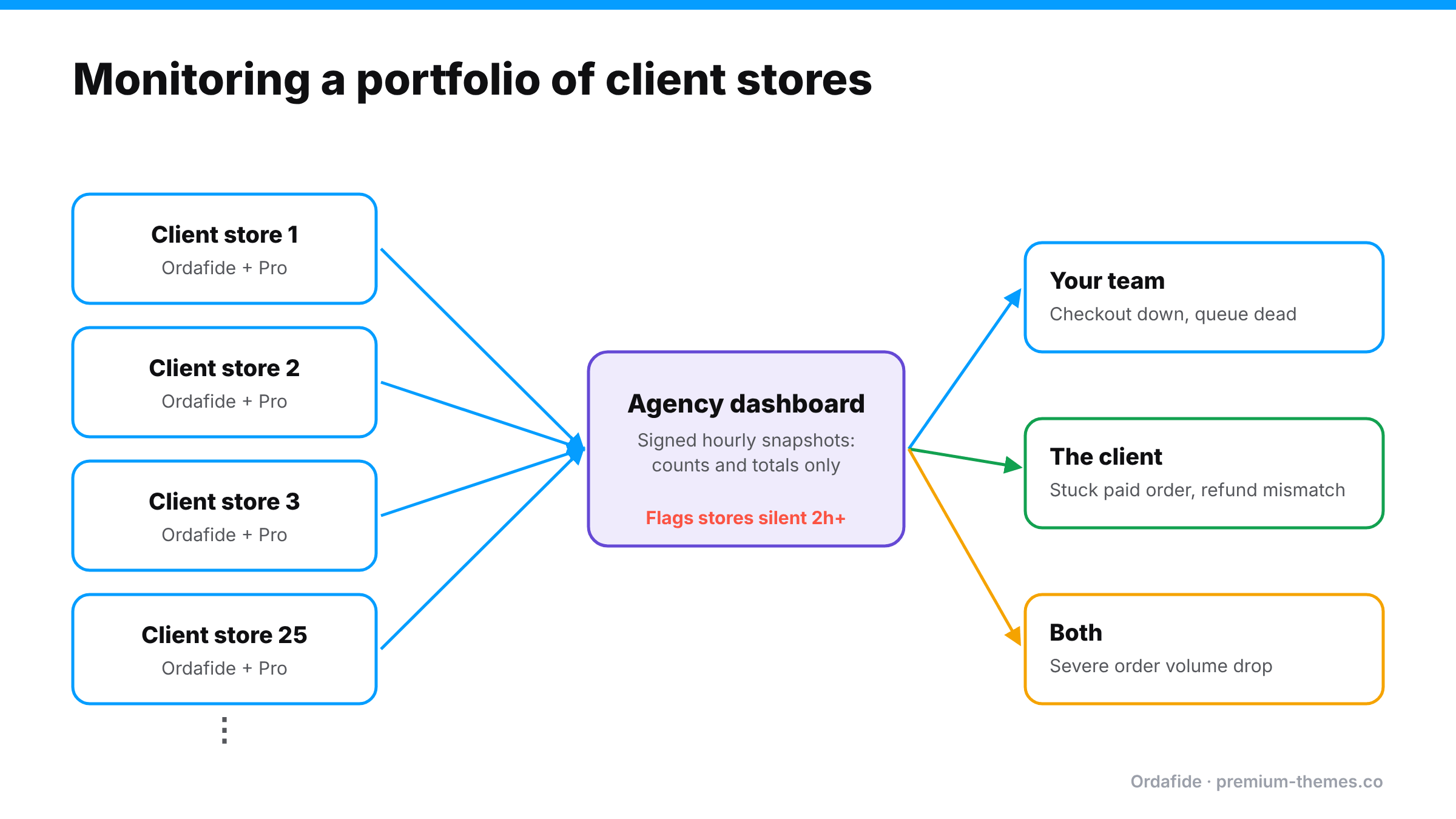
- Your team: checkout down, payments failing, queue dead (technical)
- The client: paid order stuck, duplicate charge, refund mismatch (operational, since they need to contact customers)
- Both: severe order volume drop
Per-store routing turns “the agency should have known” into “the agency told us within the hour”.
5. Detect silence, not just errors
A store that stops reporting entirely (site down hard, monitoring plugin deactivated, hosting suspended) produces no errors. Your central view must flag stores that have gone quiet.
6. Script the routine
For maintenance windows and monthly reports, use the command line. Running the same audit across 20 sites by clicking through 20 dashboards doesn’t scale. Running one script does.
7. Report it
Clients don’t value monitoring they can’t see. A monthly line in your report (“We checked 12,400 orders this month. 3 paid orders were stuck; we fixed them within 4 hours. Checkout was available 99.97% of the time.”) makes the service tangible and justifies the fee.
Building it with Ordafide
Ordafide was designed with agencies as one of its two core audiences. Here’s how it maps to the playbook.
On every client store (free)
- Six order integrity checks: stuck payment, paid but cancelled, duplicate charge, refund mismatch, order total mismatch, customer never emailed. Findings are sorted by money at risk with evidence and next steps.
- Store health: Action Scheduler backlog and failures, WP-Cron status, loopback test, plus a per-order email delivery log with one-click resend.
- WP-CLI commands for scripting across sites: `wp ordafide scan`, `wp ordafide findings`, `wp ordafide health`, `wp ordafide digest`.
- Runs entirely on the client’s server: no account, no licence key, no API, no analytics, no phone-home.
- HPOS native, batch scanning through Action Scheduler so large stores don’t time out, and a built-in Help screen clients can read themselves.
- Safe by design: only two repairs (resend a customer email; restore an order to Processing when WooCommerce already recorded a confirmed payment date), both logged, the status change reversible. It never captures, refunds or voids payments.
Across the portfolio (Pro)
Ordafide Pro adds what agencies need at scale:
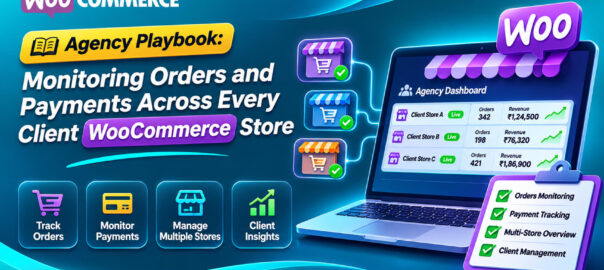
- Multi-store agency dashboard built on signed hourly snapshots that contain only counts and totals, not customer data, so you get a portfolio view without moving personal data around.
- Silence detection: stores that haven’t reported for two hours are flagged.
- Per-store alert routing (Agency licence), so each client’s alerts go to the right Slack channel, phone or email.
- Synthetic checkout monitoring every 15 minutes across shop, product, cart, checkout and the Store API, without creating orders, raising a finding only after two consecutive failures.
- Order volume anomaly detection (drops and spikes, median-based, auto-resolving).
- Gateway reconciliation with Stripe, PayPal, Square, Mollie and Razorpay using read-only keys.
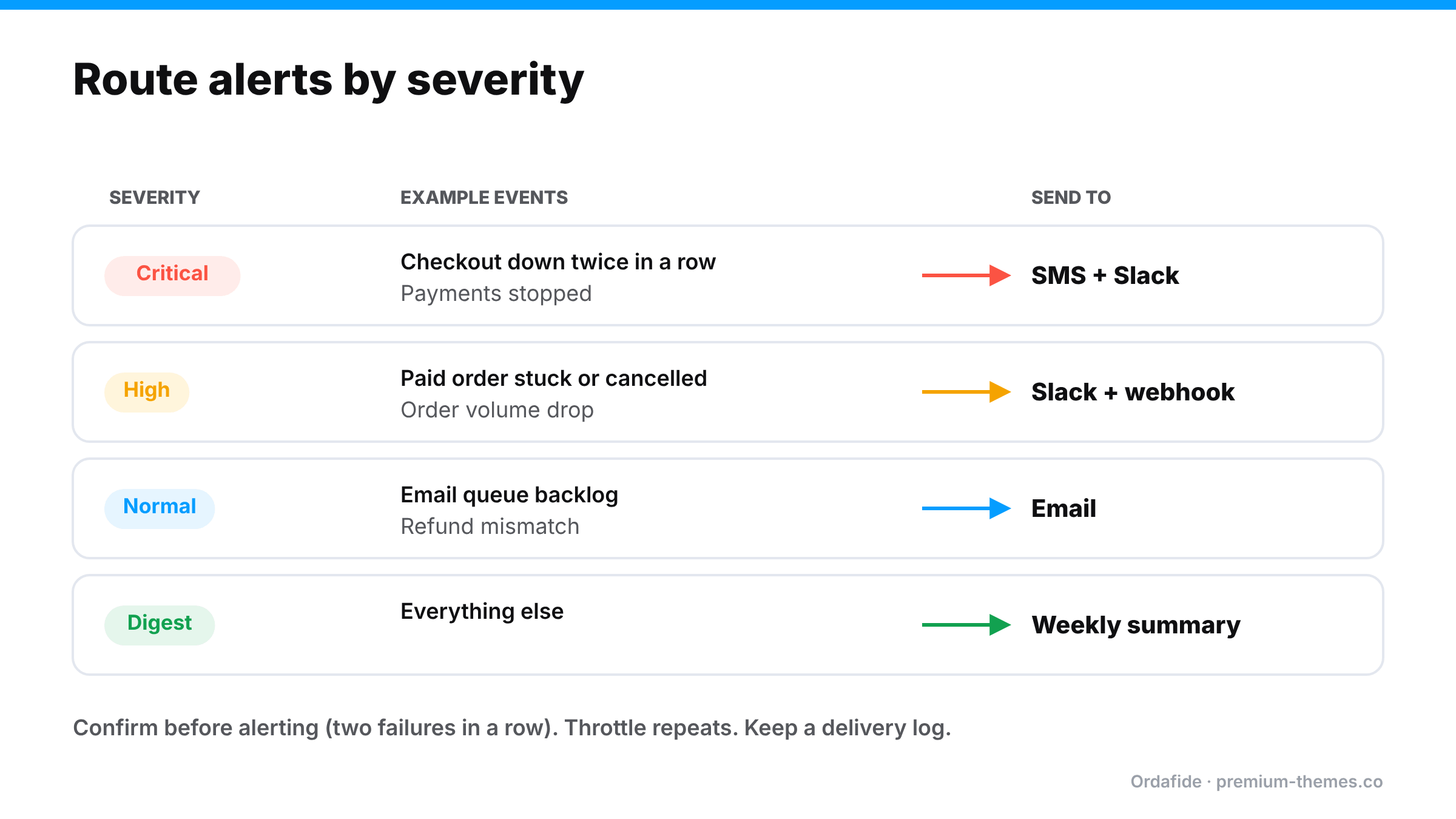
- Alerts to Slack, SMS (Twilio), signed webhooks (Discord, Teams, PagerDuty and others) and email, with severity routing, throttling, retries and a delivery log.
- CSV/JSON audit export for monthly client reports.
Licences are sized for agencies: the Growth tier covers 5 stores and includes the multi-store dashboard with self-service licence moves between stores; the Agency tier covers 25 stores and adds per-store alert routing.
The same incident, with and without order monitoring
Without. Thursday 16:00: a client’s marketing assistant installs a “free shipping bar” plugin. It conflicts with the gateway’s script on mobile. Mobile checkout stops working; desktop is fine. Your uptime monitor is green. Thursday evening, Friday and the weekend pass. Monday 10:30, the client calls: mobile sales are zero, they’ve lost their best weekend of the month, and they want to know why you didn’t catch it. You spend two hours finding the plugin, and the relationship takes a hit you’ll feel at renewal time.
With. Thursday 16:30: the 15-minute synthetic check fails twice in a row on the checkout step. An alert reaches your team’s Slack. By 17:00 an anomaly alert confirms orders have dropped well below the normal Thursday-afternoon level. Your developer sees the new plugin in the activity log, deactivates it, confirms checkout works, and emails the client: “Your new shipping bar plugin broke mobile checkout. We’ve switched it off and checkout is working again. Here’s an alternative that’s compatible.” The client is impressed, not angry.
Same plugin, same break. The difference is an hour versus four days, and a renewal versus a cancellation.
Pricing order monitoring
Agencies price this in different ways. Common approaches:
- Add-on to the existing care plan: a fixed monthly uplift for “order and payment monitoring”, positioned as revenue protection.
- Tiered by store revenue: stores doing more revenue have more at stake per hour of downtime, so a higher tier with faster response makes sense.
- Included in premium tiers only: use it as the reason clients upgrade.
Whatever you choose, base the conversation on the client’s own numbers: “Your store averages $X an hour. A checkout outage found in 15 minutes instead of on Monday saves you $Y.” That’s a much easier sell than “monitoring”.
Turning it into a paid service
Order monitoring is one of the easiest care-plan upgrades to sell, because the value is concrete:
- Position it as revenue protection, not tech maintenance. “We make sure your checkout works and your paid orders are processed, and we tell you within the hour if not.”
- Use a real finding in the pitch. Run the free Ordafide scan on a prospect’s store (with permission). It’s common to find something: a stuck paid order, a duplicate charge, a refunded order still in Processing. A real example with a dollar figure sells the plan better than any brochure.
- Tier it. Basic (weekly scan and report) → Standard (daily checks, alerts to you) → Premium (15-minute checkout monitoring, gateway reconciliation, per-client alert routing, monthly audit report).
- Report monthly. Orders checked, issues found, money protected, response times.
Talking to clients about their own staff
Some order problems on client stores aren’t technical at all. Client staff refund in the gateway dashboard, change order statuses by hand, or install plugins without telling you. Monitoring will catch the effects, but it’s worth a short onboarding conversation:
- Refunds are issued from the WooCommerce order screen, never the gateway dashboard.
- Statuses follow payments and refunds. Don’t change them to “make something happen”.
- Plugin installs go through you, or at least get mentioned to you.
- Who receives which alerts and what they’re expected to do about them.
A one-page “how we keep your store’s orders healthy” sheet, left with the client, prevents a surprising share of incidents.
Onboarding checklist for a new client store
- [ ] Ordafide installed and first scan run; existing findings reviewed with the client
- [ ] Email delivery confirmed (SMTP, SPF/DKIM) and email log active
- [ ] Action Scheduler healthy; real server cron in place if WP-Cron disabled
- [ ] Gateway webhooks verified; staging copies use test keys
- [ ] Checkout monitoring and volume anomaly detection on (Pro)
- [ ] Gateway reconciliation connected with read-only keys (Pro)
- [ ] Alert routing agreed: what goes to you, what goes to the client
- [ ] Store added to your multi-store dashboard (Pro)
- [ ] Client briefed on refund rules (“always refund from the order screen”)