WooCommerce Troubleshooting
Handcrafted Beautiful Bootstrap HTML Templates for your Business Website.
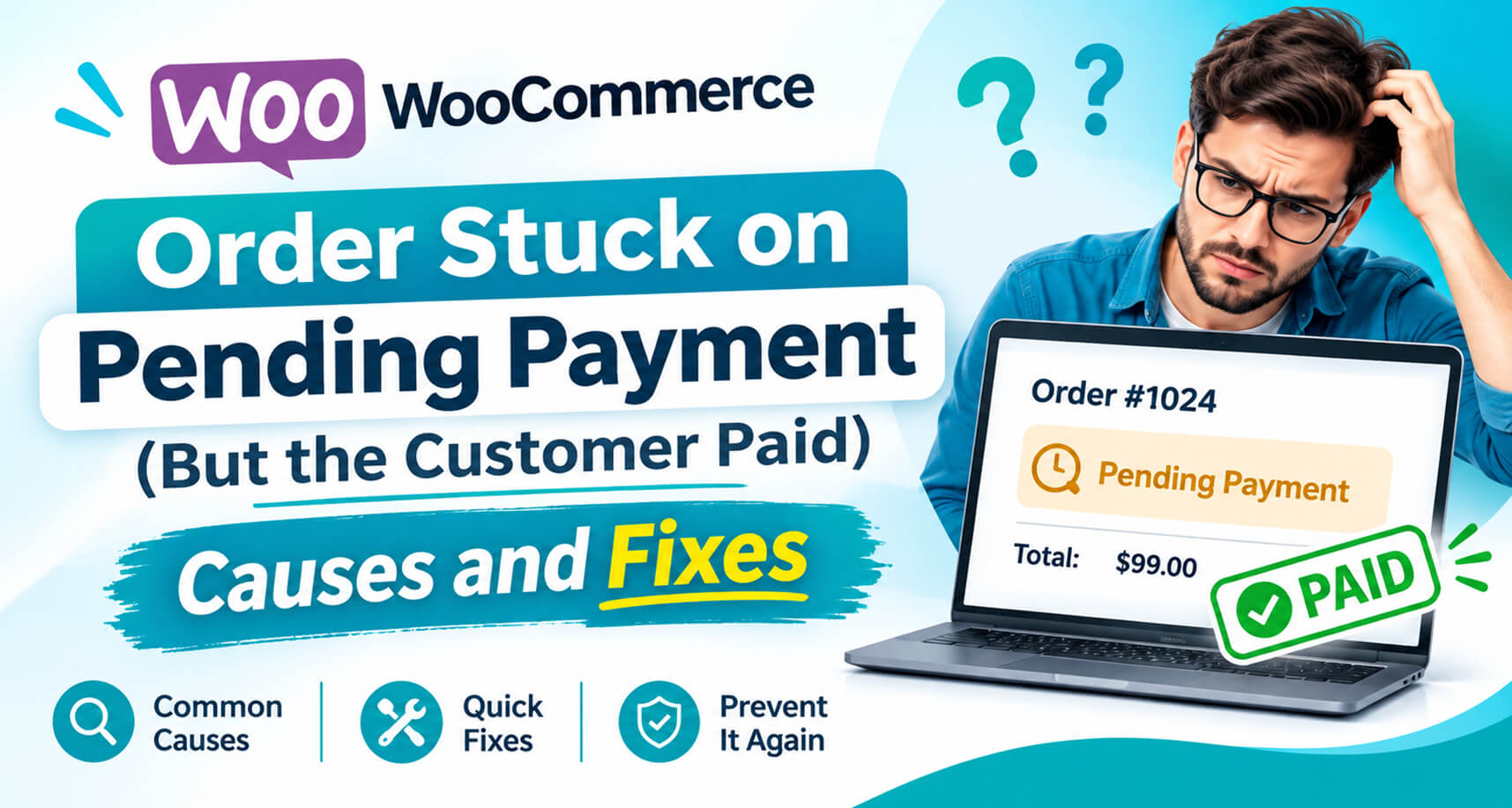
A customer emails you: I paid yesterday. Where’s my order?
You open WooCommerce and find their order sitting on Pending payment. Or worse, it says Cancelled, with a note that reads Unpaid order cancelled – time limit reached. Meanwhile, your Stripe or PayPal dashboard clearly shows the money arrived.
This is one of the most common, and most expensive, silent failures in WooCommerce. Nothing crashed. No error was shown. The store simply never found out that the payment succeeded.
This guide explains why it happens, how to confirm it, how to fix the orders you already have, and how to stop it from happening again.
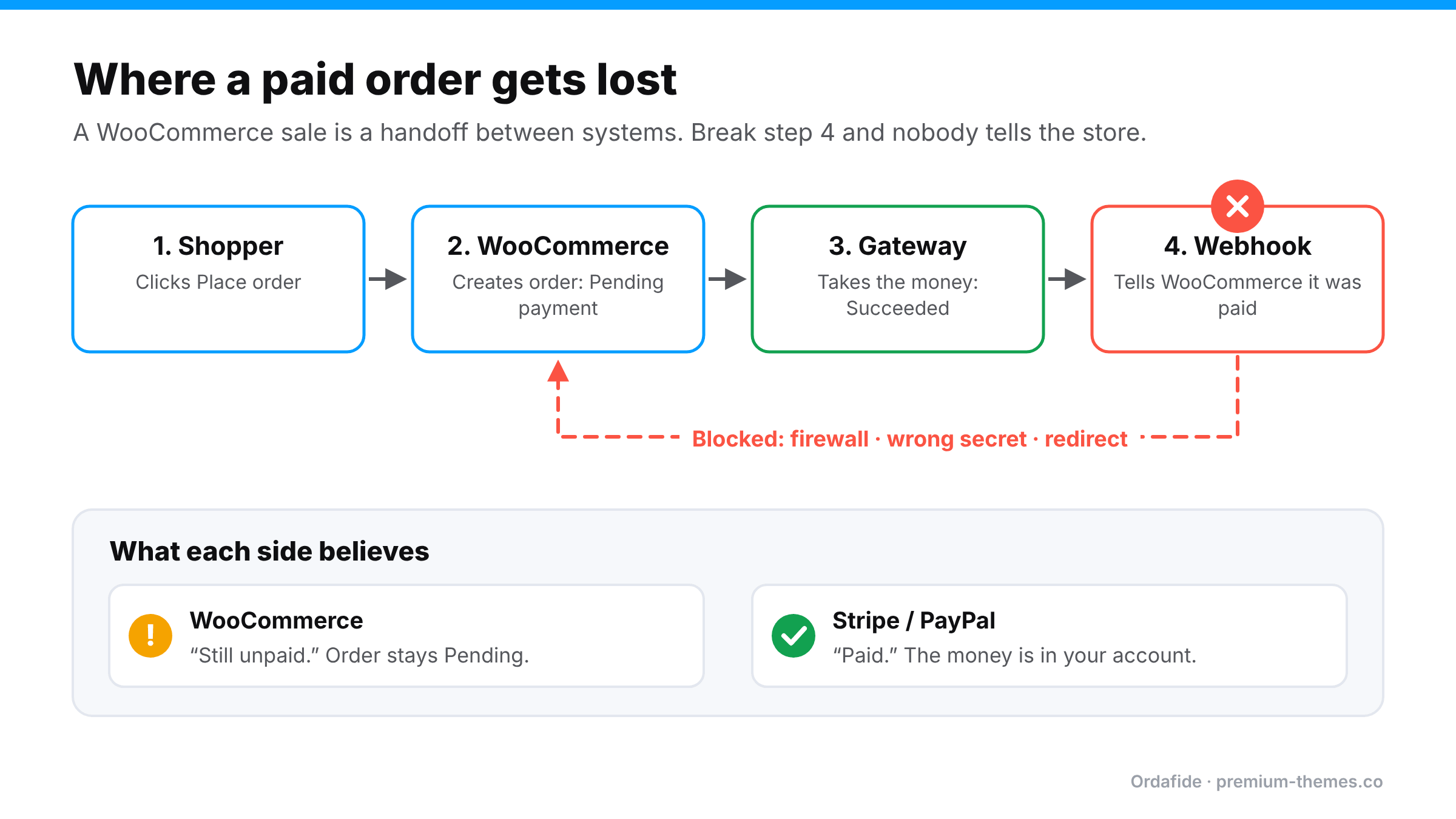
A WooCommerce sale isn’t one event. It’s a handoff between separate systems:
If step 4 fails, WooCommerce has no way of knowing that step 3 happened. Your store and your gateway now disagree, and WooCommerce doesn’t check.
This is the number-one cause. Something between the gateway and WordPress rejected the request:
Each Stripe webhook endpoint has its own signing secret (it starts with ‘whsec_’). If you cloned the site, migrated hosts, restored a backup, or recreated the endpoint, the secret saved in WooCommerce may no longer match. The webhook arrives, the signature check fails, and the plugin rightly refuses to trust it, so the order never moves.
With off-site or redirect payment methods (PayPal, iDEAL, some wallets and bank methods), the shopper pays on the gateway’s page and is then sent back to your store. If they close the tab, lose signal, or their session cookie doesn’t survive the trip, the “return” leg never happens. If the webhook is also broken, nothing else will tell WooCommerce.
The gateway’s log shows the delivery as successful, yet the order didn’t change. A fatal error in a plugin hooked into the order status change, or a timeout, can kill the request halfway through. Check ‘WooCommerce → Status → Logs’ for fatal errors around the payment time.
If the ‘home’ or ‘siteurl’ options still point at an old or staging domain, the webhook URL registered with your gateway may be pointing somewhere that no longer exists.
Some gateway plugins hand part of their webhook processing to WooCommerce’s background queue, Action Scheduler, to avoid race conditions. If WP-Cron or Action Scheduler isn’t running, that queued work sits there and the order never advances. (We cover this in detail in WooCommerce order emails not sending.)
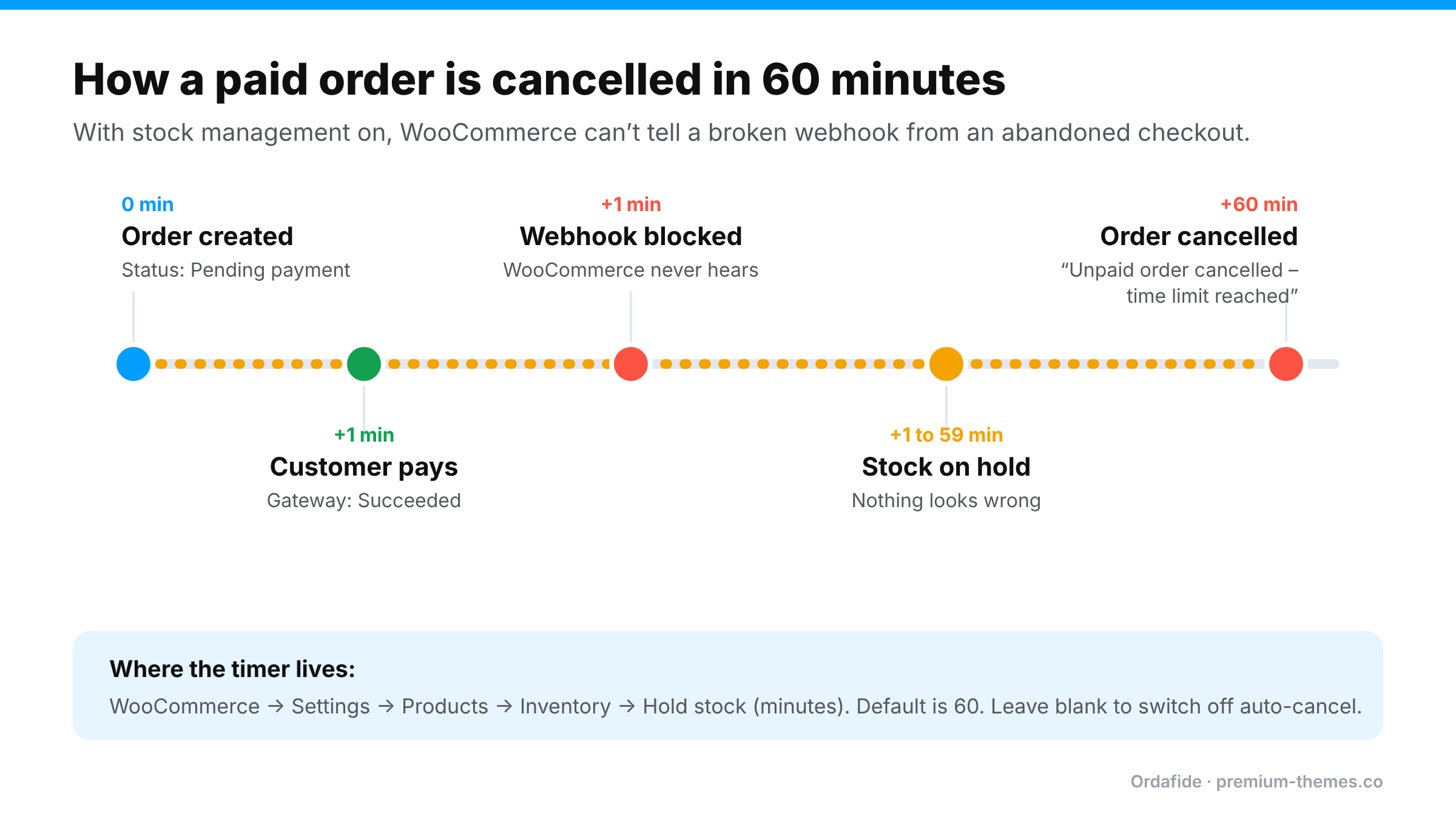
This catches out a lot of store owners.
Go to WooCommerce → Settings → Products → Inventory and look at Hold stock (minutes). The default is 60. When stock management is turned on, WooCommerce reserves stock for unpaid orders for that many minutes. When the timer runs out, it cancels any order still on Pending payment and adds the note *”Unpaid order cancelled – time limit reached.”*
That’s sensible for genuinely abandoned checkouts. But when the webhook is broken, a paid order looks exactly like an abandoned one. An hour later, WooCommerce cancels it and releases the stock. The customer has paid for an order your store now considers dead, and it won’t appear in your Processing list to be shipped.
If you use slow payment methods (bank transfers, some buy-now-pay-later providers), consider raising this value. Leaving the field blank turns off automatic cancellation entirely.
Before you change anything, verify the money. Never mark an order paid based on a customer’s word alone.
Once you’ve confirmed the payment succeeded:
The painful part of this problem is not fixing it. It’s *noticing*. A broken webhook can quietly affect dozens of orders before a customer complains, and by then many of them have been auto-cancelled.
We built Ordafide Order Integrity for WooCommerce (free on WordPress.org) to scan your recent orders for exactly this pattern:
Each finding is sorted by the money at risk and comes with the evidence and what to check in your gateway before you touch anything. If WooCommerce itself recorded a confirmed payment date on an order, Ordafide can restore it to Processing with one click. That change is written to an activity log and can be undone. It never captures, refunds or voids payments, and it sends no data to any third party.
For stores that need certainty rather than inference, Ordafide Pro adds read-only gateway reconciliation with Stripe, PayPal, Square, Mollie and Razorpay. It compares what your gateway actually collected against what WooCommerce recorded, including payments that never produced an order at all, and can alert you on Slack, SMS, email or webhook.
Why does my WooCommerce order say Pending payment when the customer paid?
Because WooCommerce never received confirmation from the payment gateway. The most common reason is a blocked or failed webhook, often caused by a firewall, security plugin, redirect or wrong webhook secret.
Why did WooCommerce cancel a paid order?
The *Hold stock (minutes)* setting cancels orders that stay on Pending payment past the time limit (60 minutes by default). If the payment confirmation never arrived, a paid order looks unpaid and gets cancelled.
Is it safe to manually mark a Pending order as Processing?
Yes, but only after confirming in your gateway dashboard that the payment succeeded for the right amount. Add a private note recording the transaction ID.
How do I stop it happening again?
Fix the webhook path, keep background jobs running, and monitor for paid orders that don’t advance. A free tool like Ordafide flags these orders automatically.
—
*Have a stuck-order story we didn’t cover? Ask on the Ordafide support forum.