WooCommerce Troubleshooting
Handcrafted Beautiful Bootstrap HTML Templates for your Business Website.
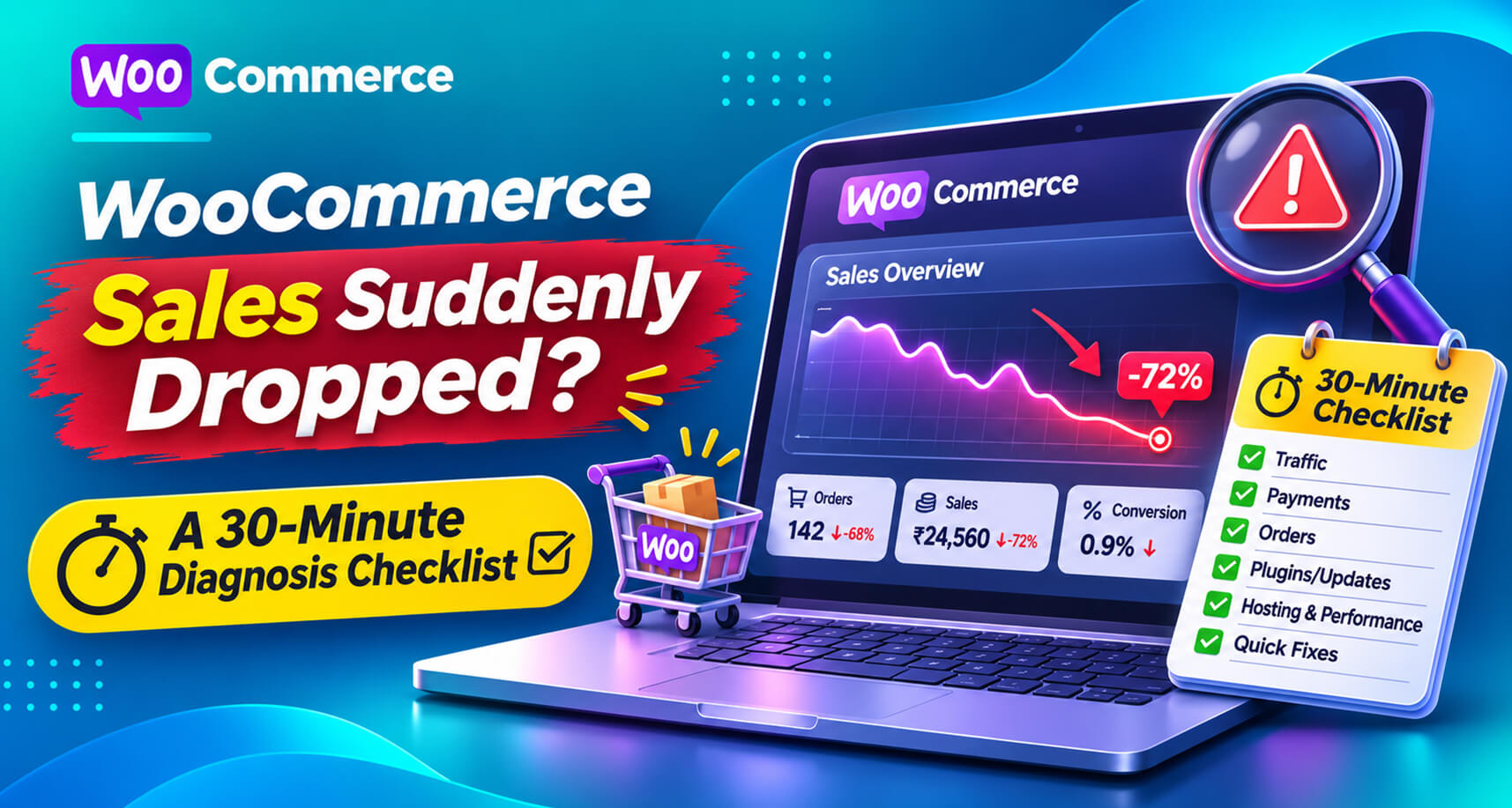
It usually starts as a feeling. Tuesday was quiet. Wednesday was quieter. By Thursday you’re refreshing the orders screen and wondering whether something is wrong with the store or with the world.
Store owners post this question constantly. A WordPress.org thread titled “Not getting any new orders, way to check for errors?” describes a merchant whose orders stopped while ad clicks kept coming in. They had recently hired someone to speed up the site, test purchases worked fine, and they spent days chasing caching, mixed content and mobile behaviour before finding a lead. Shopify’s community has the same threads: “I went from getting tons of sales to none”.
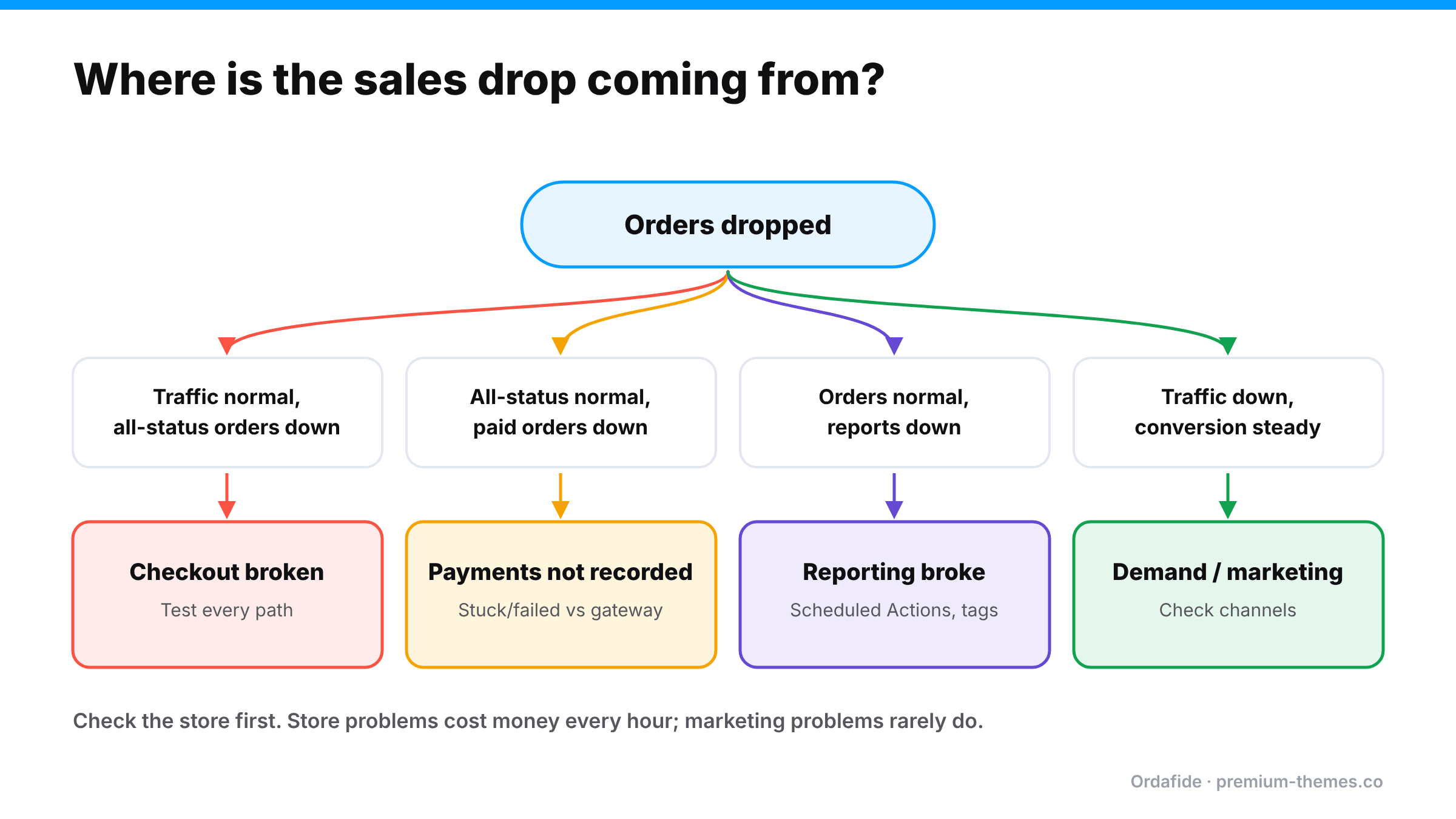
The frustrating part is that a sales drop can come from four very different places, and each needs a completely different fix:
This checklist gets you from “something’s wrong” to “it’s this” in about 30 minutes, in the order that finds the expensive problems first.
Before diagnosing anything, confirm there’s a drop.
If total orders (all statuses) are normal but paid orders dropped, skip to Minute 15. That’s a payment recording problem, not a demand problem.
This is the most common cause and the most expensive, so check it first.
Do a real test purchase, the way a customer would:
Check the browser console (developer tools) on the checkout page for red errors naming a plugin.
Check what changed around the day the drop began:
The WordPress.org thread above is typical: the drop started right after “speed optimization” work. Caching and script-optimization plugins are among the most frequent causes of a checkout that loads but doesn’t work. (Update broke checkout playbook)
Remember the partial breaks. Checkout might fail only on iPhones, only for one payment method, only for logged-in customers, only in one language, or only on block checkout. Your own quick test passing doesn’t clear the store. Test the paths your customers actually use. (Block checkout errors)
If checkout works, look at what happens after payment.
If paid orders are being stuck or auto-cancelled, the cause is almost always payment confirmations not reaching WooCommerce: a blocked webhook, a wrong secret, or a stalled background queue. (Stuck pending orders · Failed orders · Firewall blocking webhooks)
Sometimes nothing is wrong with sales at all.
Always trust the orders list and your gateway over dashboards and notifications.
Only once the store is cleared should you look outward:
A store averages 25 orders a day. On Wednesday a freelancer installs a performance plugin and turns on “delay all JavaScript until user interaction”. Desktop checkout still works, because moving the mouse triggers the scripts. On many phones, the payment field never initializes before the shopper taps Place order.
Running the checklist on Thursday morning would have found it in ten minutes. Minute 5–15 (test on a phone, check what changed) points straight at the new plugin. Instead it took five days and roughly 40 lost orders.
The lessons generalize: test on the devices your customers use, always ask “what changed?”, and don’t wait for a customer to tell you.
Most sales-drop investigations stall on one question: what changed around that day? A one-line-per-change log answers it instantly:
| Date | Change | By |
|---|---|---|
| 4 Nov | Performance plugin installed, JS delay on | Freelancer |
| 6 Nov | Shipping rates updated | Owner |
| 9 Nov | Stripe plugin auto-updated | Auto |
Include plugin installs and updates, settings changes, hosting changes, gateway changes, and marketing changes (ads paused, emails sent). It takes seconds to keep and saves hours when something goes wrong.
A complete stop is obvious within a day. A partial drop, where orders fall by 30% because one payment method or one device type broke, can run for weeks. Daily sales vary anyway, and a 30% dip looks like a slow week.
Signs a “slow week” is actually a partial break:
WooCommerce Analytics can break orders down by payment method and customer type, and your web analytics can split conversion by device. Those comparisons often reveal a partial break in minutes.
Here’s the uncomfortable pattern behind most of these stories: the drop started days before anyone looked. A sales drop is an absence. Nothing errors. Nothing emails you. Absences are hard for people to notice, especially on weekends, during holidays, or when sales naturally vary day to day.
The fix isn’t to stare at the dashboard more. It’s to have something compare “now” with “normal” for you, all the time.
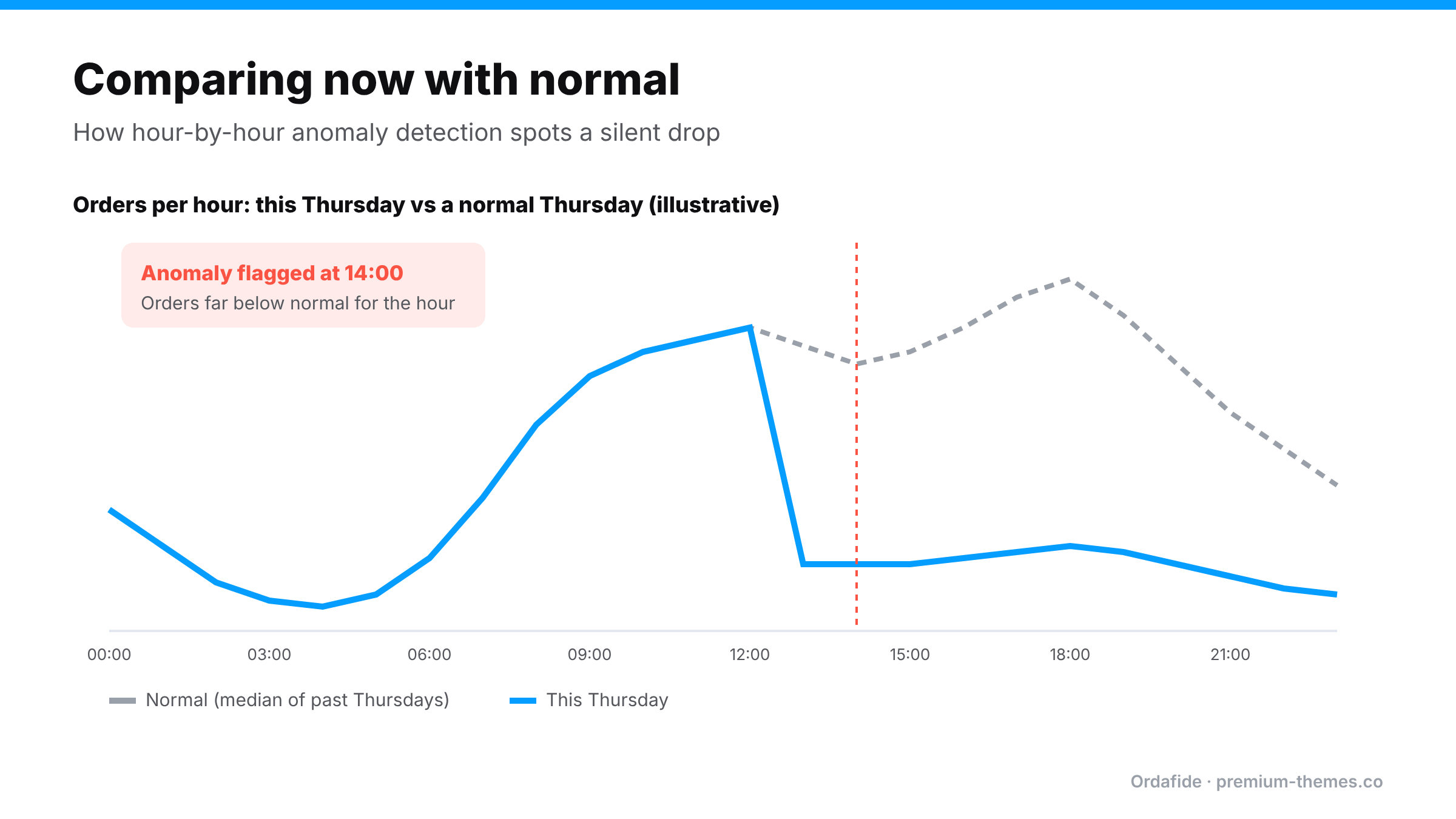
Ordafide Pro is built to turn an absence into an alert:
The free Ordafide plugin covers steps 15–25 of this checklist automatically. It flags stuck payments, paid-but-cancelled orders, duplicate charges and paid customers who were never emailed, and reports Action Scheduler and WP-Cron health, which affects both order processing and reports. Its optional weekly summary email arrives only when there’s something to look at.
What Ordafide doesn’t do is analyse your marketing or traffic. If the store is healthy and demand fell, that’s a job for your analytics.
Every hour of investigation is an hour of lost sales if the cause is a broken checkout. That’s why the checklist starts with the store, not the marketing: the store problems are the ones that cost you money by the hour, and the ones you can fix in minutes once found.
If you can’t find the cause quickly, limit the damage while you look:
Why did my WooCommerce sales suddenly stop?
The most common causes are a broken checkout after an update or optimization change, payment confirmations not reaching WooCommerce, or a gateway problem. Check those before looking at marketing.
Traffic is normal but there are no orders. What's wrong?
Almost certainly the store. Test checkout on mobile and desktop, logged in and out, on every payment method, and check the browser console for errors.
How can I tell a real sales drop from a reporting problem?
Compare the orders list (all statuses) and your gateway with your analytics. If orders and payments are normal, the problem is reporting or tracking.
Can I get an alert when WooCommerce orders drop?
Yes. Ordafide Pro's order volume anomaly detection compares each hour with comparable past hours and alerts you on Slack, SMS, email or webhook.
Could caching cause a drop in WooCommerce orders?
Yes. Caching cart or checkout pages, or delaying checkout scripts, is one of the most common causes of a checkout that loads but doesn't work. Exclude cart, checkout, My Account and the Store API from caching.
How quickly should I notice a drop?
Ideally within an hour or two. Comparing each hour with comparable past hours, as Ordafide Pro does, makes that realistic without watching the dashboard.