WooCommerce Security
Handcrafted Beautiful Bootstrap HTML Templates for your Business Website.
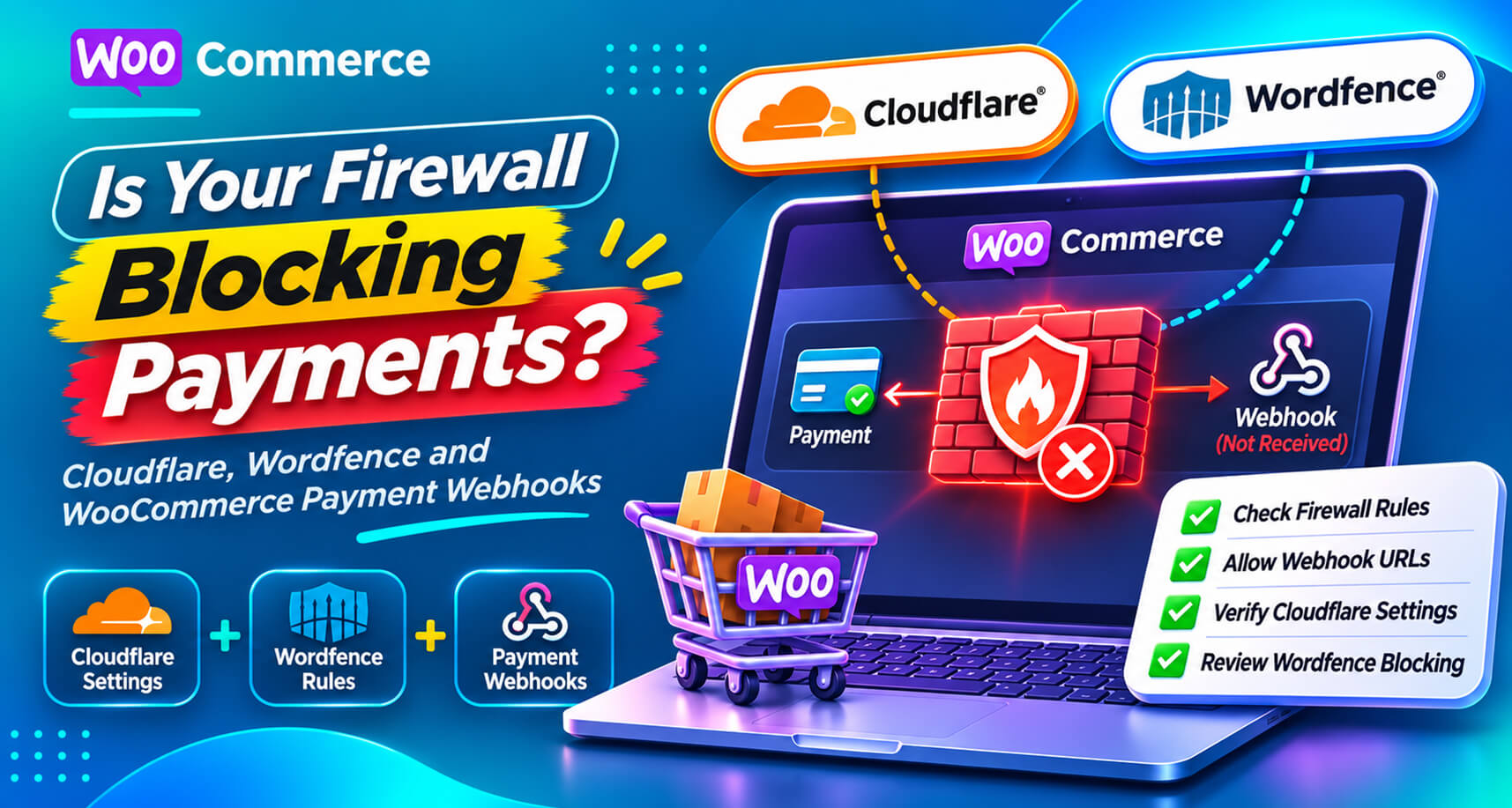
Security tools are supposed to keep bad traffic out. The trouble is that, to a security tool, a payment gateway’s webhook looks a lot like bad traffic: an automated server, with no browser, no cookies and no human, sending a POST request to your site at odd hours.
So security tools block it. And when a payment webhook is blocked, the gateway knows the customer paid, but WooCommerce never finds out. The order sits on Pending payment, the Hold stock timer cancels it, and a paying customer receives nothing.
This is one of the most common root causes behind stuck orders, and one of the least obvious, because the security tool is doing exactly what it was configured to do. This guide shows how each layer of security can block webhooks, how to prove it, and how to let payment confirmations through without weakening your protection.
Payment gateways use webhooks to tell your store what happened: payment succeeded, payment failed, refund issued, dispute opened. A webhook is:
https://yourstore.com/?wc-api=wc_stripe),Bot protection, WAF rules, rate limits and “block suspicious POST requests” settings are designed to stop exactly this shape of traffic.
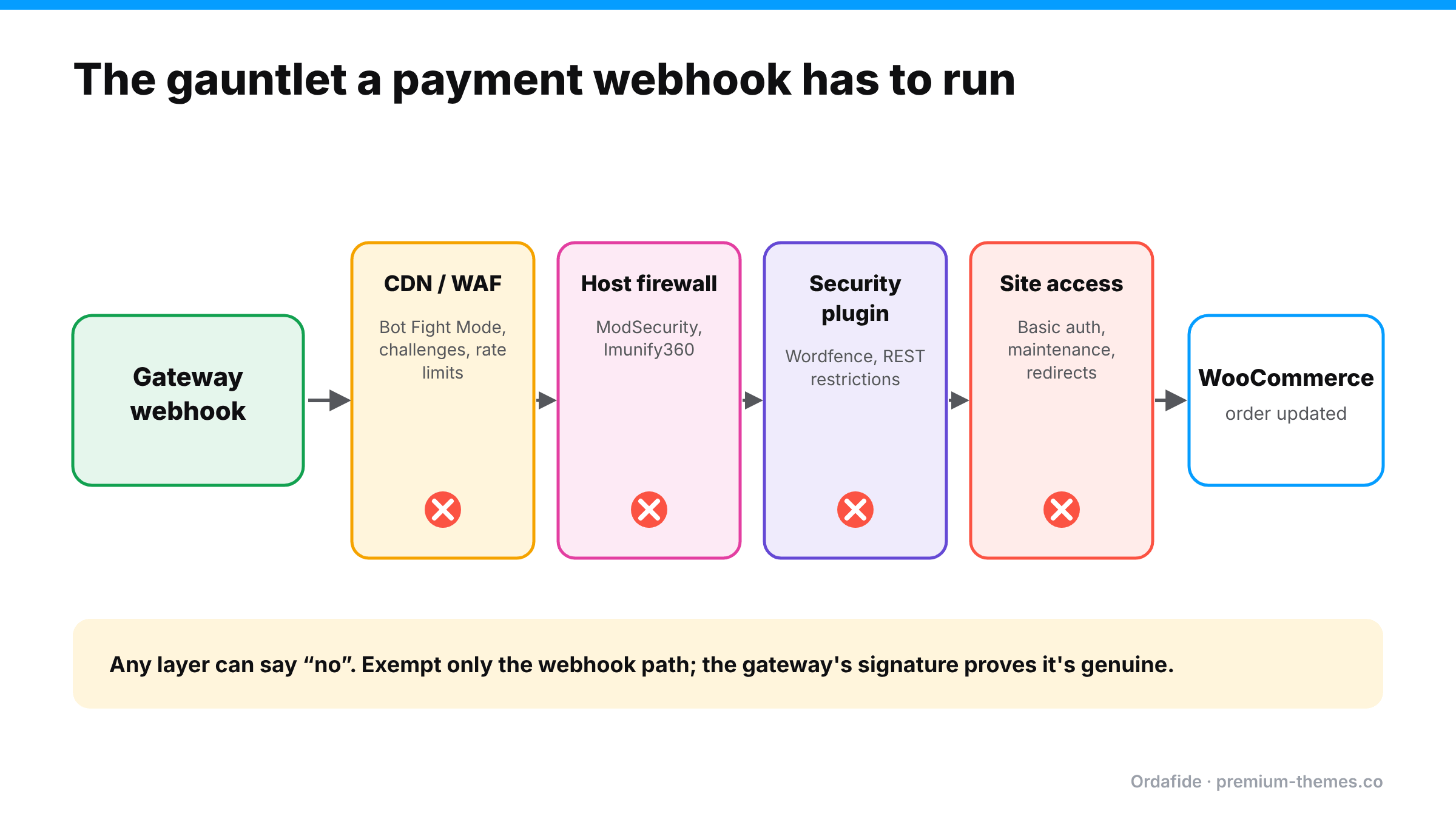
Security plugins inspect requests inside WordPress. A WordPress.org thread shows Wordfence returning 403 with “A potentially unsafe operation has been detected in your request to this site” for incoming webhooks. Wordfence support’s answer was to allowlist the exact URL or parameters under the firewall’s Allowlisted URLs setting rather than switching the firewall to Learning Mode, which carries its own risks.
Other common plugin-level blocks:
Hosts run their own web application firewalls. Rules can flag webhook payloads (which contain JSON with fields that look like code or SQL to a crude rule) and return 403 or 406 without anything appearing in WordPress at all.
One WordPress.org thread describes Stripe repeatedly warning a store that its webhook endpoint was failing with 403 errors. The owner recreated the endpoint and worked with their host, yet failures kept returning, and Stripe disabled the endpoint at one point. A 403 is almost always something on your side saying “no”.
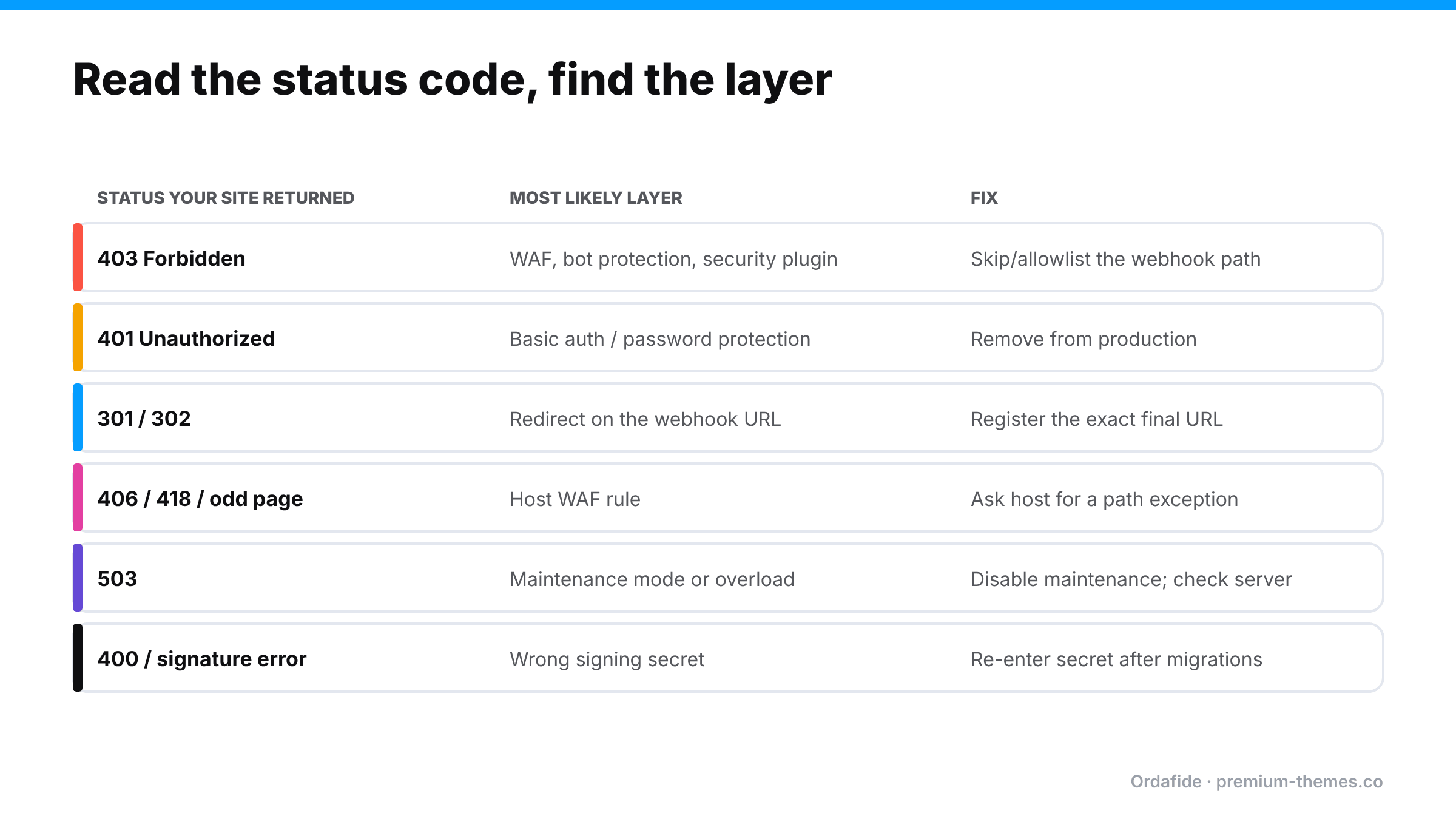
1. Read the gateway’s delivery log. In Stripe, open the webhook endpoint in the Dashboard (Developers / Workbench → Webhooks) and look at recent deliveries. The HTTP status your site returned tells you which layer to check. PayPal and other gateways have similar logs or notification histories.
2. Look at the response body. A Cloudflare block page, a Wordfence message, a host’s “Not Acceptable” page or a login prompt each identify themselves.
3. Check each layer’s logs:
4. Send a test event from the gateway and watch it arrive (or not) in each log.
The principle: don’t turn protection off for the whole site. Make a narrow, specific exception for the webhook path, and rely on the gateway’s signature verification to prove requests are genuine.
Then resend failed events from the gateway, or reconcile the stuck orders by hand. (Stuck pending orders)
A week before Black Friday, a store owner reads about bot attacks on checkout and tightens security: Cloudflare’s security level goes up, a managed challenge is added for “suspicious” traffic to /?wc-api=* and /wp-json/*, and the security plugin’s rate limit is lowered.
Nothing was “broken” in the usual sense. Every tool did what it was told. The managed challenge was the right idea for checkout pages and exactly the wrong idea for a machine-to-machine webhook path.
The fix took five minutes: a skip rule for the webhook path, then resend failed events from Stripe and restore the cancelled orders. Detection took most of a day.
| Gateway | How it notifies | Where to see failed deliveries |
|---|---|---|
| Stripe | Webhooks, signed | Dashboard → Webhooks → endpoint → deliveries |
| PayPal Payments | Webhooks | PayPal developer dashboard / plugin settings and logs |
| PayPal Standard (legacy) | IPN | PayPal IPN history |
| Square, Mollie, Razorpay and others | Webhooks or callbacks | Each gateway’s developer dashboard / plugin logs |
Whatever the gateway, the principle is the same: find the delivery log, read the status code, then check the layer that returned it.
Security settings change for good reasons: an attack, a new plugin, a host’s new rule set, a Black Friday hardening pass. Every one of those changes can break webhooks, and nothing in WooCommerce raises an error when they do. The gateway emails someone, eventually. Meanwhile paid orders pile up on Pending.
What you need isn’t a promise never to touch security settings. It’s a check that notices paid orders not progressing, whatever the cause.
Ordafide isn’t a firewall and doesn’t change your security settings. It watches for the consequences of a blocked webhook, which look the same whichever layer did the blocking.
Ordafide Order Integrity for WooCommerce (free) scans recent orders and flags:
It also checks the background job queue and offers a loopback test (your site calling itself), useful when the same firewall rules that block webhooks also block your own site’s background processing. (Loopback request failed)
Ordafide Pro adds read-only gateway reconciliation (Stripe, PayPal, Square, Mollie, Razorpay), which shows payments the gateway collected that WooCommerce never recorded properly. It also sends real-time alerts to Slack, SMS, email or a signed webhook. Pro’s signed heartbeat endpoint lets an external uptime monitor confirm that Ordafide’s own checks are still running.
When you contact your host or security vendor, give them what they need to find the block quickly:
https://yourstore.com/?wc-api=wc_stripe)Ask them to tell you if their rule sets change in future. Host-level WAF updates are a common, invisible cause of new webhook failures.
Can Cloudflare block Stripe webhooks?
It can. Stripe is usually treated as a verified bot, but WAF rules, challenges, "under attack" mode and rate limits can still block it, and smaller gateways are blocked by Bot Fight Mode more often.
How do I stop Wordfence blocking a payment webhook?
Allowlist the exact webhook URL or parameters in Wordfence's firewall settings rather than disabling the firewall.
Is it safe to exempt the webhook path from my firewall?
A narrow exemption for one path is reasonable because gateways sign webhooks and your payment plugin verifies the signature. Don't exempt the whole site.
How do I know if a webhook was blocked?
Check the gateway's webhook delivery log for non-2xx responses, then the logs of your CDN, security plugin and host. In WooCommerce, the symptom is paid orders stuck on Pending or auto-cancelled, which Ordafide flags automatically.