WooCommerce Troubleshooting
Handcrafted Beautiful Bootstrap HTML Templates for your Business Website.
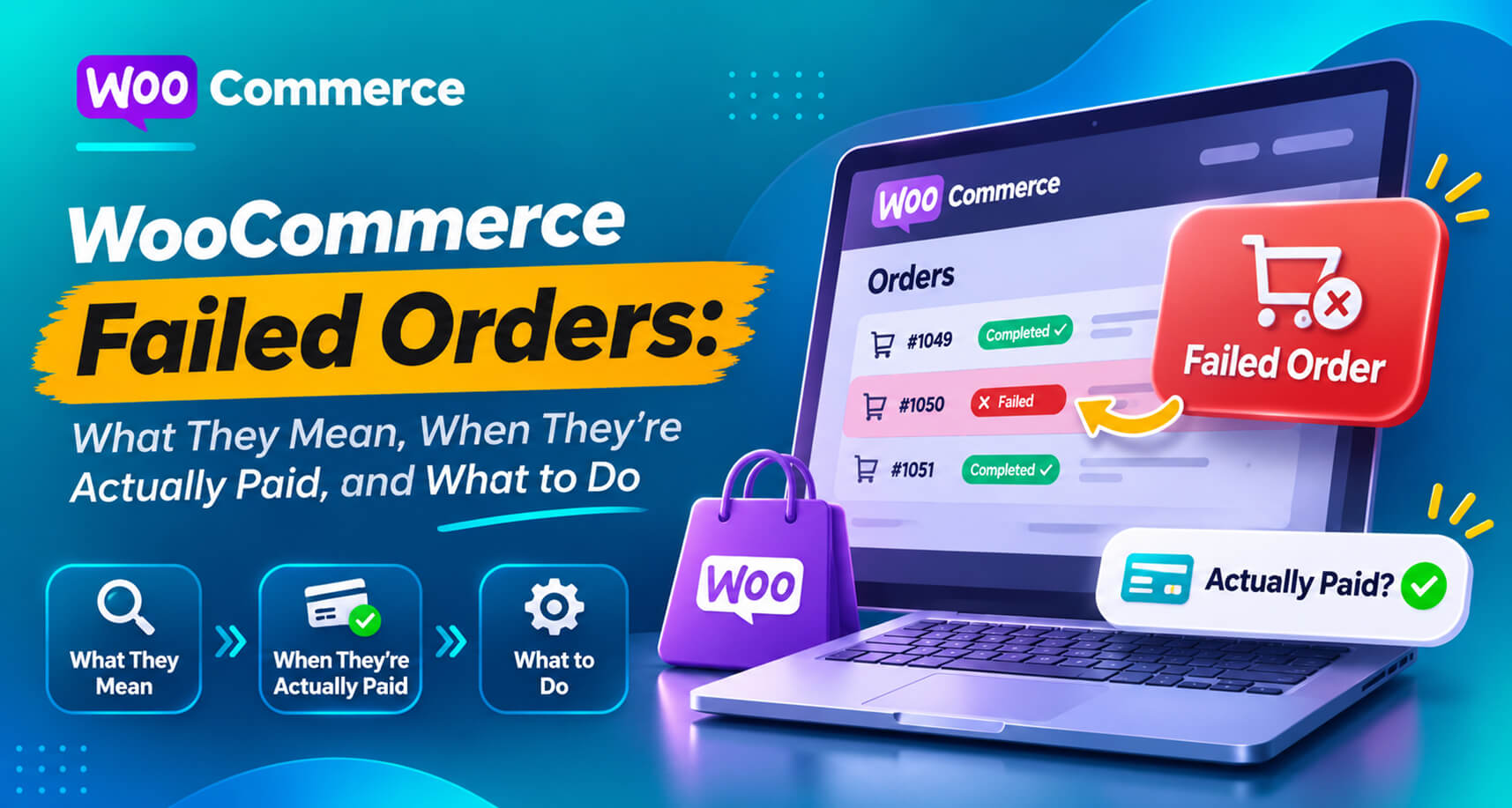
Every WooCommerce store has a few Failed orders. Most are harmless: a card declined, a customer gave up. So most store owners learn to ignore them.
That habit is expensive, because a small share of Failed orders aren’t failed at all. The customer was charged. The money is in your gateway. WooCommerce just recorded the wrong outcome. The WordPress.org support forums are full of threads titled things like “Customer payment says failed but it has been drawn from their bank account” and “Successful Stripe payments after failure, yet WooCommerce order failed”.
This guide explains what Failed means, how to tell a genuine decline from a paid order recorded as failed, and what to do with each.
What “Failed” means in WooCommerce
WooCommerce marks an order Failed when a payment attempt doesn’t go through. The order usually moves from Pending payment to Failed, and the gateway adds an order note explaining why.
Typical genuine causes, as WooCommerce’s own guide to failed orders lists them:
By default, WooCommerce sends the admin a failed-order email but not the customer. Many customers who fail at checkout simply try again or leave.
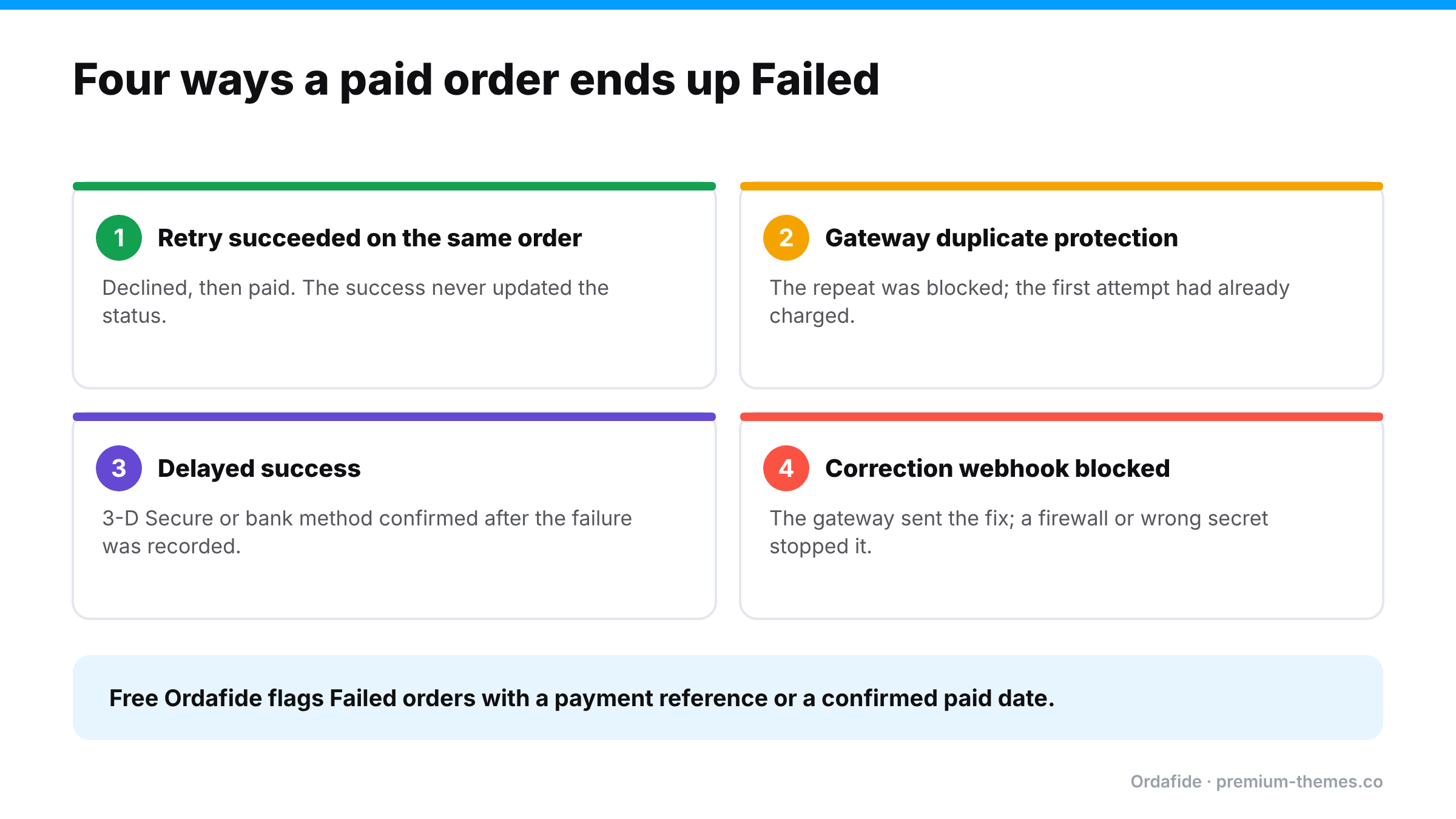
Here’s the problem. Failed is what WooCommerce believes happened. Sometimes the gateway disagrees.
The first attempt is declined, so the order is marked Failed. The customer fixes their card details and pays successfully. If the success is recorded against the same order but the status update doesn’t complete (a webhook failure or plugin bug), the order stays Failed even though it now carries a successful payment.
A web agency documented a case where the gateway (NMI) rejected a second submission of a transaction as a duplicate. The first submission had actually succeeded. The customer saw an error, WooCommerce marked the order Failed, and the card was charged anyway. The gateway’s own log showed “Duplicate transaction”.
Some payment methods report a failure or timeout first and a success later (3-D Secure challenges that complete late, bank-based methods, wallets). If the later success never reaches WooCommerce, the order stays Failed.
Even when the gateway does send the correction, a firewall, security plugin or wrong webhook secret can stop it from arriving. (See is your firewall blocking payments?.)
In every path, the customer has paid, and your store has no intention of shipping anything, because nobody works the Failed list.
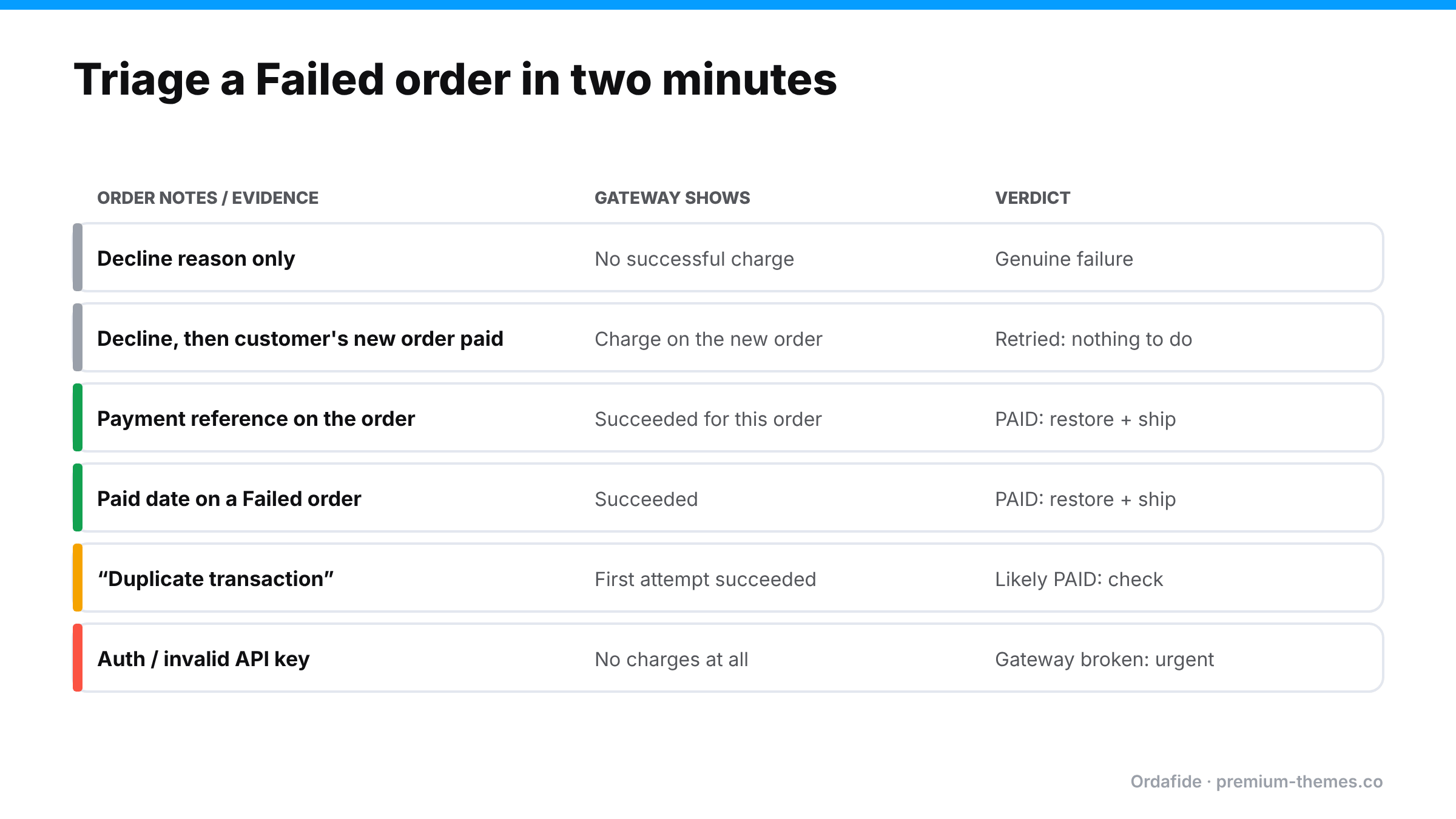
Open the order and read it like evidence.
| What you find | What it means | What to do |
|---|---|---|
| Decline note, no successful payment at the gateway | Genuine failure | Nothing, or a friendly “need help?” email |
| Decline note, but a later order from the same customer succeeded | Customer retried on a new order | Nothing |
| Gateway shows a succeeded payment for this order | Paid but recorded as Failed | Move to Processing, add a note, ship, apologize |
| Paid date recorded on a Failed order | Paid but recorded as Failed | Verify in gateway, then as above |
| “Duplicate transaction” note | Gateway blocked a repeat. The first may have succeeded | Check the gateway for the original charge |
| Authentication or API key error | Your gateway connection is broken | Fix now: every customer is failing (guide) |
Here’s what a typical weekend’s Failed list might contain, and how each one resolves.
#8812, $64, note: “Card declined (insufficient funds)”. No payment in the gateway. Ten minutes later the same customer placed #8815, which succeeded. Nothing to do. The customer retried on a new order.
#8820, $129, note: “3-D Secure authentication failed”, then nothing. The gateway shows a succeeded payment for the same Payment Intent four minutes later. The customer completed the bank challenge on a second attempt, but the success never reached the order. Paid but recorded as Failed. Move to Processing, ship, apologize.
#8827, $38, note: “Duplicate transaction”. The gateway shows one successful charge, from the first submission. The customer saw an error on the second. Paid. Restore and ship, and look at why checkout is slow enough for customers to resubmit.
#8831, $210, note: “Invalid API Key provided”. No charge at the gateway. Neither were there any successful orders after 02:10 on Sunday. Your gateway connection broke. This is the urgent one: every customer since 02:10 failed. (Gateway stopped working)
#8836, $19, random name, mismatched address, “card declined”. One of 40 similar orders between 03:00 and 04:00 for your cheapest product. Card testing. (Card testing guide)
Five Failed orders with five different explanations, two of which were paid. Without opening each one, all five look identical in the list.
For genuine declines, a short, friendly follow-up recovers real sales, especially for higher-value carts:
“Hi Sam, it looks like your payment for order #8812 didn’t go through. That’s usually a temporary card issue. If you’d still like your order, you can pay here: [link]. If you’ve already ordered again, please ignore this.”
Keep it helpful, not accusatory, and never send it before checking that the customer hasn’t already paid on another order.
A handful of Failed orders a week is normal. A sudden change is a signal:
Stock behaviour for Failed orders has changed across WooCommerce versions. WooCommerce’s troubleshooting documentation notes that from WooCommerce 11.0, moving an order to Failed returns stock only if stock had previously been reduced for that order, and an immediate decline leaves inventory unchanged. If you restore a Failed order to Processing because it was actually paid, check stock afterwards, especially on older versions or with inventory plugins.
Nobody reads every Failed order, and that’s the point: the paid ones look exactly like the rest.
Ordafide Order Integrity for WooCommerce (free) scans your recent orders and flags the ones that don’t add up:
Findings are sorted by money at risk, with the evidence laid out and what to check in your gateway before touching anything. When WooCommerce itself recorded a confirmed payment date, Ordafide can restore the order to Processing in one click. The change is logged and can be undone. Ordafide never captures, refunds or voids anything, and it sends nothing to a third party.
Ordafide Pro goes one step further with read-only gateway reconciliation (Stripe, PayPal, Square, Mollie, Razorpay). It compares what the gateway actually collected against your orders and flags money with no order, paid orders with no payment and amount disagreements, so a Failed order with a successful charge behind it can’t hide. Pro’s order volume anomaly detection also flags sudden spikes, the typical shape of a card testing attack, and its alerts reach Slack, SMS, email or a webhook.
Not every Failed order is a hidden payment, and the genuine ones are worth reducing too:
What does Failed mean in WooCommerce?
The payment attempt didn't go through, according to WooCommerce. The order notes usually give the gateway's reason.
Can a WooCommerce order be Failed but the customer still charged?
Yes. A later successful attempt, a gateway's duplicate protection, a delayed confirmation or a blocked webhook can all leave a paid order marked Failed.
Should I delete Failed orders?
Not routinely. They're useful evidence, and a few may have been paid. Review them first, especially any with a payment reference or paid date.
How do I find paid orders marked as Failed?
Check Failed orders for payment references or paid dates and compare with your gateway. Ordafide's free stuck payment and paid-but-cancelled checks do this automatically for recent orders.
Does WooCommerce tell customers their payment failed?
Not by default. WooCommerce notifies the admin. Many stores add a customer-facing email or follow up personally.
Do Failed orders reduce stock?
It depends on your WooCommerce version and whether stock was reduced before the failure. From WooCommerce 11.0, an immediate decline leaves stock unchanged. Check stock whenever you restore a Failed order.