WooCommerce Troubleshooting
Handcrafted Beautiful Bootstrap HTML Templates for your Business Website.
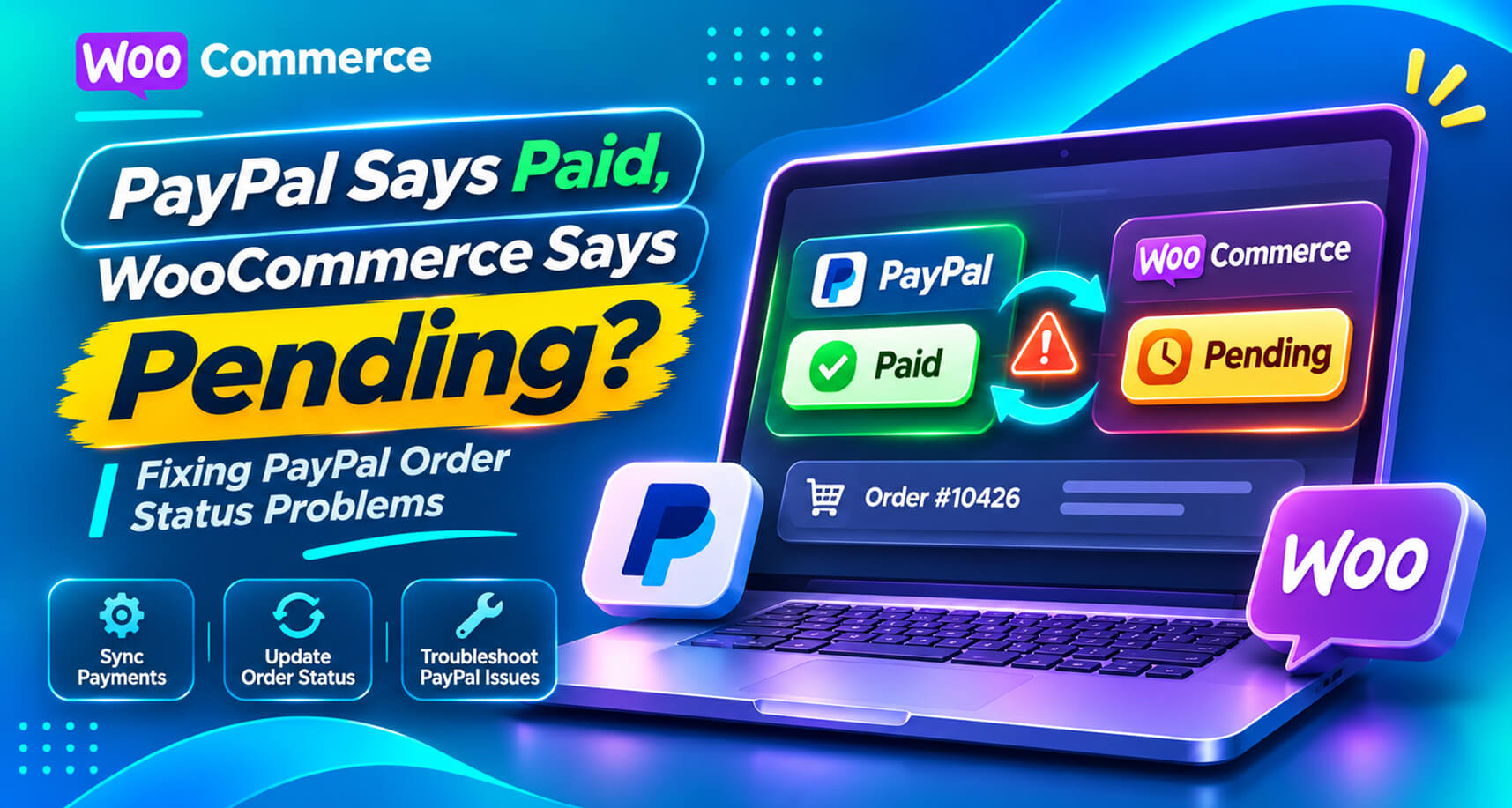
PayPal is one of the most popular ways to pay on WooCommerce stores, and one of the most common sources of “it says pending but I paid” support tickets.
Search the WordPress.org forums and the titles tell the story: “Payments succeed in PayPal but WooCommerce doesn’t update status”, “PayPal payments stay on pending”, “PayPal IPN notifications do not arrive”, “Webhook resubscription fails”, “PayPal: order paid but on failed status”. Some of these threads are a decade old. Others are from this year. The integration has changed several times, but the shape of the problem hasn’t.
This guide explains how PayPal tells WooCommerce about a payment, why that message gets lost, how to diagnose which part failed, and how to stop paid PayPal orders from being missed.
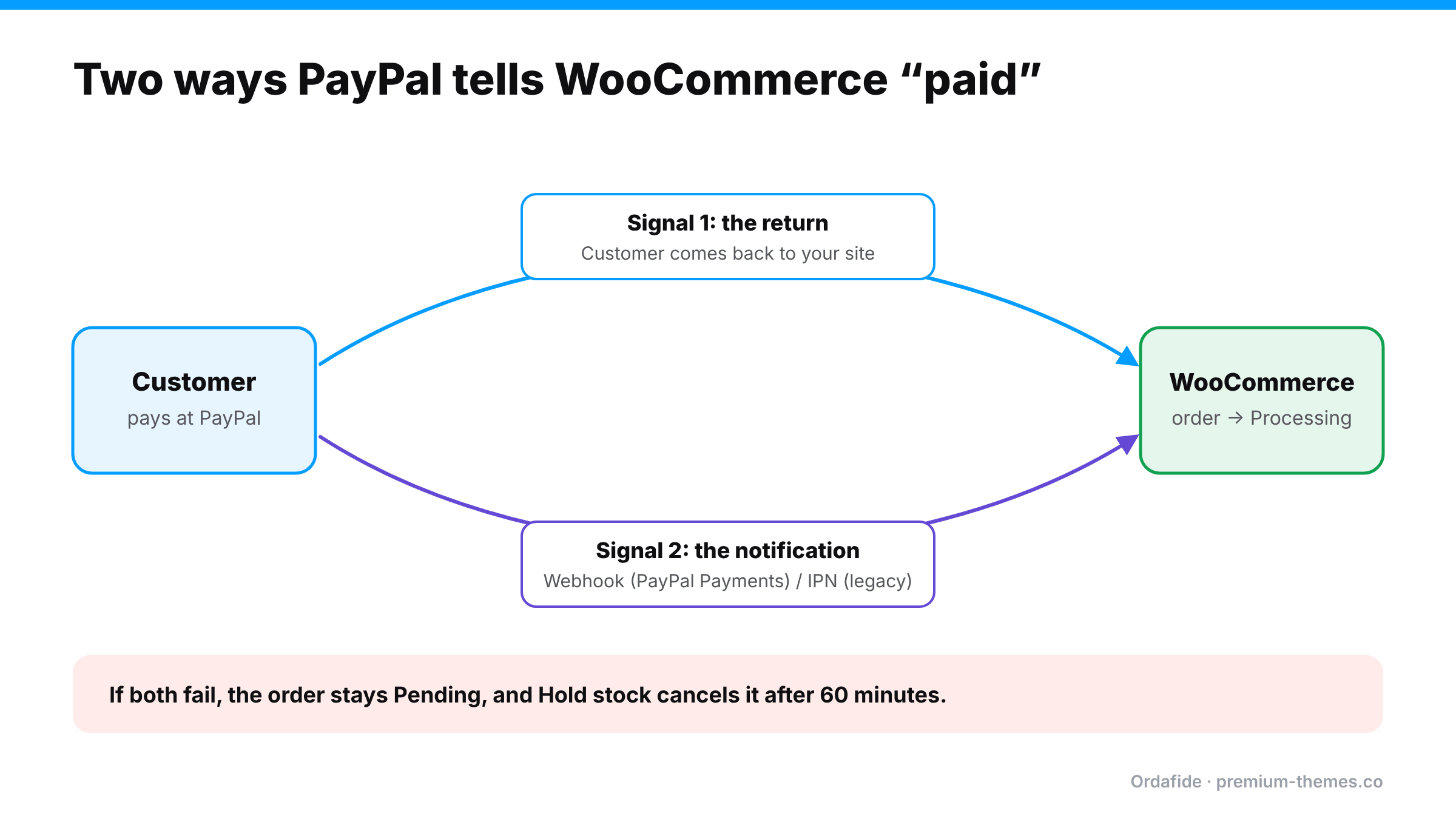
PayPal checkout involves the customer leaving your page (or a PayPal popup appearing over it), so WooCommerce relies on two signals:
If both signals fail, the order never moves. The customer closed the popup or tab before returning, and the notification was blocked or rejected. If the order also uses the Hold stock timer, WooCommerce auto-cancels it an hour later.
This matters because the fixes differ.
| Integration | How notifications work | Status |
|---|---|---|
| WooCommerce PayPal Payments | Webhooks registered automatically with your PayPal account | Current, recommended |
| PayPal Standard (built into older WooCommerce) | IPN to a notify URL | Legacy. WooCommerce has deprecated it |
| Third-party PayPal plugins | Varies | Check the plugin’s documentation |
If you’re still on PayPal Standard, migrating to PayPal Payments is worth doing for many reasons, and this is one of them.
PayPal Payments subscribes to webhooks for your site’s URL when you connect your account. If you changed domain, moved from staging to live, switched HTTP to HTTPS, or restored a backup, the webhook may point to the wrong place. The plugin’s settings include an option to resubscribe webhooks. Forum threads show this fixing many cases, and occasionally failing because something else (usually a firewall) blocks the subscription check.
Exactly like Stripe webhooks, PayPal’s notifications are automated POST requests that bot protection, WAFs and security plugins love to block. (Firewall blocking webhooks)
Connecting a live store to a sandbox account (or the reverse), or switching modes without reconnecting, leaves notifications going to the wrong environment.
Closing the PayPal window, a lost connection, or an in-app browser that doesn’t hand control back. That’s normal and expected, which is why notifications exist. It becomes a problem only when notifications fail too.
Some PayPal payments are genuinely pending at PayPal: eChecks that take days to clear, payments held for review, unverified addresses, currency conversion acceptance. Those orders should wait. The fix is patience, not intervention. Always check PayPal’s actual status before acting.
If the plugin is set to authorize rather than capture, orders may sit On hold until you capture. (Authorized vs captured)
Parts of order processing can depend on WordPress’s background queue. If WP-Cron or Action Scheduler isn’t running, follow-on work stalls. (Loopback request failed)
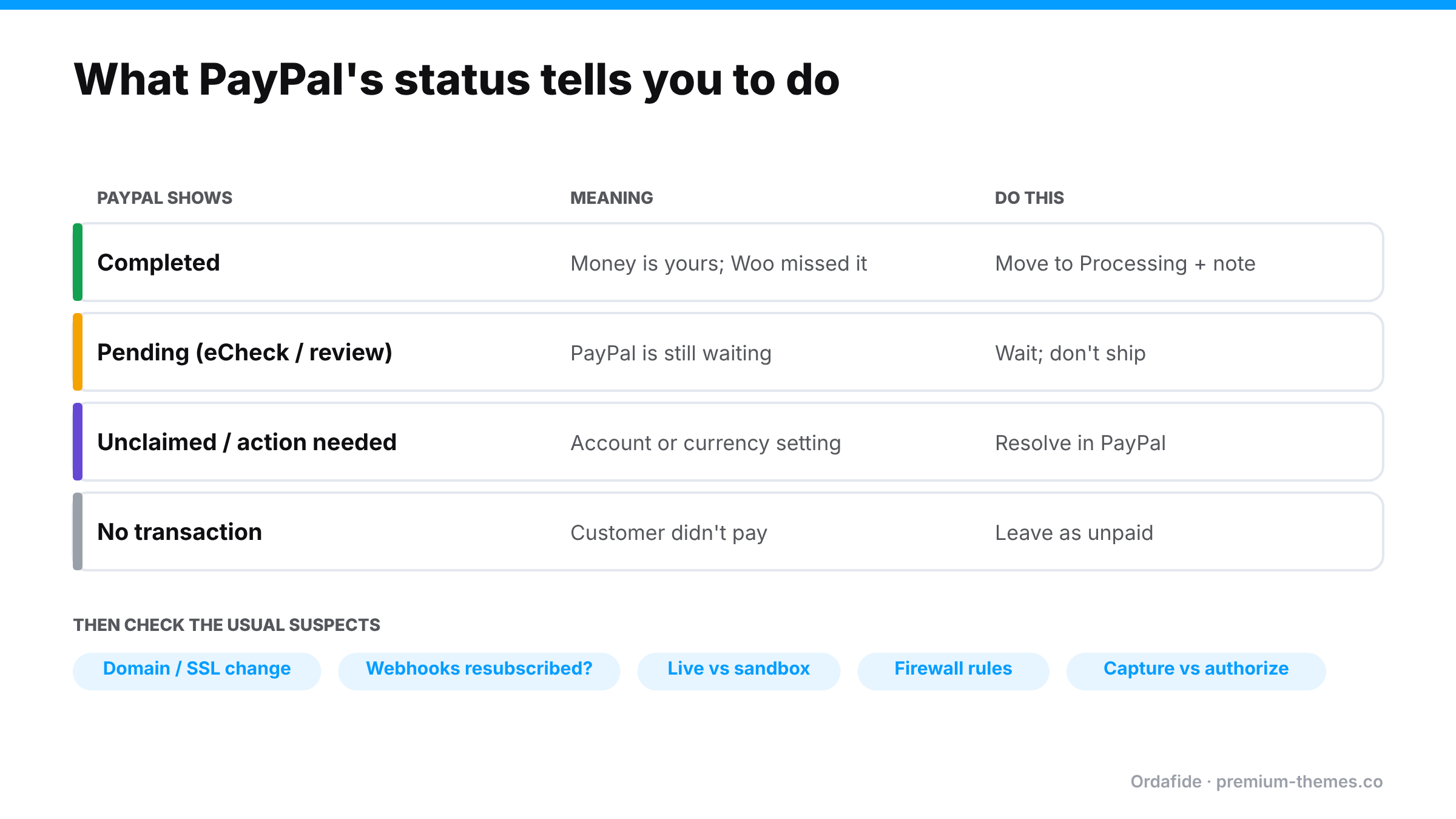
1. Find the transaction. Open the order notes for a PayPal order or transaction ID. Search it in your PayPal account’s activity.
2. Read PayPal’s status.
3. Check the plugin’s connection and webhook status in WooCommerce → Settings → Payments → PayPal. Is it connected to the right environment (live vs sandbox)? Are webhooks subscribed? Try resubscribing.
4. Enable logging in the plugin’s settings, place a small test payment, and read the log for errors on the notification.
5. Check security layers (CDN, security plugin, host WAF) for blocked requests from PayPal around the payment time.
A store moves from shop.example.com to example.com and sets up a redirect. Everything looks fine: the site loads on the new domain, PayPal checkout works, customers return to the new domain after paying.
But PayPal Payments’ webhooks are still subscribed to the old domain. Notifications go to shop.example.com, hit a 301 redirect, and webhooks don’t follow redirects. Every notification fails.
Roughly one PayPal order in eight ends up cancelled despite being paid. Nobody connects it to the domain change made two weeks earlier.
Fix: resubscribe webhooks in the PayPal Payments settings so they point at the new domain, then reconcile the cancelled orders against PayPal.
Most cases are solved by question 1, 3 or 4.
For each order PayPal shows as Completed:
For orders PayPal shows as Pending, leave them and set a reminder. For no transaction, the order is genuinely unpaid.
Stripe problems often affect one order at a time. PayPal problems tend to affect all PayPal orders from a certain moment, because the most common causes are configuration changes: a domain change, a webhook subscription that lapsed, a new firewall rule, a sandbox/live mix-up. That has two consequences:
So the most valuable thing is noticing the first stuck PayPal order quickly. Once you see one paid PayPal order sitting on Pending, check the others from the same period, then check what changed around that time.
After any change to domain, hosting, security or the PayPal plugin, do a real end-to-end test:
If it does, notifications are working. If it only updates when you return to the site, the notification path is broken and customers who don’t return will be left on Pending.
Because PayPal involves a redirect or popup and a notification, it’s one of the most failure-prone payment flows. Stuck PayPal orders tend to come in clusters, when something changes and every notification starts failing.
Ordafide Order Integrity for WooCommerce (free) flags:
Each finding explains what to check in PayPal before you change anything. If WooCommerce itself recorded a confirmed payment date, Ordafide can restore the order to Processing with one logged, reversible click.
Ordafide Pro connects to PayPal (as well as Stripe, Square, Mollie and Razorpay) with read-only credentials and reconciles what PayPal actually collected against WooCommerce. That catches the cases the free plugin can’t see, where no payment reference ever reached the order, or no order exists at all. It flags money with no order, paid orders with no payment, amount disagreements and refunds made in PayPal but missing in WooCommerce, with alerts to Slack, SMS, email or webhook. Because the credentials are read-only, Ordafide can’t capture, refund or move money.
The same notification problems that leave payments stuck can also leave refunds unrecorded. If you refund a PayPal payment from the PayPal dashboard and the notification doesn’t arrive, WooCommerce still shows the order as paid, stock isn’t restored and your revenue is overstated. Refund from the WooCommerce order screen wherever possible, so the plugin records the refund itself. (Refund status mismatches)
Why is my WooCommerce PayPal order still pending after payment?
Usually because PayPal's notification (webhook or IPN) didn't reach WooCommerce and the customer didn't return to your site after paying. Check PayPal's transaction status first, then the plugin's webhook connection and your firewall.
How do I resubscribe PayPal webhooks in WooCommerce?
In the WooCommerce PayPal Payments settings there's an option to resubscribe webhooks. Use it after domain, SSL or hosting changes.
Should I mark a pending PayPal order as Processing?
Only after confirming in your PayPal account that the transaction is Completed. If PayPal itself shows it as pending (for example an eCheck), wait.
Is PayPal Standard still supported?
WooCommerce has deprecated PayPal Standard. Moving to WooCommerce PayPal Payments is recommended.
Can Ordafide check PayPal payments?
Ordafide Pro reconciles PayPal payments against WooCommerce orders using read-only credentials. The free plugin flags stuck and paid-but-cancelled orders from your own database.
Why did my PayPal order go to Cancelled?
If the order stayed on Pending payment longer than the Hold stock time (60 minutes by default), WooCommerce cancelled it. If PayPal shows the payment Completed, restore the order to Processing and check stock.
Do PayPal webhooks follow redirects?
Generally, no. Register the exact final URL by resubscribing after domain or SSL changes.
How do I test whether PayPal notifications are working?
Pay with PayPal and close the PayPal window right after approving, without returning to your store. If the order still moves to Processing within a few minutes, notifications are working.
Can a firewall block PayPal notifications?
Yes. CDN bot protection, security plugins and host firewalls can block PayPal's automated requests just like Stripe webhooks. Make a narrow exception for the notification path.