WooCommerce Troubleshooting
Handcrafted Beautiful Bootstrap HTML Templates for your Business Website.
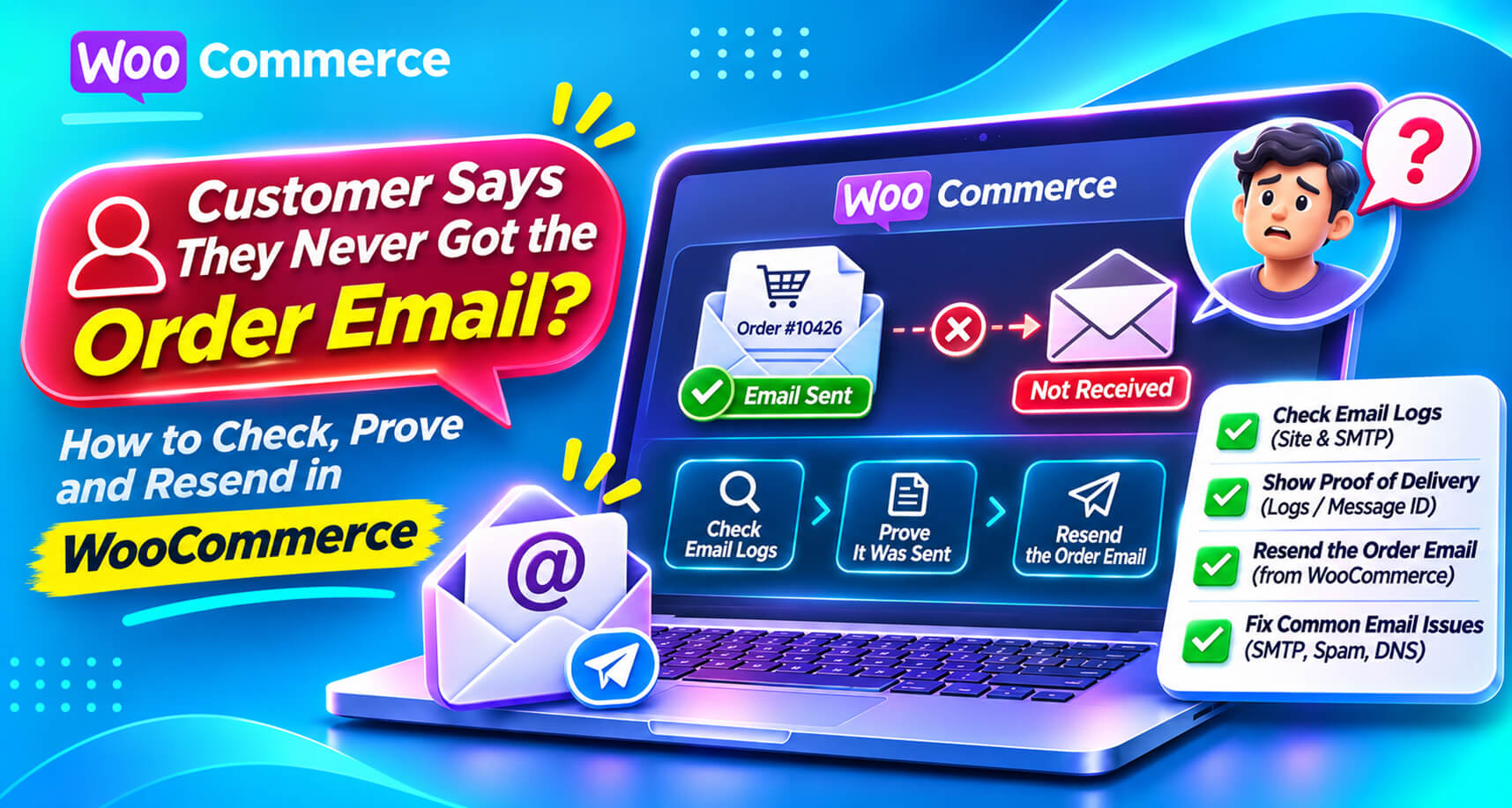
“I placed an order three days ago and never got a confirmation. Did it go through?”
Every store gets this email. Usually the answer is simple: check the spam folder. But sometimes the email really never left your site, and sometimes it’s been failing for every customer for a week.
The trouble is that WooCommerce, out of the box, doesn’t give you an easy way to answer the question “was this specific email actually sent?” You can see the order. You can resend the email. But you can’t easily see whether the original made it to the mail server, or what happened to it there.
This guide walks through how to work out where an order email went missing, how to tell a one-customer problem from a store-wide one, and how to have the evidence ready next time.
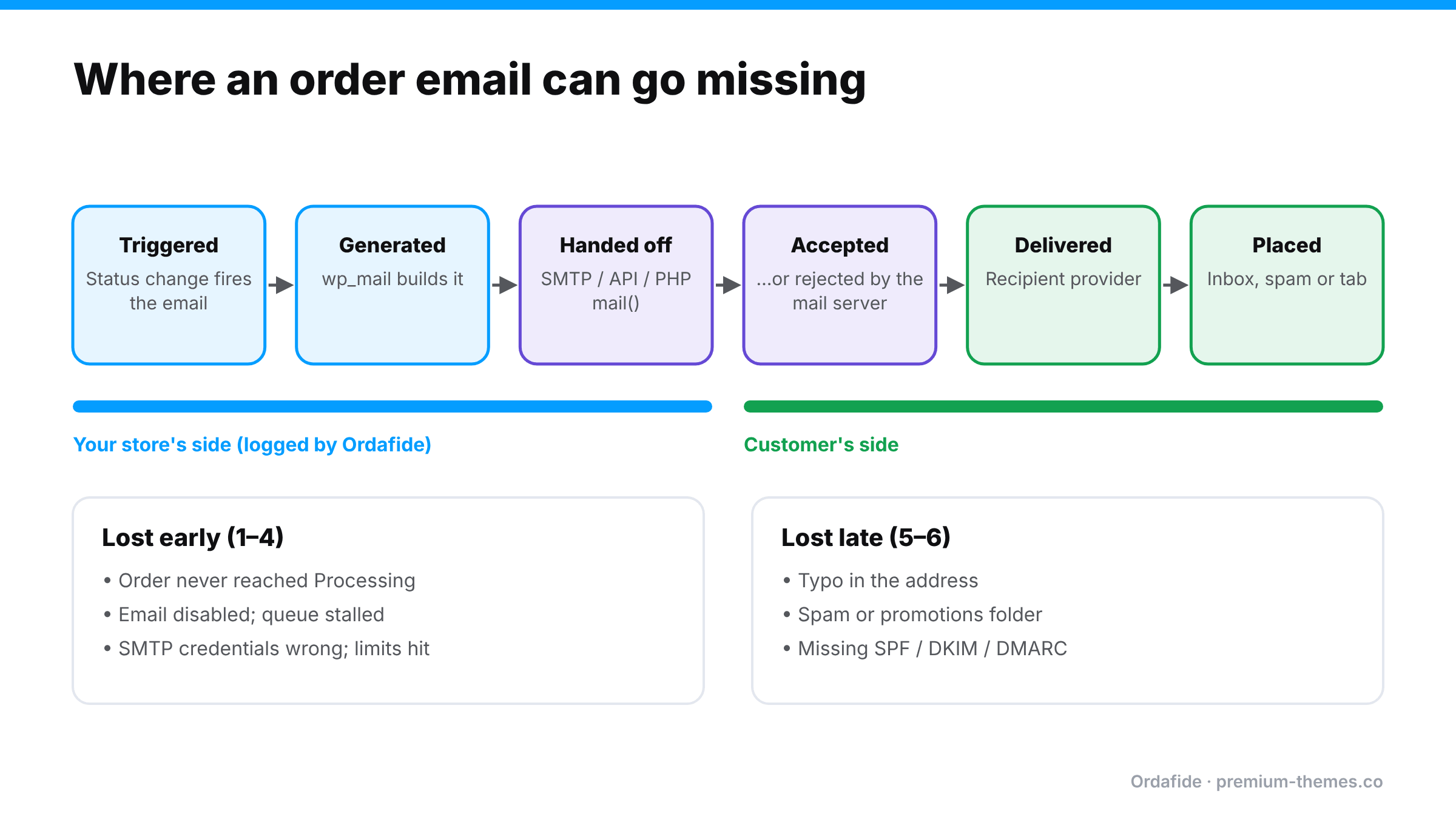
An order confirmation passes through several stages, and it can be lost at any of them:
wp_mail).mail(), or an SMTP or email API service.WooCommerce’s job ends around stage 2. Everything after that is your mail setup and the customer’s provider.
This is where most stores have no evidence. Options:
mail(), ask your host. Often there’s little to see, which is itself a reason to switch to a proper provider.What you’re looking for:
If your provider shows the email as delivered:
gmial.com, missing letters). This is surprisingly common.From the order screen, use Order actions → Email invoice / order details to customer to resend. If the address was wrong, correct it on the order first. Then reply to the customer with what you found. “Our email was caught by your spam filter” or “we had a sending problem on our side, now fixed” is reassuring either way.
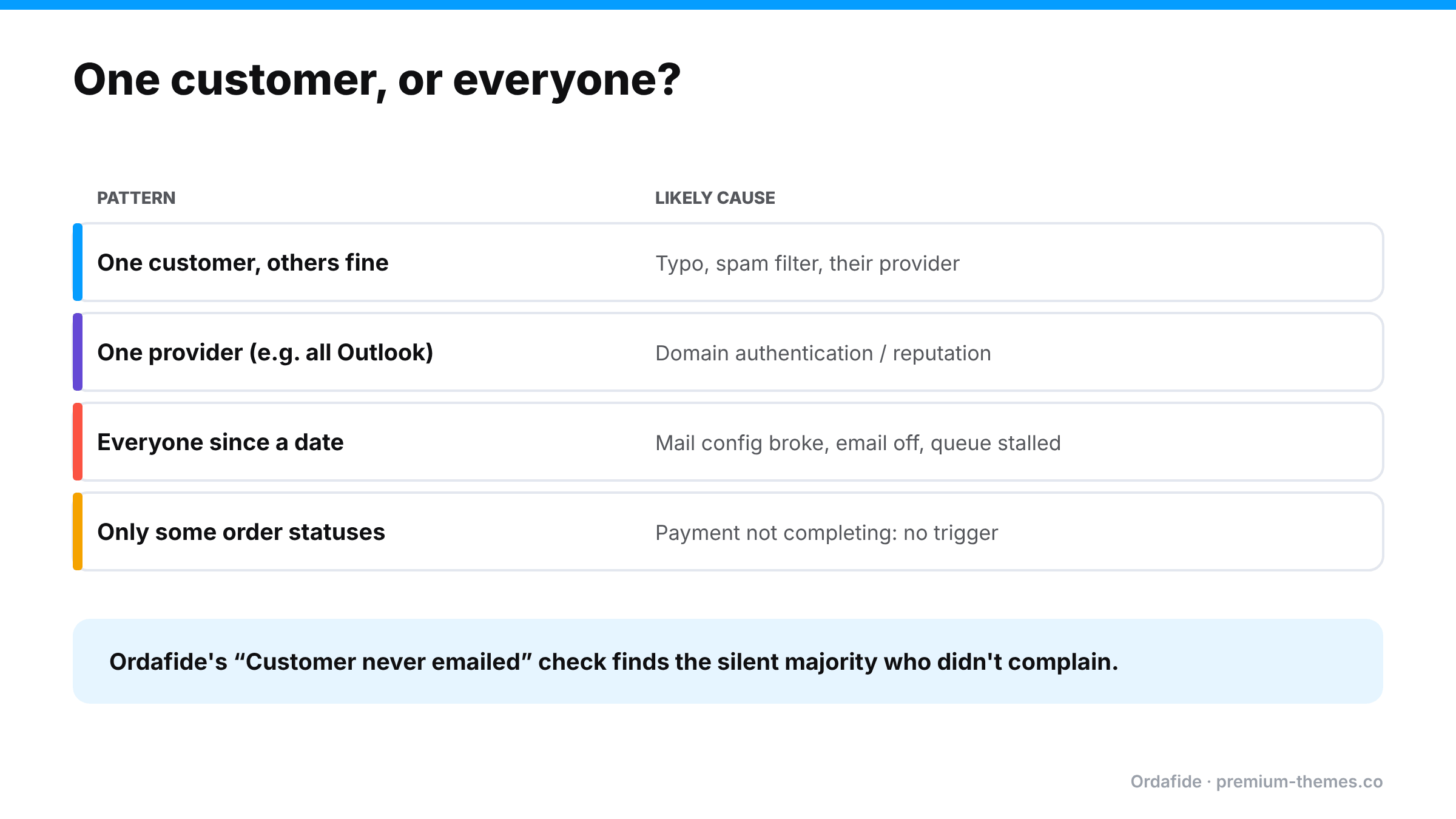
This is the most important question, and the one most stores never ask.
| Pattern | Likely cause |
|---|---|
| One customer, others fine | Typo, spam filtering, their provider |
| One provider (e.g. all Outlook addresses) | Domain authentication or reputation with that provider |
| Everyone since a date | Mail configuration broke (migration, expired SMTP credentials, plan limit), email disabled, or queue stalled |
| Orders in certain statuses only | Payment not completing, so the confirmation is never triggered |
If it’s everyone, every customer since that date is a potential “did my order go through?” email, and some are potential chargebacks. (Self-inflicted chargebacks)
A store sends email through an SMTP service. In October, the store owner changes the password on that email account for security, but doesn’t update the SMTP plugin.
mail() on some setups, or simply fails on others.With a per-order email log, the first failed order would have shown “rejected: authentication failed” on day one, and a check for paid orders with no successful email would have flagged it by the next morning.
mail().The real problem is that you only go looking for email evidence after a customer complains, and by then you need to know about the other customers who didn’t complain.
What you want is:
Ordafide Order Integrity for WooCommerce (free) includes an order email delivery log: every WooCommerce email is recorded against its order, together with the result your mail server returned. When a customer asks “did you send it?”, the answer is on the order.
On top of the log, the Customer never emailed check flags paid orders where no customer email reached your mail server, or where every attempt was rejected. That’s the store-wide problem surfaced before customers start writing in. From the finding, you can resend the email in one click. Resends are written to Ordafide’s activity log. (An email can’t be unsent, so that action can’t be undone.)
Ordafide also reports background queue and WordPress scheduler health, because a stalled queue is one of the most common reasons confirmations stop. An optional weekly summary email tells you when there’s something to look at.
A few honest limits:
Ordafide Pro adds alerts (Slack, SMS, email, signed webhook), so a sudden run of un-emailed paid orders reaches you the same day, and CSV/JSON audit export if you need records for a dispute.
Whatever you find, the customer mostly wants reassurance. A good reply:
“Thanks for checking. Your order #4102 is confirmed and paid, and it’s being packed now. It looks like our confirmation email [was caught by your spam filter / didn’t send because of a problem on our side, which we’ve fixed]. I’ve resent it just now. You’ll get tracking by email when it ships.”
Confirm the order, explain briefly, resend, and set the next expectation. If the problem was on your side, check whether other customers were affected before closing the ticket.
How do I check if a WooCommerce order email was sent?
WooCommerce doesn't keep a detailed per-order delivery record by default. Use an email log (an SMTP plugin or Ordafide's per-order log) or your email provider's activity log.
How do I resend an order confirmation in WooCommerce?
Open the order, choose *Email invoice / order details to customer* from Order actions, and update.
Why do WooCommerce order emails go to spam?
Usually missing or broken SPF, DKIM or DMARC records, sending through PHP mail(), or a From address on a domain your mail provider isn't authorized to send for.
How do I know if other customers missed their emails too?
Look for paid orders without a successful email record. Ordafide's Customer never emailed check flags them automatically.
Why did the customer get the admin email but not their own?
Customer and admin emails are separate settings, and are sent to different addresses. Check that the customer email is enabled and that the address on the order is correct.
Can I prove to a customer that an email was sent?
An email log, or your provider's activity log, shows that the message was accepted by the mail server at a specific time. It can't prove it reached their inbox, but it shows the problem isn't on your side.
How long should I keep email logs?
Long enough to cover your return and dispute windows. Many stores keep at least 90 days.
Will resending an email create a duplicate order?
No. Resending only sends the email again. It doesn't change the order or charge the customer.