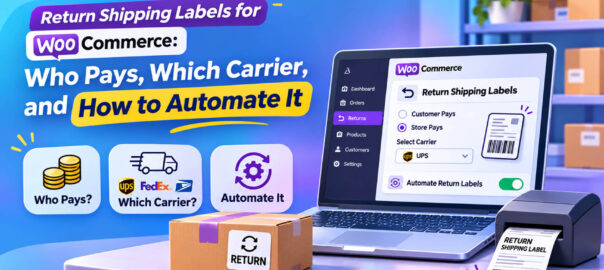
After “can I return it?”, the next question every customer asks is: “How do I send it back, and who pays?”
It sounds like a logistics detail. It’s actually one of the most important decisions in your returns policy. It affects whether people buy in the first place, how quickly returns reach you, how many arrive with a tracking number, and how much each return costs you.
The NRF found 82% of consumers say free returns are a major purchase consideration, up from 76% the year before (NRF, October 2025). Loop’s 2026 survey found 92% say return fees influence how they shop (Loop Returns, July 2026). But free returns cost real money, and for a small WooCommerce store, paying for every return label can eat a large part of the margin on the original sale.
This guide works through the options, the true costs, the policies that balance customer expectations with margin, and how to stop emailing labels by hand.
The four return shipping models
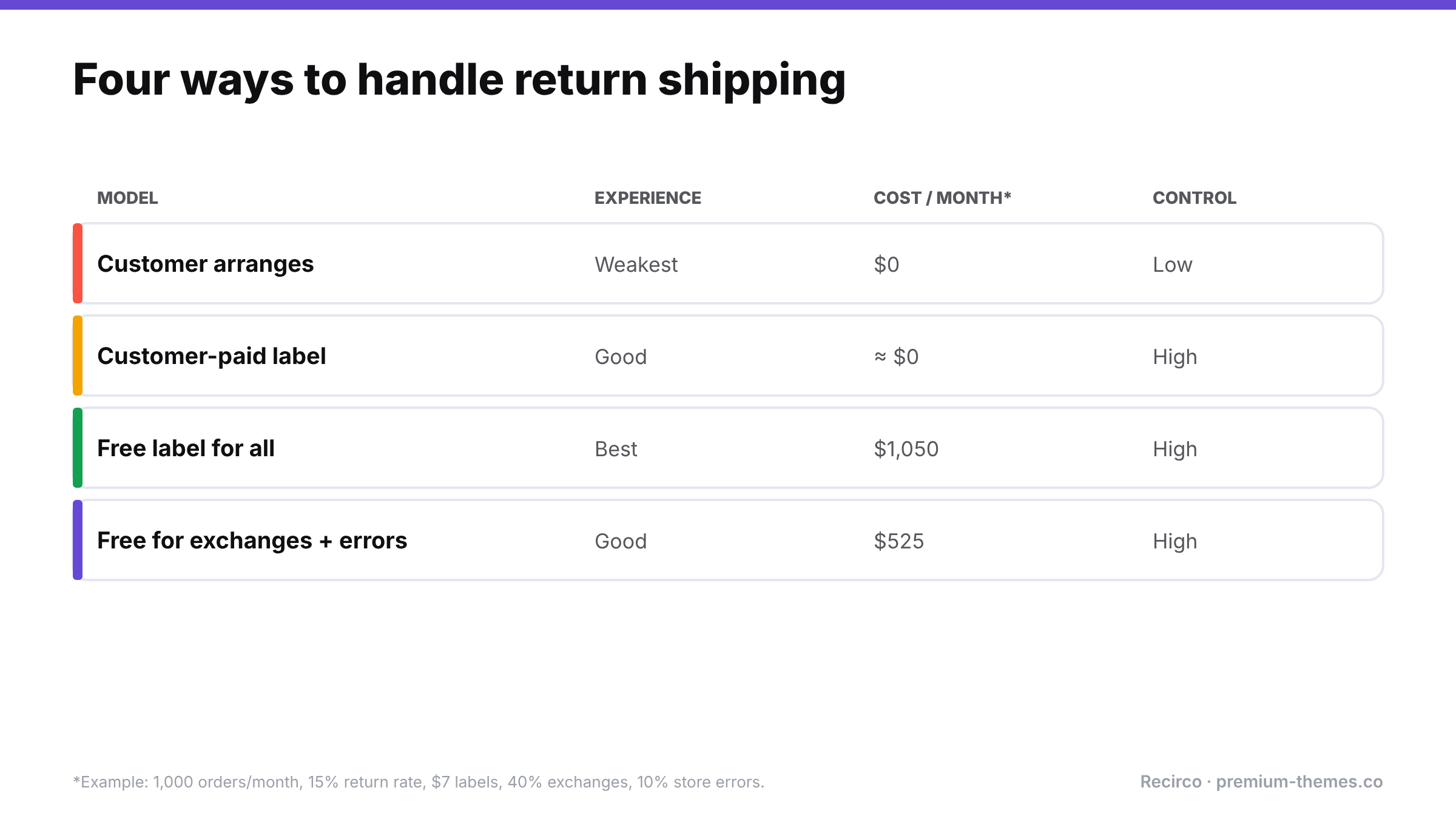
| Model | How it works | Customer experience | Your cost | Your control |
|---|---|---|---|---|
| Customer arranges and pays | Customer ships to your address their own way | Weakest | None | Low: any carrier, often no tracking |
| Customer pays via your label | You provide a label; its cost is deducted from the refund | Good | Low (admin) | High: your carrier, tracked |
| Free prepaid label | You provide and pay for the label | Best | Full label cost | High |
| Conditional free returns | Free for some cases (exchanges, faults, loyalty), paid for others | Good | Partial | High |
Model 1: Customer arranges and pays
The traditional default for small stores: here’s our address, send it back however you like.
Upside: no cost, no setup.
Downside: customers pick the cheapest untracked option, parcels get lost, and you argue about whether something was sent. Returns arrive unpredictably, sometimes without any reference. And many customers find the hassle a reason not to buy.
Model 2: Customer-paid label (deducted from refund)
You generate a tracked label on your carrier account and deduct its cost (or a flat fee) from the refund.
Upside: tracked returns on your carrier at your negotiated rate; the customer doesn’t need to visit a carrier counter to buy postage; low cost to you.
Downside: still a fee, which customers notice.
Model 3: Free prepaid label
You generate the label and pay for it.
Upside: the experience customers increasingly expect; converts better; returns arrive faster and tracked.
Downside: cost. If your average order is $40 and a return label costs $8, free returns on a 20% return rate add a meaningful percentage to your costs across all orders.
Model 4: Conditional free returns
Free labels where it pays for itself or where fairness demands it; paid elsewhere. Common conditions:
- Free for exchanges, paid for refunds. This nudges customers toward keeping the revenue, and was among the incentives consumers said could steer them away from refunds in Loop’s survey (a waived exchange fee, 36%).
- Free when it’s your fault: damaged, defective or wrong item.
- Free for loyalty members or orders above a certain value.
- Free during holiday season for gift purchases.
For most growing WooCommerce stores, Model 4 is the sweet spot: customers get free returns for the cases that matter most, and you avoid subsidising every change of mind.
Working out what return shipping really costs you
A quick calculation helps make the decision on numbers rather than gut feeling:
Monthly return shipping cost = orders per month × return rate × share of returns you pay for × average label cost
Example: 1,000 orders × 15% return rate × 60% you pay for (exchanges + faults) × $7 label = $630 a month.
Then set that against what free returns gain you: higher conversion (82% of shoppers weigh free returns when buying), more exchanges instead of refunds, faster returns that get stock back on sale sooner, and fewer support tickets about lost parcels.
Comparing the models on the same store
Take a store with 1,000 orders a month, a $50 average order, a 15% return rate (150 returns), and a $7 average label cost. Suppose 40% of returns are exchanges, 10% are damaged or wrong items, and 50% are change-of-mind refunds.
| Model | Labels you pay for | Monthly cost | Notes |
|---|---|---|---|
| Customer arranges | 0 | $0 | Untracked parcels, lost returns, worst conversion |
| Customer-paid label | 0 (fee recovered) | ≈ $0 | Tracked; fee visible to customers |
| Free for everything | 150 | $1,050 | Best experience; highest cost |
| Free for exchanges + store errors | 75 | $525 | Half the cost; nudges toward exchanges |
Conditional free returns halve the cost of fully free returns in this example, while still giving free returns to the customers you most want to keep (exchanges) and the ones you owe (your errors). And because some change-of-mind refunds will become exchanges to get a free label, the real cost often ends up lower still, with more revenue kept.
Choosing a carrier and label approach
Things to look for in your return label set-up:
- Tracking on every return label
- Rates that reflect your volume (multi-carrier platforms often have discounted rates)
- Label format customers can use: printable PDF, and ideally QR codes for printer-less drop-off where the carrier supports it
- Drop-off convenience for your customers’ locations
- Pay-on-use options, where you only pay for labels that are actually scanned (offered by some carriers and platforms, so worth asking about)
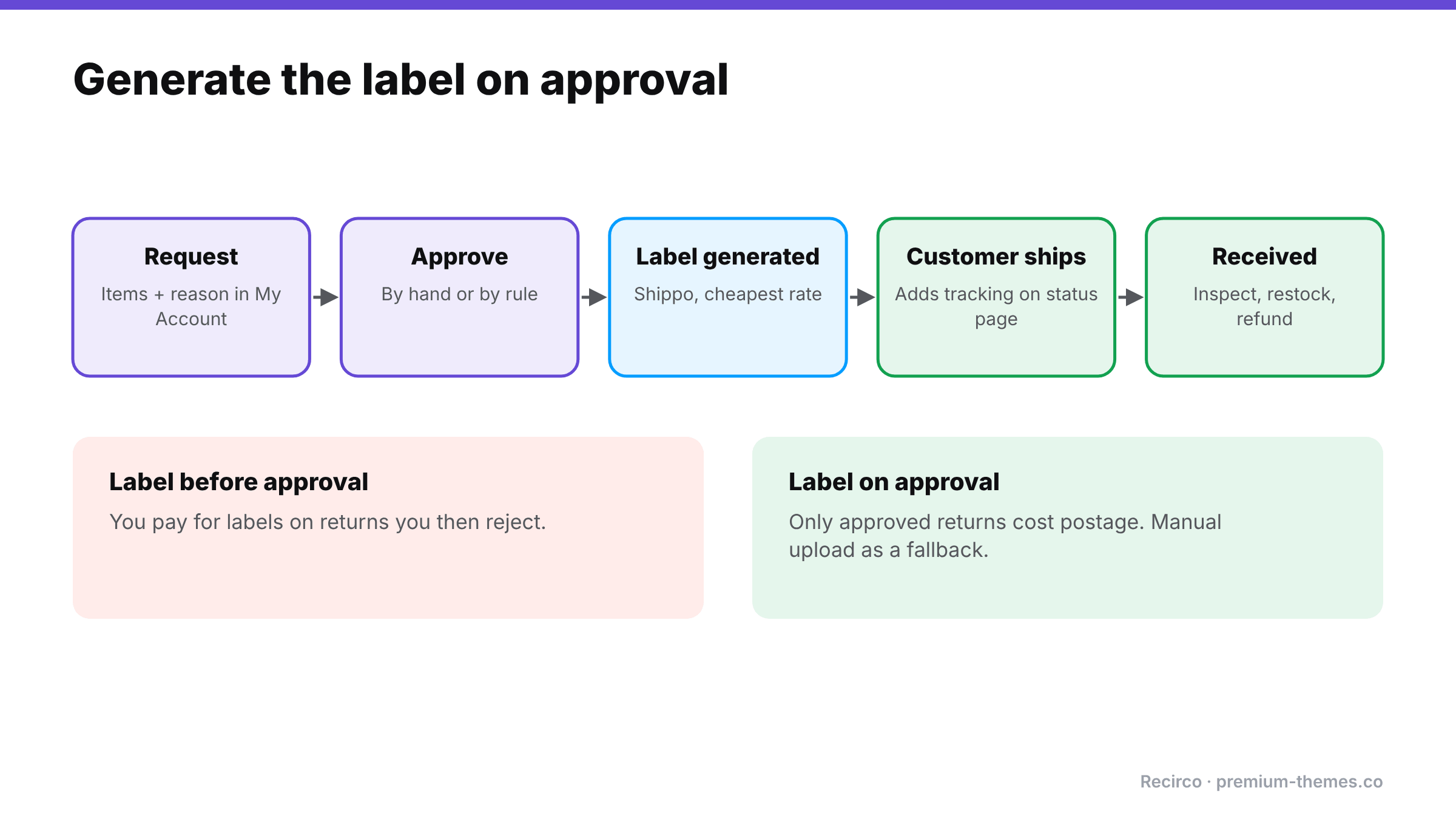
- Generation at the right moment. On approval, not before, so you don’t pay for labels for returns you reject.
Multi-carrier platforms such as Shippo give you access to several major carriers through one account and API, and can compare rates for each label.
Packaging and drop-off instructions
A label is only half the job. Returns arrive damaged or unidentifiable surprisingly often, because customers weren’t told how to send them. Include short instructions in the approval email and on the return status page:
- Use the original packaging if possible, or a sturdy box or mailer.
- Include the return number on a slip inside the parcel (or print it on the label).
- Remove or cover old shipping labels so the parcel doesn’t go back to the customer.
- Keep the drop-off receipt until the refund arrives.
- Send within [14] days of approval.
International returns
If you sell abroad, return shipping gets harder:
- Cross-border labels cost more, and some carriers can’t produce return labels from every country.
- Customs: returned goods may need paperwork marking them as returns rather than new imports, otherwise you may be charged duties on your own goods.
- Long transit times mean more “where’s my refund?” contact.
Common approaches: offer prepaid international labels only for higher-value orders; let international customers ship at their own cost with tracking; or, for low-value items, refund without requiring a return. State your international rules separately in your policy.
The manual way (and why it doesn’t scale)
Without automation, the label process typically looks like:
- Customer emails asking to return.
- You approve by email.
- You log in to your carrier or shipping platform, enter the customer’s address and parcel details, buy the label, download the PDF.
- You email the PDF to the customer.
- You note the tracking number somewhere, usually not against the order.
- You watch for the parcel.
At five returns a week it’s tolerable. At fifty, it’s hours of copy-paste a week, with addresses mistyped and tracking numbers lost.
Automating labels with Recirco
Recirco – Returns & Exchanges for WooCommerce (free) already removes most of the manual steps around the label:
- Customers start returns from My Account → Returns, choosing items and reasons.
- On approval, customers see your return address and RMA number on the return’s status page and in the approval email.
- Customers can add their own tracking number to the return, so you know what’s in transit.
- If a label exists, Recirco can display it to the customer. The free plugin shows labels but doesn’t generate them.
Recirco Pro adds carrier label generation:
- Shippo integration, using the cheapest available rate by default.
- Labels generated automatically on approval, so you never pay for a rejected return.
- Manual label upload, for when you create a label elsewhere or use a carrier outside Shippo.
- A provider interface for other carriers, so the label step isn’t locked to one service.
Combined with Pro’s conditional approval rules, you can implement Model 4 cleanly. For example, auto-approve exchanges and fault claims (label generated immediately, free to the customer), while holding change-of-mind refunds for review. And with analytics on value returned and reasons, you can see exactly which return types your label spend goes on.
Policy wording for each model
Customer-arranged:
Please return items to [address] using a tracked service, quoting your return number. Return postage is your responsibility, and we can’t accept responsibility for parcels lost in transit without tracking.
Customer-paid label:
Once your return is approved, we’ll email you a prepaid tracked label. [$6.95] will be deducted from your refund to cover it.
Free label:
Returns are free. Once your return is approved, we’ll email you a prepaid tracked label.
Conditional free:
Exchanges and returns of damaged, faulty or incorrect items are free: we’ll email you a prepaid label when your return is approved. For other refunds, [$6.95] is deducted from your refund for the prepaid label, or you can return the item at your own cost using a tracked service.
Reviewing your label spend
Once labels are automated, review the spend quarterly. Which reasons drive the most labels? Are exchanges growing as a share of returns? Is one product generating a disproportionate share of return shipping? Often the cheapest way to cut label cost is fixing the product page that causes the returns.
Mistakes to avoid
- Generating labels before approval. You pay for labels on returns you then reject.
- No tracking requirement. Lost returns turn into disputes.
- Hidden fees. Deducting a label fee the customer didn’t know about invites complaints and “credit not processed” disputes.
- Same rules for every reason. Charging customers to return your mistake (wrong item, damaged) is a fast way to a bad review, and in many places it isn’t allowed for faulty goods anyway.
- Ignoring the data. If return shipping is a large cost, the best saving is often fewer returns. Look at your reasons. (Reduce your return rate)