Return emails are some of the most-read messages your store sends. A customer waiting for a refund opens every one, often more than once. Yet most stores either send nothing between “I’d like to return this” and the refund, or send generic messages that leave the customer with more questions than answers.
Good return emails do three jobs:
- Tell the customer exactly where things stand, so they don’t email to ask.
- Tell them exactly what to do next, so the return arrives correctly and quickly.
- Protect the relationship, so a return becomes a reason to buy again, not a reason to leave.
The stakes are real: the NRF found 71% of shoppers are less likely to shop with a retailer again after a poor returns experience (NRF, October 2025).
Below are six templates covering the full return lifecycle, with subject lines, the reasoning behind each, and the mistakes to avoid. Copy them, adjust the tone to your brand, and replace the bracketed placeholders.
The six emails a return needs
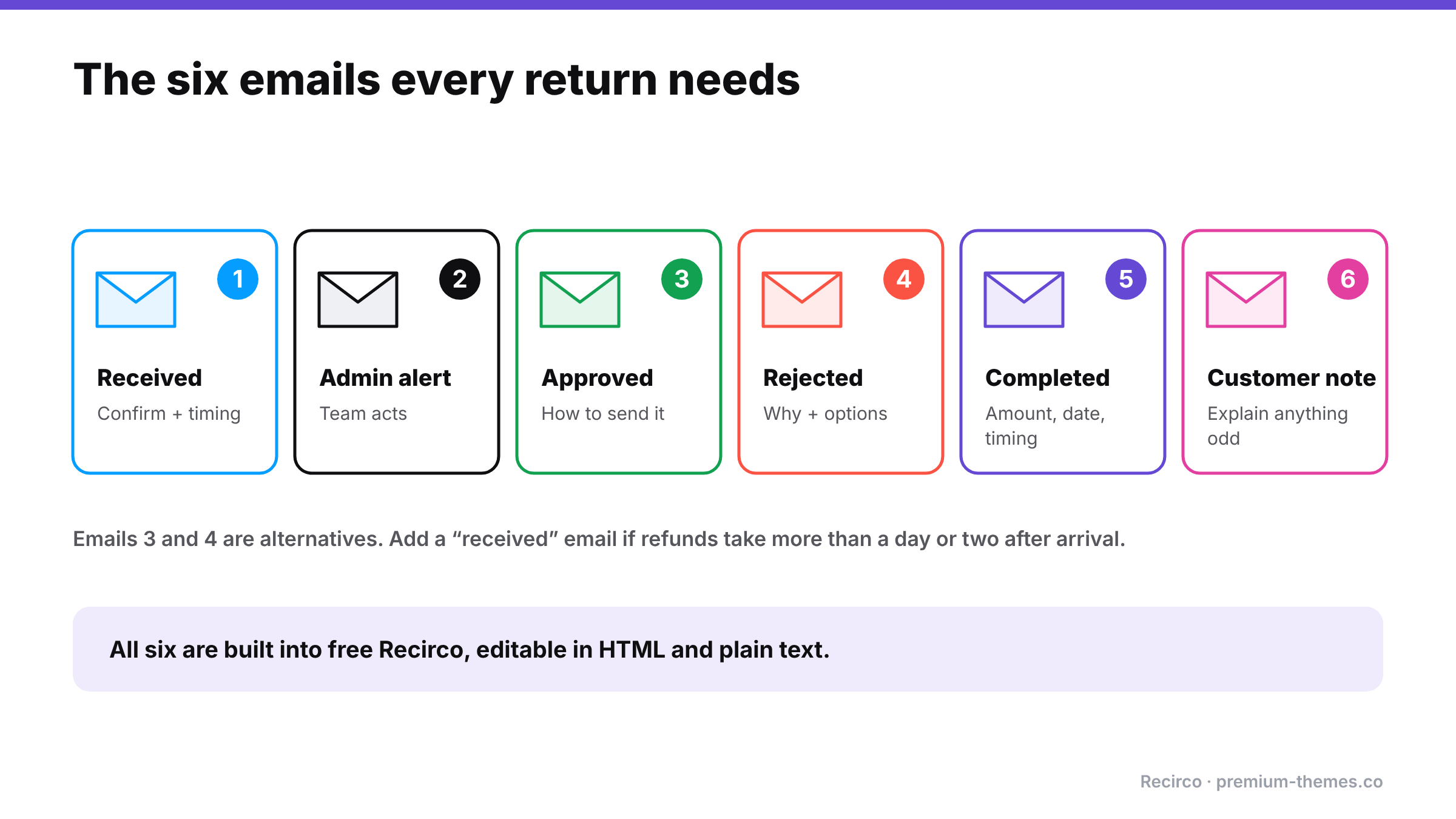
| # | Sent when | Main job | |
|---|---|---|---|
| 1 | Request received | Customer submits a return | Confirm, set expectations |
| 2 | Admin alert | Customer submits a return | Get your team to act |
| 3 | Approved | You approve | Explain how to send it back |
| 4 | Rejected | You decline | Explain why, kindly, with options |
| 5 | Completed / refunded | Refund or exchange is done | Confirm the money, close the loop |
| 6 | Customer note | Anything unusual | Explain in plain words |
Some stores add a “received” email when the parcel arrives. If your process has a gap of more than a day or two between arrival and refund, add one. It’s the best single defence against “did you get my parcel?” emails. ([More on that](/blog/where-is-my-refund-tickets/))
Principles for every return email
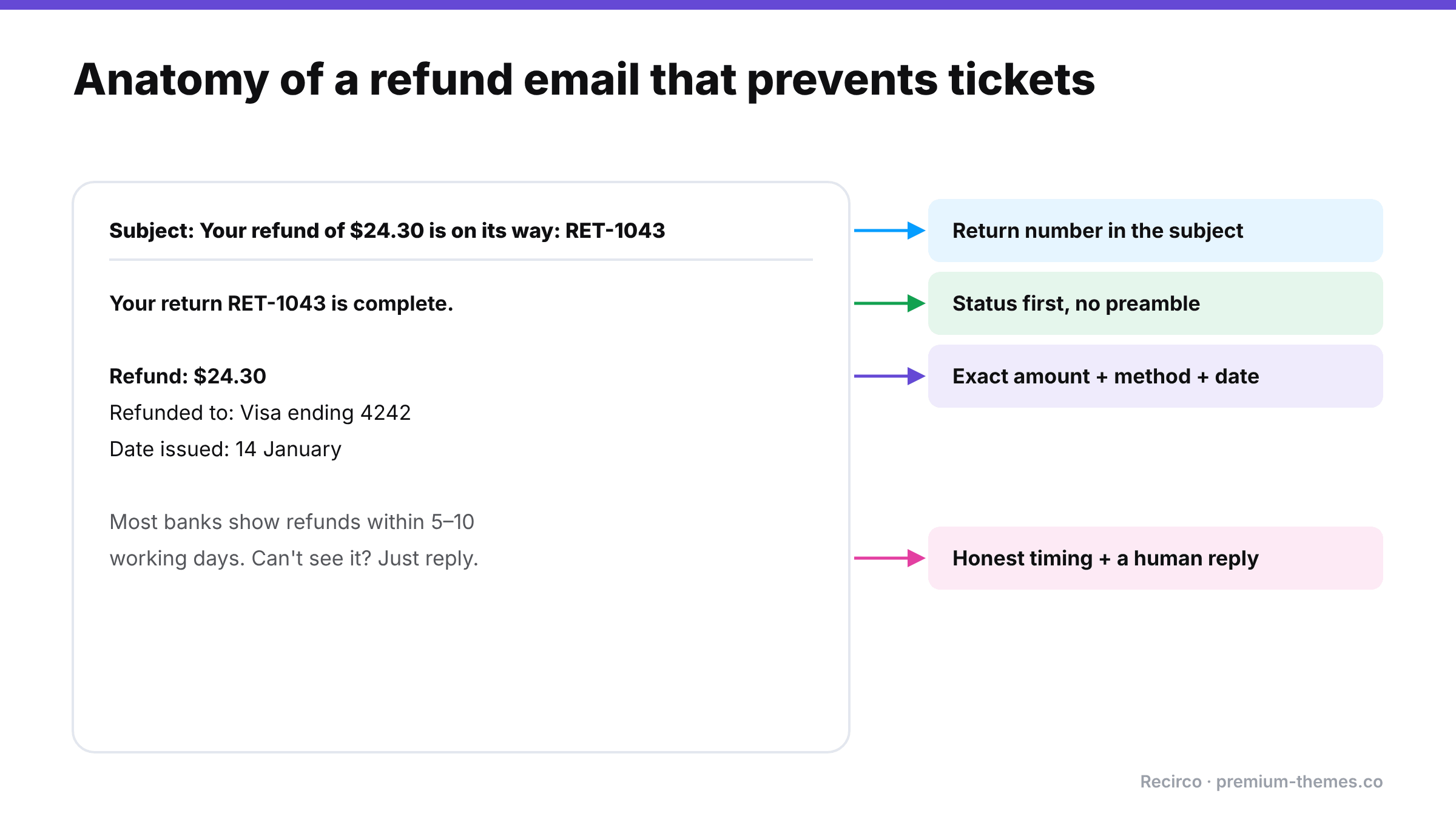
- Put the return number in the subject line. Customers search their inbox for it.
- Lead with the status. “Your return is approved”, not “Thank you for contacting us regarding…”
- One clear next step, in bold or as a button.
- Specific over vague. “Within one working day”, not “soon”. “$24.30 to your Visa”, not “your refund”.
- Plain text-friendly. Many people read on phones; keep layout simple.
- Human tone. Returns aren’t a failure on the customer’s part. Never make them feel judged.
- Same voice as your marketing. A playful brand shouldn’t suddenly sound like a bank.
Template 1: Request received
Subject: We’ve got your return request: [RETURN NUMBER]
Hi [First name],
Thanks, we’ve received your return request for order #[Order number].
Return number: [RETURN NUMBER]
Items: [Item list with quantities]We’ll review it within one working day and email you with next steps. You can check the status any time in My Account → Returns.
Changed your mind? You can cancel the request from the same page.
[Store name]
Why it works: instant reassurance that the request went through, a reference number, a time commitment, and a place to look. It prevents the “did my request work?” email entirely.
Avoid: “Your request is being processed.” It says nothing.
Template 2: Admin alert (internal)
Subject: New return request [RETURN NUMBER]: [Customer name], [value]
A new return request needs review.
Customer: [Name], [email]
Order: #[Order number], placed [date]
Items: [Item list]
Reason(s): [Reasons + customer explanation]
Return value: [Amount][Review in admin →]
Why it works: your team can triage from the email: reason, value, customer. The faster this is acted on, the faster email 3 goes out.
Tip: send it to a shared inbox or channel, not one person, so holidays don’t stall returns.
Template 3: Return approved
Subject: Your return [RETURN NUMBER] is approved. Here’s how to send it
Hi [First name],
Good news: your return for order #[Order number] is approved.
What to do next
- Pack the item(s) securely, ideally in the original packaging, with tags attached.
- Write your return number [RETURN NUMBER] on a note inside the parcel.
- Send it to:
[Return address]
[Or: Your prepaid label is attached. Print it and drop the parcel at any [carrier] location.]- Please send it within 14 days.
Once it’s on its way, add your tracking number in My Account → Returns so we can watch for it.
What happens next: when your return arrives we’ll check it within [2] working days and then [refund you / send your replacement].
[Store name]
Why it works: numbered steps, the address or label right there, a deadline, and a preview of what happens next. It answers “where do I send it?”, “how?”, “by when?” and “then what?” in one go.
For exchanges: replace the last paragraph with “Your replacement [item/size] will ship [as soon as your return arrives / today].”
Avoid: burying the address in a footer, or attaching a label without saying which carrier accepts it.
Template 4: Return rejected
This is the hardest email to write well, and the one most likely to become a complaint or chargeback if written badly.
Subject: About your return request [RETURN NUMBER]
Hi [First name],
Thanks for your return request for order #[Order number]. Unfortunately we can’t accept this return because [specific reason, e.g. “the order was delivered on 2 October, outside our 30-day return window” / “personalized items can’t be returned”].
We know that’s not the answer you were hoping for. Here’s what we can do:
- [If faulty: “If the item is faulty or damaged, please submit a new request choosing ‘Faulty’ and we’ll look at it under your warranty rights.”]
- [Optional goodwill: “As a thank-you for being a customer, here’s 10% off your next order: [CODE].”]
If you think we’ve got something wrong, just reply to this email. A real person will read it.
[Store name]
Why it works: a specific reason the customer can understand and check, an acknowledgement that it’s disappointing, an alternative path (especially for faults, which may have legal protection beyond your return window), and a human route to appeal.
Avoid: “Your return does not meet our policy.” No reason, no options, no human: that’s a template for a chargeback.
Template 5: Return completed / refunded
Subject: Your refund of [amount] is on its way: [RETURN NUMBER]
Hi [First name],
Your return [RETURN NUMBER] is complete.
Refund: [$24.30]
Refunded to: [Visa ending 4242 / PayPal / store credit]
Date issued: [14 January]Most banks show refunds within 5–10 working days. If you can’t see it after that, reply to this email and we’ll send you the refund reference to give your bank.
[If partial: “This covers [items]. [Short explanation of any difference].”]
Thanks for shopping with us. We hope to see you again soon.
[Store name]
For exchanges:
Subject: Your replacement is on its way: [RETURN NUMBER]
Your exchange is complete and your [new item, size] has shipped. Tracking: [link]. There’s nothing to pay.
For store credit:
We’ve added [$27.50] store credit to your account (including a [10]% bonus). It’s ready to use at checkout. See your balance in My Account → Store credit.
Why it works: the amount, method and date answer “where’s my money?” before it’s asked, and an honest bank timeframe stops the day-three panic.
Template 6: Customer note (anything unusual)
Use this whenever something needs explaining: a partial refund, a condition issue, a delay, a question.
Subject: A quick update on your return [RETURN NUMBER]
Hi [First name],
[Plain explanation, e.g. “Your parcel arrived today, thank you. One of the two shirts was missing its tags, so under our returns policy we’ve refunded the other shirt ($22.50) and will send the untagged one back to you at no cost.”]
[What happens next / what they can do.]
Any questions, just reply.
[Store name]
Why it works: customers accept almost any outcome if it’s explained before they discover it on a statement.
Adapting the tone to your brand
The templates above use a neutral, friendly tone. Adjust it to match how the rest of your store sounds:
- Playful brands can lighten the approved email (“It’s not you, it’s the size. Let’s fix that.”) but should keep the steps and numbers plain.
- Premium brands can be warmer and more personal (“A member of our team will personally inspect your item”), and may offer a callback for high-value returns.
- Technical or B2B stores can be more concise and include order and SKU references in a short table.
Whatever the tone, keep three things constant: the return number, the next step, and the specific amounts and dates. Personality goes around the facts, never in place of them.
If you sell in several countries, translate return emails rather than relying on English everywhere. A customer anxious about their money will read every word, and it helps if they’re in their own language.
Mistakes that create complaints
- No return number in the subject: customers can’t find the thread.
- Different numbers in different places (order number in one email, RMA in another, with no link between them).
- Vague timing (“soon”, “shortly”) that invites “how soon?” emails.
- Rejections without reasons.
- Refund emails without the amount.
- Marketing-heavy footers on a rejection email. Not the moment for “You might also like…”.
- Sending from no-reply addresses while telling people to reply.
Setting these up in WooCommerce
WooCommerce sends a refund email, but has no return request, approval, rejection or note emails, because it has no concept of a return.
Recirco – Returns & Exchanges for WooCommerce (free) adds all six:
- Request received, admin alert, approved, rejected, completed and customer note
- Each editable, in HTML and plain text, so you can paste in the wording above and match your brand
- Sent automatically as the return moves through its statuses, so nobody has to remember
- Customer notes written on the return can be emailed directly, covering Template 6
- Each return has an RMA number with your own prefix, so subject lines and references are consistent
Recirco also gives customers a live status page in My Account with the return address, labels when available, the tracking number they added, and the current status, so the emails and the page always tell the same story.
Recirco Pro adds what the exchange and credit versions of Template 5 rely on: exchanges that create a zero-total replacement order, store credit with a bonus percentage and a balance page in My Account, plus carrier labels via Shippo generated on approval, so the “your prepaid label is attached” line in Template 3 becomes automatic.