On this page
- Why exchanges are awkward in WooCommerce
- What a good exchange needs to get right
- Method 1: Edit the original order (small stores, low volume)
- Method 2: Refund and reorder (the most common workaround)
- Method 3: Zero-total replacement order (the clean approach)
- Comparing the three methods
- Ship first or wait for the return?
- Common exchange mistakes
- Exchanges and your numbers
- Automating size exchanges with Recirco
- A simple exchange policy you can publish
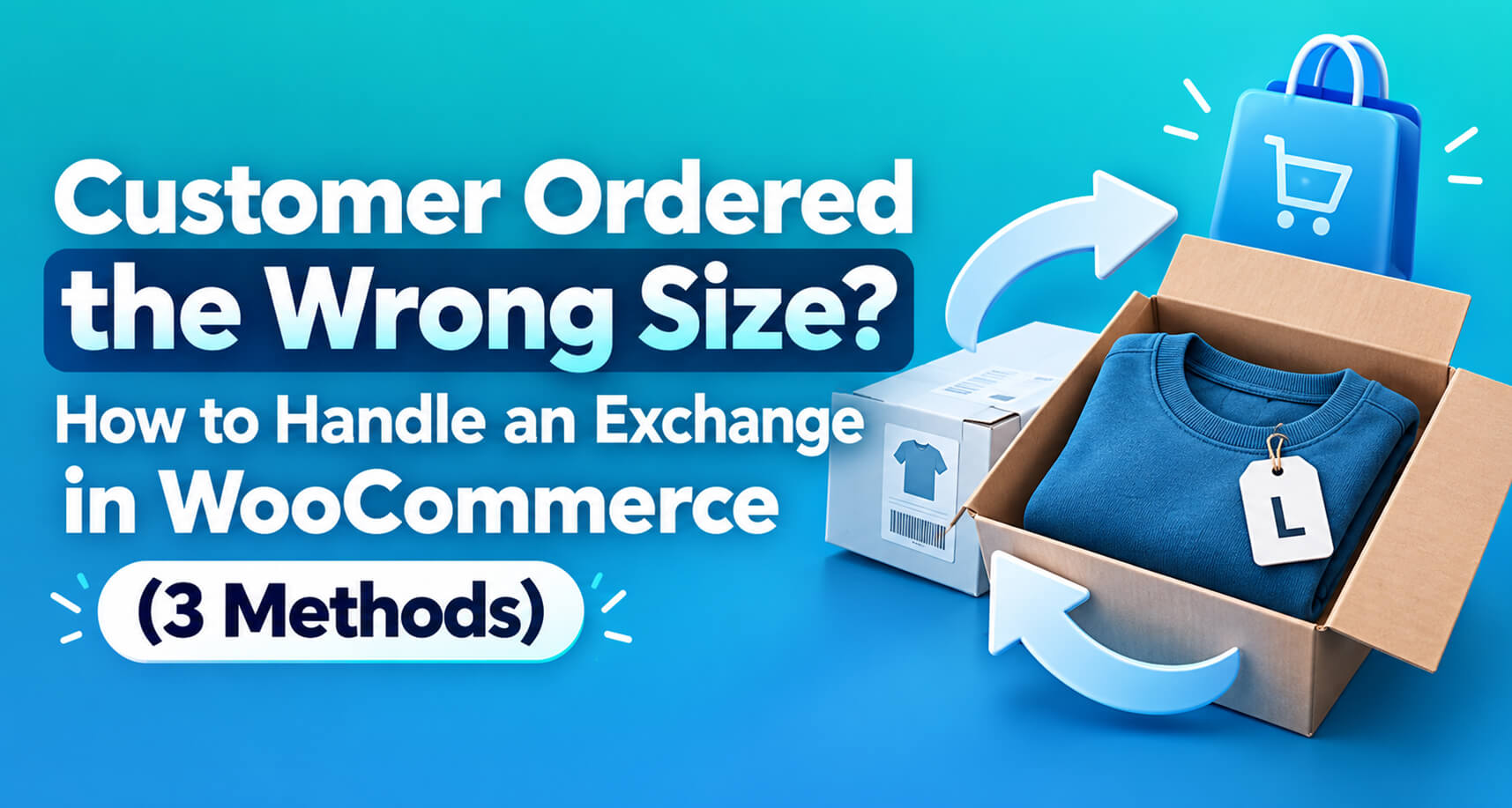
It’s the most common return in fashion, footwear and anything with variations: the customer loves the product but ordered a medium when they needed a large.
They don’t want their money back. They want the right size. You want to keep the sale. It should be the easiest transaction in retail.
Then you open WooCommerce and look for the exchange button. There isn’t one.
You’re not alone. On the WordPress.org support forums there’s a thread from a store owner whose customer bought the wrong size and returned it for an exchange. They asked a simple question, how to edit the order to remove the wrong item and add the right one, and the thread closed with zero replies. It’s a common problem with surprisingly little good guidance.
This guide covers three ways to handle a size or colour exchange in WooCommerce, the trade-offs of each, and the mistakes that cause stock and reporting problems.
Why exchanges are awkward in WooCommerce
WooCommerce models a sale as an order with a payment. It supports two ways to change what happened afterwards:
- Editing the order (only practical before payment or for small corrections), and
- Refunding all or part of it.
An exchange is neither. The original sale stands: same price, same customer, same payment. But one unit of stock comes back and a different unit goes out. WooCommerce has no record type for “this item was swapped for that one”, so every method is a workaround or needs a plugin.
What a good exchange needs to get right
Whatever method you use, check it against these five requirements:
- Stock in: the returned variation goes back into stock, once it physically arrives and is sellable.
- Stock out: the replacement variation’s stock goes down.
- Money: the customer isn’t charged again (for a like-for-like swap), and your revenue isn’t counted twice or refunded by mistake.
- Fulfilment: the replacement appears in your normal picking and shipping process, with the right address.
- Records: anyone looking later can see what happened: what came back, what went out, and why.
Method 1: Edit the original order (small stores, low volume)
How it works: you change the line item on the original order from the wrong variation to the right one.
Steps:
- Wait until the original item has arrived back (or decide to ship first, see the note below).
- Open the order. Note: WooCommerce only lets you edit line items when the order is in an editable status (Pending payment or On hold). For a Processing or Completed order, you’d need to change the status to On hold temporarily, which may trigger emails depending on your setup.
- Remove the wrong item and add the correct variation at the same price. Don’t click Recalculate if it would change tax or discounts on a paid order. Adjust the line total if needed so the order total stays the same.
- Adjust stock manually: add one to the returned variation, subtract one from the new one (line edits don’t always adjust stock the way you’d expect).
- Return the order to Processing so it’s picked and shipped again.
- Add a clear order note: “Exchanged M → L on [date], original received [date].”
Pros: no extra orders; reports show one sale.
Cons: fiddly; easy to get stock wrong; status changes can trigger confusing emails; the history of what was originally shipped is lost except in notes; doesn’t scale.
Best for: occasional exchanges on a small store, handled by one careful person.
Method 2: Refund and reorder (the most common workaround)
How it works: refund the original item and create a new order for the replacement.
Steps:
- Receive the returned item.
- Refund the item from the original order (Refund via [gateway]) with Restock refunded items ticked.
- Either ask the customer to place a new order, or create one for them manually in WooCommerce → Orders → Add order, which means taking payment again or marking it paid.
Pros: stock and records are correct; uses only standard WooCommerce features.
Cons: the customer gets money back and has to buy again, and many won’t. The “exchange” quietly becomes a refund. Card fees on the original sale usually aren’t returned. If you create the new order manually and mark it paid without payment, your reports show revenue twice. And the customer waits for both the refund and the new order.
Best for: price-different exchanges where money genuinely needs to move, or when you don’t mind losing some exchanges to refunds.
Method 3: Zero-total replacement order (the clean approach)
How it works: the original order is left untouched. The returned item comes back into stock. A new order for the replacement at zero cost is created, linked to the original, and goes through your normal fulfilment.
Steps (manually):
- Receive the returned item and add it back to stock.
- Create a new order for the customer containing the replacement variation, with the line price set to 0.
- Set it to Processing so it’s picked and shipped like any other order. Stock for the replacement reduces normally.
- Add a note on both orders linking them (“Exchange for #4102” / “Replaced by #4188”).
Pros: no refund, no second charge; stock correct on both sides; replacement flows through normal shipping; clean records; revenue counted once.
Cons: manual effort per exchange; easy to forget the cross-reference notes; still depends on someone remembering to restock.
Best for: any store doing more than a handful of exchanges, especially once automated.
Comparing the three methods
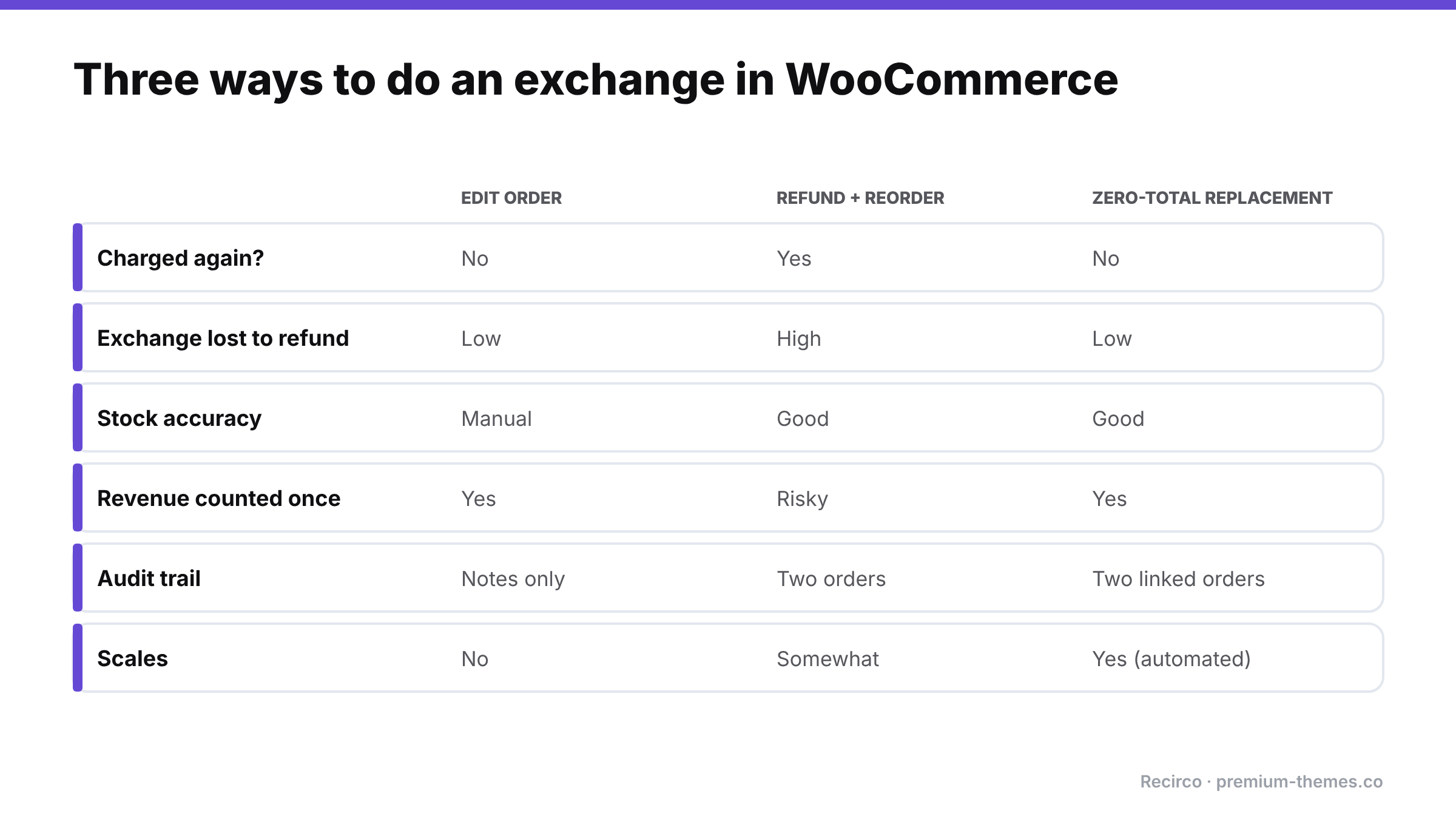
| Edit order | Refund + reorder | Zero-total replacement | |
|---|---|---|---|
| Customer charged again? | No | Yes (or manual “paid” order) | No |
| Risk of exchange becoming a refund | Low | High | Low |
| Stock accuracy | Manual, error-prone | Good | Good |
| Revenue reporting | Good | Risk of double-counting | Good |
| Audit trail | Notes only | Two separate orders | Two linked orders |
| Effort per exchange | High | Medium | Medium (manual) / Low (automated) |
| Scales | No | Somewhat | Yes (automated) |
Ship first or wait for the return?
A policy decision you need to make:
- Wait for the return (safest): the replacement ships once the original arrives. No risk of losing both items, but the customer waits longer, often a week or more.
- Ship immediately (fastest): the replacement ships when the exchange is approved. Customers love it, but you carry the risk of the original never coming back.
Many stores ship immediately for repeat customers or low-value items, and wait for new customers or high-value items. Whatever you choose, apply it consistently. If you ship first, track unreturned originals and follow up.
Speed matters more than you might think. In Loop’s 2026 survey of consumers in the US, UK and Australia, speed (35%) and ease of processing (37%) were the top factors in whether people preferred an exchange over a refund, and 87% said they’d consider an exchange if the experience were easy enough ([Loop Returns, July 2026](https://www.loopreturns.com/blog/returns-revenue-gap/)).
Common exchange mistakes
- Restocking twice. Restocking when the exchange is approved and when the item arrives.
- Forgetting to restock at all. The returned medium sits on a shelf while WooCommerce says you’re out of mediums.
- Charging shipping twice without telling the customer, or refunding the original shipping when you didn’t intend to.
- Losing the link between the original and replacement orders, so nobody can answer “what happened with my exchange?”
- Treating price-different exchanges as like-for-like. If the replacement costs more or less, money needs to move: charge or refund the difference explicitly.
- No reason recorded. “Wrong size” exchanges are your best sizing data. If you don’t record the reason, you can’t fix the size guide.
Exchanges and your numbers
Exchanges confuse reporting if you don’t think about them up front. A few points to agree with whoever does your books:
- Revenue: with a zero-total replacement order, the original sale is the only revenue. The replacement adds an order to your order count, but not to revenue. If your team measures performance by order count, separate exchange orders out (a consistent order note or tag helps).
- Cost of goods: you’ve shipped two units and received one back. If the returned unit is resellable, cost of goods is unchanged; if not, it’s a write-off. Track it.
- Shipping cost: the replacement shipment and any return label are real costs of the exchange. Many stores absorb them because the alternative, a refund, costs more.
- Exchange rate as a KPI: the share of returns that end as exchanges rather than refunds is one of the best indicators of how much revenue your returns process keeps. Measure it monthly.
Automating size exchanges with Recirco
Recirco – Returns & Exchanges for WooCommerce gives you a free self-service returns portal in My Account, an admin approval queue, return windows, reasons and restocking rules. That covers the “item comes back” half: the customer requests the return, picks a reason such as Too small, ships it with the RMA number, and the item is restocked at the point you choose (on approval, on arrival or on completion).
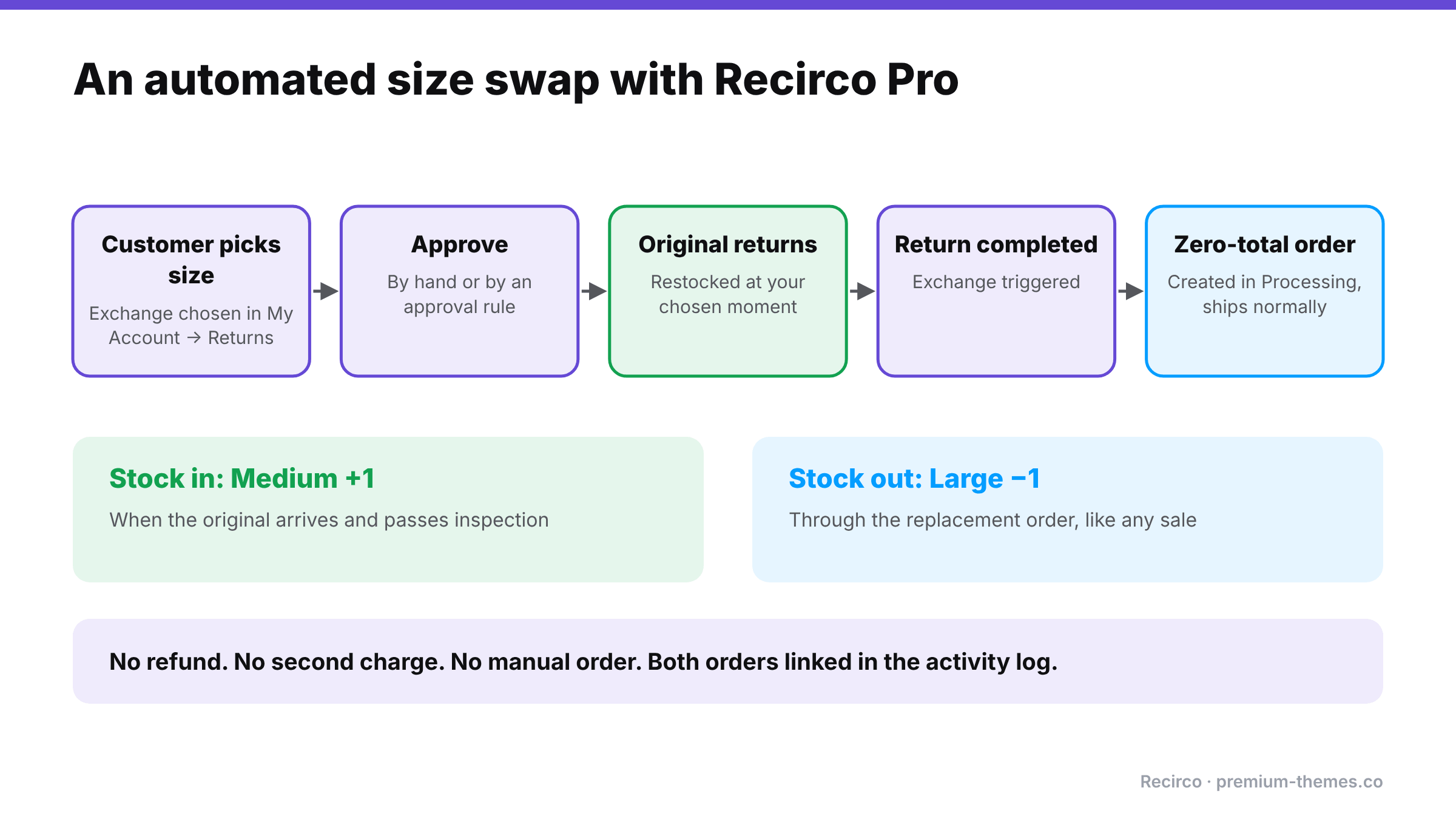
Recirco Pro adds the “replacement goes out” half with exchanges and variant swaps, which is Method 3 done automatically:
- In the returns portal, the customer chooses exchange and picks the replacement, such as a different size or colour, themselves.
- You approve it in the queue (or let a conditional approval rule approve it automatically).
- When the return is completed, Recirco creates a zero-total replacement order in Processing, so it flows into your normal fulfilment.
- The returned item follows your restock setting; the replacement reduces stock like any normal order; both are tied together in the return’s activity log.
No refund, no second charge, no manual order entry, no lost link between orders, and the customer never has to place a new order themselves.
Because every exchange records a reason, Recirco Pro’s analytics then show which products and reasons drive exchanges, so you can see that, say, one style’s mediums are coming back as “too small” far more than others. That’s the cue to update the size guide. (See how to reduce your return rate using reason data.)
A simple exchange policy you can publish
Exchanges
Ordered the wrong size or colour? Request an exchange from My Account → Returns within [30] days of delivery, choose the replacement you’d like, and send the original back using the return number we give you.
Same-price exchanges are free. We’ll ship your replacement [as soon as your return is approved / as soon as your return arrives].
If the item you’d like costs more or less, we’ll [charge / refund] the difference.
Frequently asked questions
Does WooCommerce support exchanges?
Not natively. WooCommerce supports editing orders and refunds, so exchanges need a workaround or a plugin.
What's the best way to exchange a size in WooCommerce?
Create a zero-total replacement order for the new size and restock the returned item, with notes linking the two orders. Recirco Pro automates this, including letting the customer pick the new size themselves.
Should I refund and ask the customer to reorder?
It works, but many customers keep the refund and don't reorder, and you usually lose the card fees from the original sale. A direct exchange keeps the sale.
How do I handle an exchange where the new item costs more?
Treat the difference separately: charge the customer the difference (for example with a separate order or payment link), or refund it if the new item is cheaper.
Can customers choose their own replacement size?
With Recirco Pro, yes. The customer picks the replacement variation in the returns portal.
Should I wait for the original item before sending the replacement?
It's the safest option. Shipping immediately is faster and customers love it, but you carry the risk of the original never coming back. Many stores ship immediately only for repeat customers or low-value items.