On this page
- The automation spectrum
- What can be safely automated
- What should go to a human
- What can be automatically rejected
- Four actions, not two
- Signals worth building rules on
- How to write rules that don't surprise you
- Use "first match wins" ordering
- Always have a default
- Record which rule decided
- Start strict, then loosen
- Review monthly
- Telling customers about automated decisions
- A worked example
- Common rule-writing mistakes
- Approval is only one step
- Setting it up with Recirco
Every growing store hits the same fork in the road with returns.
Option A: approve everything by hand. Safe, but slow. Customers wait days to hear back, your team spends hours clicking “approve” on routine requests, and the queue balloons every January.
Option B: auto-approve everything. Fast and cheap, until you notice the same handful of customers buying, wearing and returning, or a high-value item approved and refunded before anyone looked at it.
A discussion on Reddit about automating ecommerce returns summed up where most experienced operators land: the best systems “automate the obvious cases and smoothly escalate everything else to humans”, with context attached. Commenters agreed on the tension: auto-approving without any checks invites fraud, but demanding photos for every return slows down simple cases that carry no fraud risk at all. One suggested routing by order value and customer history: auto-approve small returns from trusted customers, flag risky ones for review. Another pointed out the payoff depends on volume. At a low return rate manual handling may be fine; at high volumes automation becomes essential.
This guide turns that consensus into a practical framework: which returns to automate, which to review, how to write rules that don’t surprise you, and how to set them up in WooCommerce.
The automation spectrum
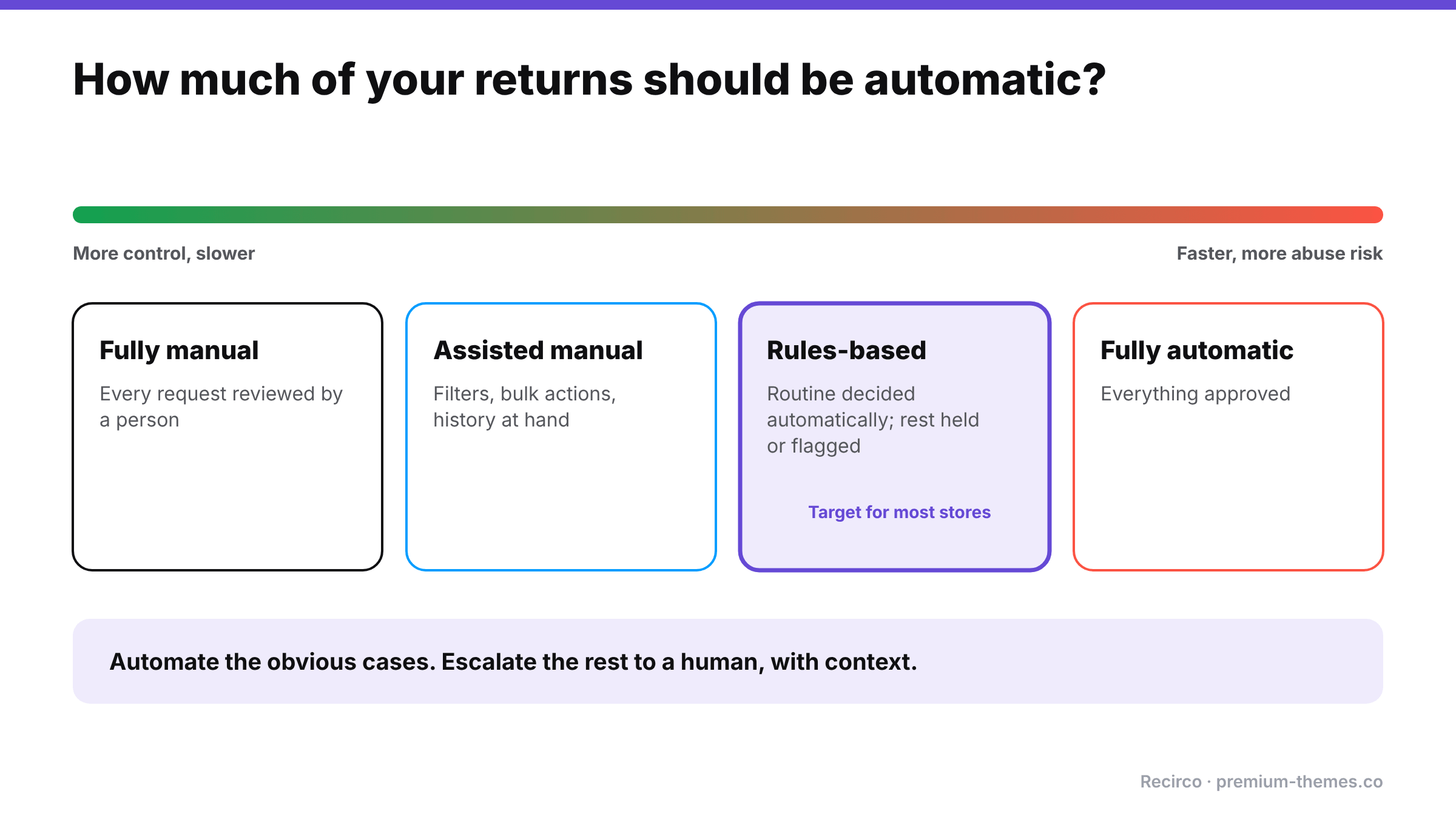
| Level | What happens | Good for |
|---|---|---|
| Fully manual | Every request reviewed by a person | Very low volume; very high-value goods |
| Assisted manual | Every request reviewed, but with filters, bulk actions, and history at hand | Small stores growing quickly |
| Rules-based | Routine requests decided automatically; the rest held or flagged for a person | Most growing stores |
| Fully automatic | Everything approved automatically | Very low-value goods, very low abuse risk |
For most WooCommerce stores, rules-based is the right target: speed for the 80–90% of routine returns, human judgment for the rest.
What can be safely automated
These returns are usually safe to approve without a human:
- Exchanges for a different size or colour. You keep the revenue, and the risk is low.
- Low-value items, where the cost of reviewing exceeds the cost of a mistake.
- Inside the return window, for eligible products: the system has already checked the policy.
- Common, low-risk reasons such as “too small”, “too large” or “changed my mind” on unworn items.
- Trusted customers with a good history.
- Clear store errors (wrong item sent), where you’d approve anyway and delay only annoys.
What should go to a human
- High-value returns, above a threshold you set.
- Damage and fault claims, especially without detail or photos.
- Customers with several recent returns, or with past returns refused on inspection.
- Categories prone to wardrobing: occasion wear, event equipment, cameras.
- Unusual combinations: returning most of a large order, or the same item repeatedly.
- Anything your rules don’t recognize. The default should be “hold”, not “approve”.
What can be automatically rejected
Automatic rejection should be reserved for clear-cut policy cases, and always with a specific reason sent to the customer:
- Outside the return window (if not already blocked at submission)
- Non-returnable products (if not already excluded)
- Duplicate requests for units already returned
Be cautious: an automatic rejection the customer doesn’t understand quickly becomes a complaint or a chargeback. If in doubt, flag instead of reject.
Four actions, not two
Good rule systems offer more than approve/reject:
| Action | Meaning | Use for |
|---|---|---|
| Approve | Decision made; customer gets next steps | Routine, low-risk returns |
| Reject with reason | Decision made; customer told why | Clear policy violations |
| Flag | Proceed normally, but mark for attention | Mild risk signals you want to watch |
| Hold | Stop; wait for a person | High value, high risk, missing evidence |
Flag is underrated. It lets you approve quickly while keeping an eye on patterns, for example customers whose returns you want to inspect carefully on arrival.
Signals worth building rules on
Whatever tool you use, rules are only as good as the signals they can see. The most useful ones, roughly in order of value:
- Return value: the single strongest predictor of how much a wrong decision costs.
- Return type: exchange, store credit or refund. Exchanges keep revenue and carry less risk.
- Reason: sizing reasons are low risk; damage and “not as described” deserve evidence.
- Whether an explanation or photos were provided for reasons that need them.
- Product or category: occasion wear and high-value electronics behave differently from basics.
- Customer history: number of recent returns, past refusals on inspection, lifetime spend.
- Order age: requests near the end of the window are slightly more likely to be wardrobing.
- Order size: returning most of a large order is worth a look.
You don’t need all of them. Value, type and reason alone cover most of the benefit for most stores.
How to write rules that don’t surprise you
Use “first match wins” ordering
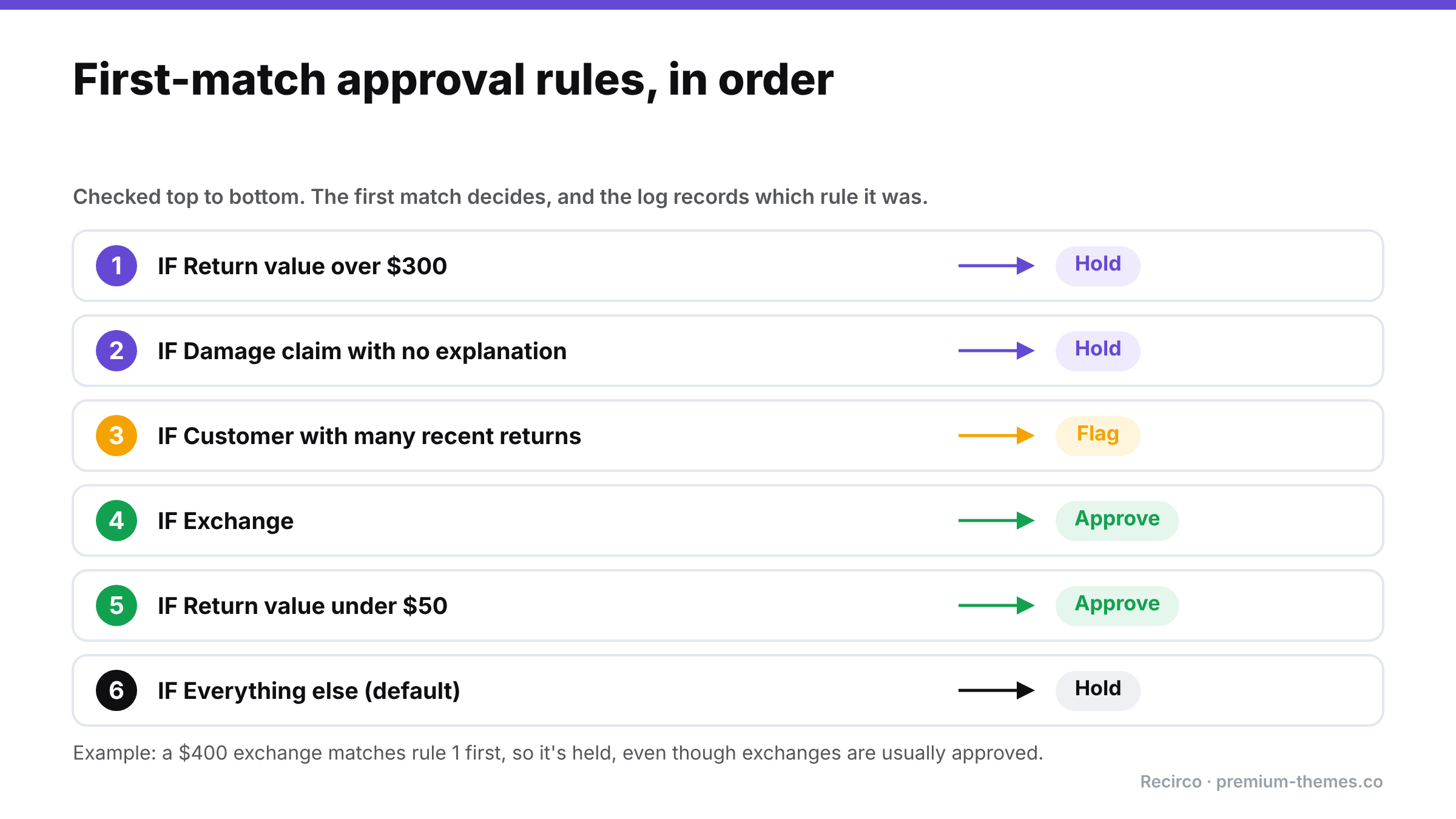
When rules are checked in order and the first one that matches decides, you can reason about them like a checklist:
- Hold if the return value is over $300
- Hold if the reason is “Damaged” or “Faulty” and no explanation was given
- Flag if the customer has had several returns recently
- Approve if it’s an exchange
- Approve if the return value is under $50
- Hold everything else
Put the most cautious rules first. A $400 exchange should be held (rule 1) even though exchanges are normally approved (rule 4).
Always have a default
The last rule should catch everything not matched above. Hold is the safe default while you’re learning; switch it to approve once you trust your rules.
Record which rule decided
When a customer asks “why was my return approved instantly but my friend’s wasn’t?”, or when you’re auditing a bad decision, you need to know which rule made the call. Without that, rules become a black box nobody trusts.
Start strict, then loosen
Begin with a narrow set of auto-approvals (exchanges, low-value items) and a default of hold. Review a month of held returns: if you approved 95% of them anyway, add a rule to approve that type automatically. Loosen with evidence, not hope.
Review monthly
Look at:
- What share of returns were decided automatically
- Average time to decision for automated vs held returns
- How many auto-approved returns turned out to be problems on inspection
- How many held returns you approved without changes (candidates for new auto-approve rules)
Telling customers about automated decisions
Customers don’t need to know a rule decided their return, but they do need the decision to feel fair and fast:
- Instant approvals should read like any approval: clear next steps, the label, the deadline.
- Held returns deserve a short, honest message: “Thanks, we’ve received your request. Because of the item’s value, a member of our team will review it personally within one working day.” That turns a delay into a sign of care rather than suspicion.
- Automatic rejections must give the specific reason and a way to reply. If a customer can’t understand why a machine said no, they’ll ask their bank instead.
- Flags are internal only. The customer’s experience shouldn’t change.
When a customer queries a decision, the activity log’s record of which rule decided makes the answer quick and consistent.
A worked example
A clothing store processing 400 returns a month starts fully manual. Two people spend about 15 hours a month approving requests, and customers wait an average of two days for a decision.
They introduce rules:
- Hold anything over $200
- Hold “Damaged” claims without photos
- Flag customers with 4+ returns in 90 days
- Approve all exchanges
- Approve “Too small”/”Too large” under $200
- Hold everything else
After a month, about 70% of returns are approved automatically within seconds, most of them exchanges and sizing returns. The remaining 30% are held or flagged, and the team reviews them properly instead of rushing. Average decision time drops from two days to a few hours, and the team spends a fraction of the time on approvals. Because flagged customers’ returns are inspected carefully on arrival, two cases of repeated wardrobing are spotted in the first month.
(Illustrative example; your mix of returns will differ.)
Common rule-writing mistakes
- Approve-all default. If your last rule approves everything, any gap in your rules becomes an automatic approval. Default to hold until you trust the set.
- Too many rules. Twenty overlapping rules are impossible to reason about. Most stores need five to eight.
- Rules nobody owns. Someone should be responsible for reviewing and changing them, or they drift out of date as products and prices change.
- Thresholds that never move. A $50 auto-approve limit set three years ago may no longer fit your average order value.
- Silent rejections. Automatic rejections without a reason the customer can understand generate complaints and disputes.
- Forgetting seasonality. A rule set tuned for July may hold far too much in January. Review before holiday returns season.
Approval is only one step
Automating approval speeds up the front of the process. Make sure the rest keeps up:
- Labels generated on approval, so an instant approval comes with an instant label.
- Restocking on arrival, after inspection, not on approval, so automated approvals don’t put unchecked items back on sale.
- Refund after arrival for anything held or flagged.
- Clear emails at each step, so customers know what happens next. ([Templates](/blog/woocommerce-return-email-templates/))
Setting it up with Recirco
Recirco – Returns & Exchanges for WooCommerce (free) handles the policy layer and the assisted-manual level:
- Return window, eligible statuses and excluded products/categories are enforced at submission, so ineligible requests never reach the queue.
- Per-unit eligibility blocks duplicate requests for the same units.
- Reasons with optional required explanations, so the information needed to decide arrives with the request.
- An admin queue with search, filters, status counts, a pending badge and bulk approve, reject, mark received and delete, for fast manual review.
- An activity log on every return.
Recirco Pro adds conditional approval rules, the rules-based level described above:
- Seven conditions and four actions: approve, reject with reason, flag, and hold
- First match wins, so rules behave like the ordered checklist above
- The activity log names the deciding rule on every return, so automated decisions are explainable to your team and your customers
- Which signals you can use depends on the seven conditions Recirco Pro supports. Check the Recirco documentation for the current list and map the example rules in this article to them. Anything the conditions can’t express can still go to the hold default for a person to decide.
- Works alongside Pro’s exchanges, store credit, Shippo labels generated on approval, photo uploads for claims, and analytics (including average days to resolve) to measure the effect of your rules
Frequently asked questions
Should I auto-approve all returns?
Usually not. Auto-approve routine, low-risk returns (exchanges, low-value items, common sizing reasons) and send high-value, damage and high-risk cases to a person.
What's the risk of auto-approving returns?
Mainly abuse such as wardrobing and false damage claims, and refunding before checking what came back. Restocking and refunding after inspection for risky returns reduces this.
How do I decide the order of approval rules?
Put the most cautious rules first (hold high value, hold missing evidence), then the approvals, with a safe default last. With "first match wins", the first matching rule decides.
Can WooCommerce auto-approve returns?
Not natively. Recirco Pro adds conditional approval rules with approve, reject, flag and hold actions.
How do I know if my rules are working?
Review monthly: share decided automatically, time to decision, problems found among auto-approved returns, and held returns you approved unchanged.