WooCommerce Troubleshooting
Handcrafted Beautiful Bootstrap HTML Templates for your Business Website.
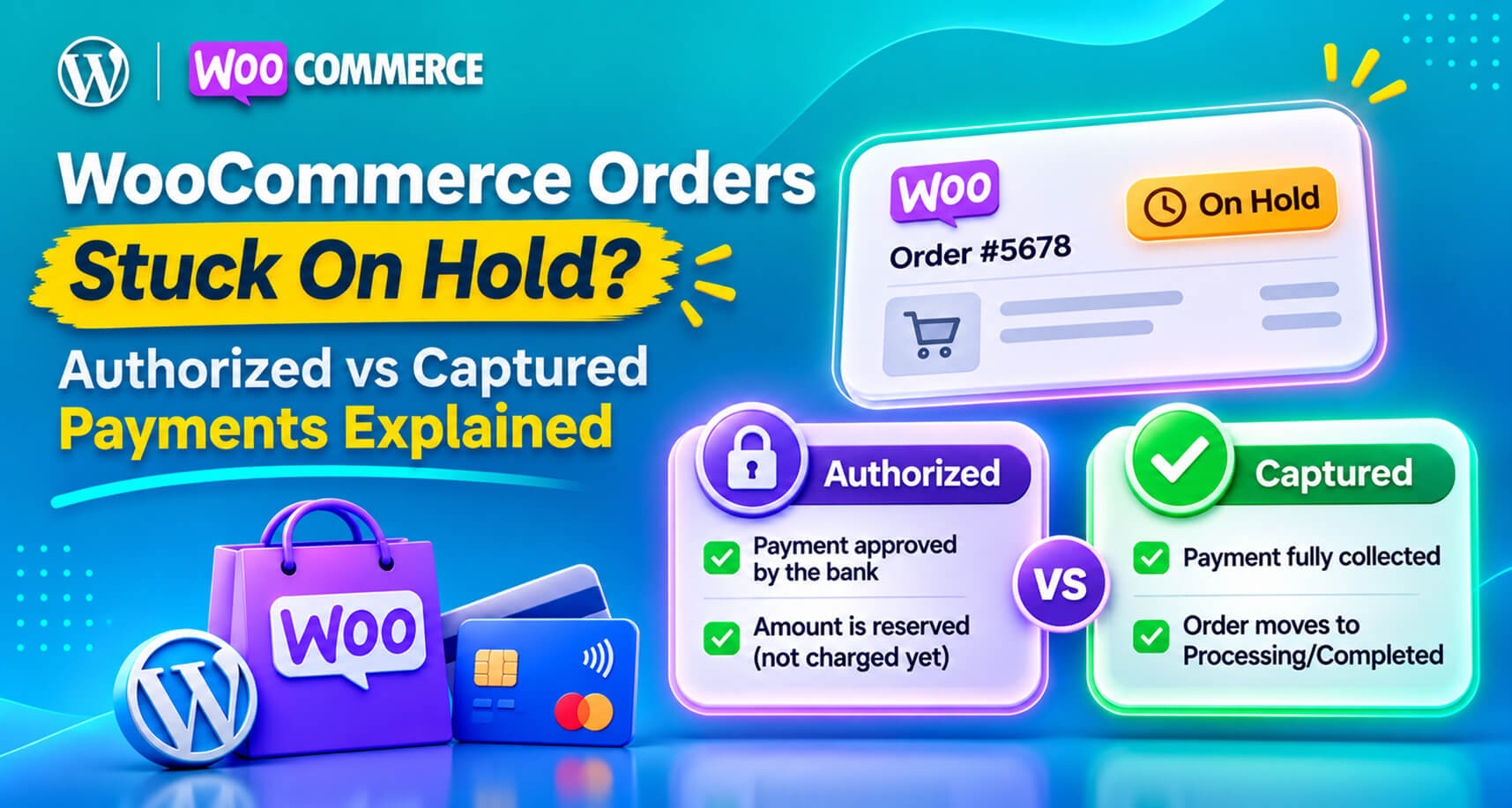
On hold is the most misunderstood order status in WooCommerce.
Some store owners see it and assume the payment failed. Others assume the money is safely in the bank and ship the order. Both can be wrong. And because On hold orders don’t show up in the Processing queue that most teams work from, they’re easy to forget entirely, until a customer asks where their parcel is or an accountant asks where the money went.
At the centre of most On hold confusion is one concept that WooCommerce merchants rarely get explained properly: the difference between a payment being authorized and a payment being captured.
This guide explains what On hold actually means, the five reasons orders end up there, how to tell which one you’re dealing with, and how to stop orders (and money) falling through the gap.
WooCommerce’s own documentation describes On hold as an order awaiting payment confirmation: stock has been reduced, but you need to confirm payment before fulfilling. It’s a waiting room, not a verdict.
Compare it with the neighbouring statuses:
| Status | What it means | Should you ship? |
|---|---|---|
| Pending payment | Order created, no payment received yet | No |
| On hold | Awaiting payment confirmation; stock reduced | Not until you’ve confirmed payment |
| Processing | Payment received; ready to fulfil | Yes |
| Completed | Fulfilled | Already done |
| Failed | Payment failed or was declined | No |
The danger is in that middle row. An On hold order looks like a real sale, because stock has gone down and the order has items, an address and a total, but the money may not be yours yet. Or ever.
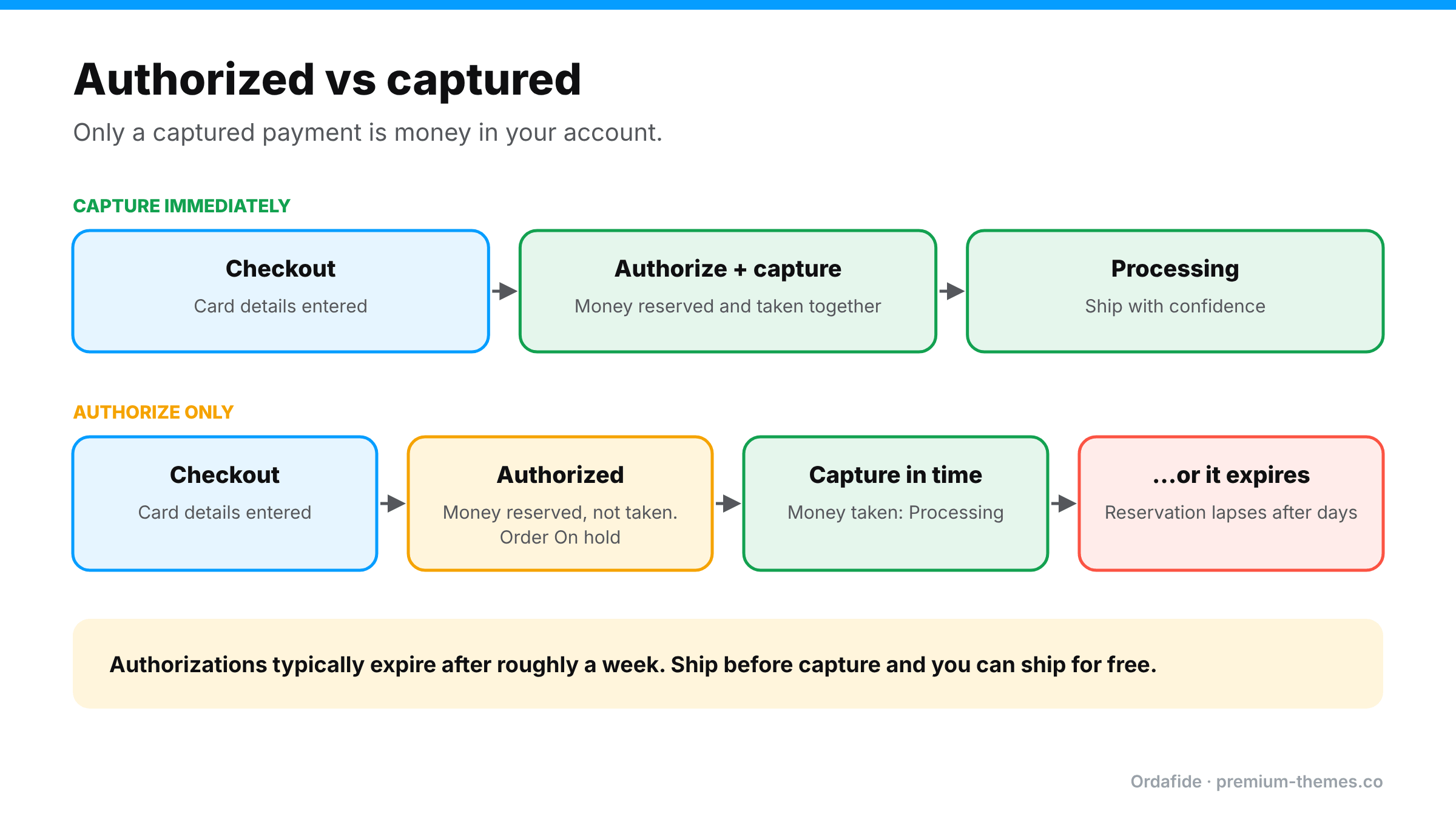
Card payments happen in two steps:
Most stores capture immediately: both steps happen at checkout, and nobody thinks about it. But many gateways let you authorize only and capture later. That’s useful for made-to-order goods, pre-orders or stores that check stock before charging.
The catch: authorizations expire. Card networks typically hold an authorization for roughly a week (it varies by card type, network and gateway). If you don’t capture in time, the reservation lapses and the money is released back to the customer. You may already have shipped.
WooCommerce’s troubleshooting documentation calls this out directly: if your gateway only authorizes, funds aren’t transferred, and you need to either enable authorize-and-capture in the gateway settings or capture the charge manually.
Many gateway plugins, including the WooCommerce Stripe and PayPal Payments plugins, offer a setting to capture charges immediately or only authorize them. With authorize-only, the order typically sits On hold until you capture, often by changing the order to Processing or Completed or using a capture action, depending on the plugin.
Symptom: order notes mention the charge was authorized rather than completed or captured.
Direct bank transfer (BACS), cheque and cash on delivery orders go On hold by design. WooCommerce can’t know when the money arrives, so it waits for you.
Symptom: payment method is BACS or cheque. This is normal. The risk is only that nobody checks the bank.
Some methods, such as SEPA Direct Debit and certain bank-based methods, take days to confirm. WooCommerce’s documentation notes these may sit On hold temporarily until the gateway confirms.
Symptom: payment method is SEPA or similar; order notes show the payment as initiated or processing.
A WordPress.org support thread describes a store using PayPal Powered by Braintree where card payments were authorized and settled at Braintree but orders stayed On hold. The plugin checked for one specific settlement status, while Braintree sometimes reported a different, still-valid one for up to 24 hours. The money was fine. The store’s records weren’t.
Symptom: gateway dashboard shows the payment as settled or captured, but the order never moved.
Gateways and fraud tools can hold payments for review (PayPal “pending” reasons, fraud screening, unverified accounts). The order waits until the review finishes.
Symptom: order notes or the gateway show a review, pending reason or risk flag.
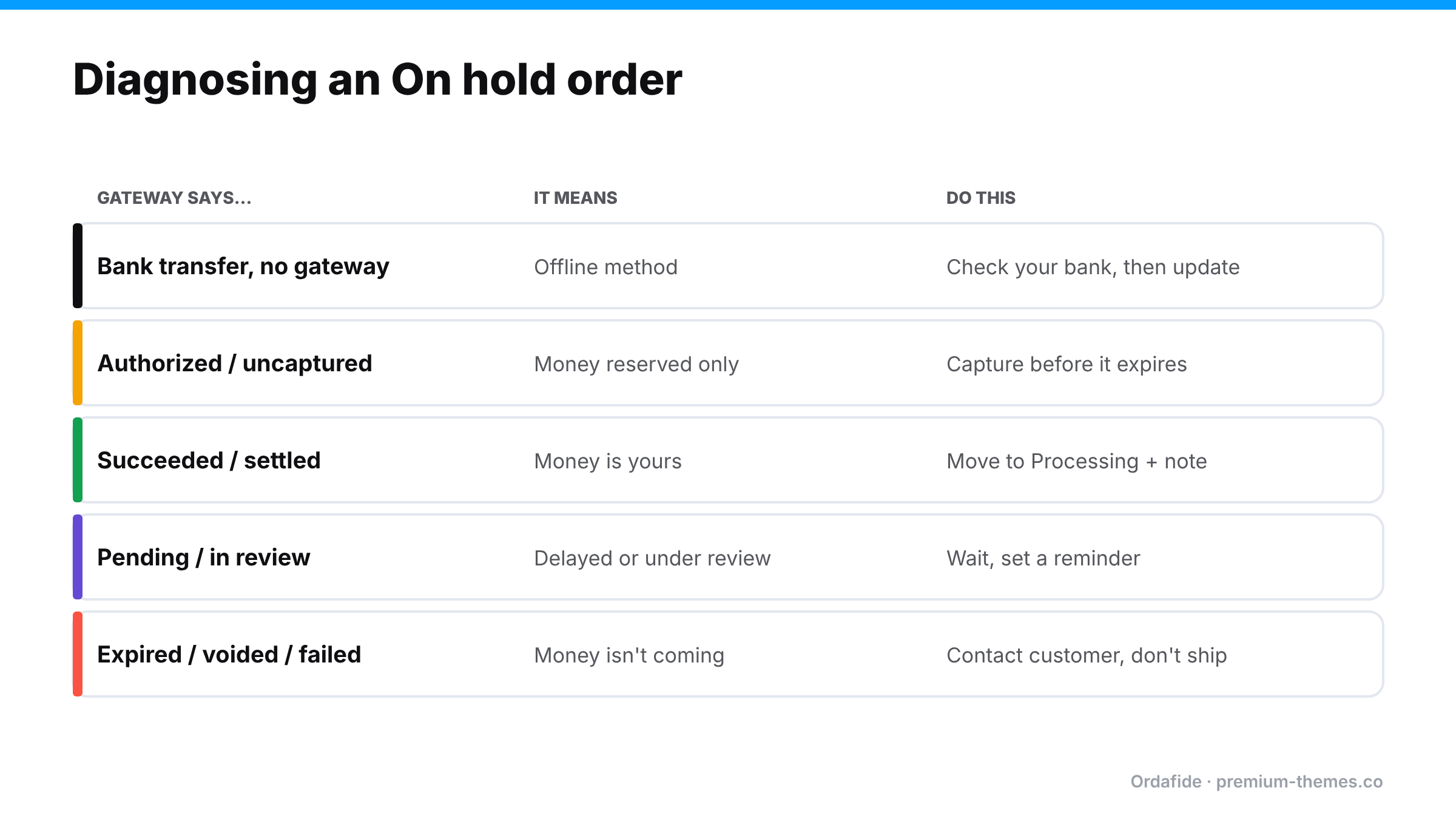
Open the order and work through this:
Here’s where it really hurts. Imagine your team moves On hold orders to Processing in bulk every morning to get them into the picking queue, perhaps because “On hold” orders always turn out fine.
If even one of those was an authorization that later expired or was never captured, you’ve shipped goods for free, and nothing in WooCommerce will ever tell you. The order says Processing, then Completed. It has a transaction ID. It looks perfect. Only the gateway knows no money was collected.
This is one of the cases where WooCommerce’s records and reality disagree silently. It’s also why “just check the order status” isn’t a reliable control.
Here’s what a typical On hold list might look like on a small store after a weekend, and how to handle each one.
Order #4102: Direct bank transfer, $89, placed Saturday.
The customer chose bank transfer. You check the bank account: no payment yet. This is normal. Leave it On hold, and if nothing arrives within your stated payment window (say five days), send a reminder and then cancel to release the stock.
Order #4108: Card via Stripe, $240, placed Friday night, note says “authorized”.
Your Stripe plugin is set to authorize only, because you make items to order. Open the transaction in Stripe: it shows Uncaptured. If you’re starting production today, capture it now. Waiting until you ship next week risks the authorization expiring. If the item is out of stock and you won’t fulfil, cancel the authorization rather than letting it lapse, so the customer’s funds are released promptly.
Order #4111: PayPal, $56, placed Sunday, note says “pending: payment review”.
PayPal is reviewing the payment. Don’t ship. Check again later in the day. If PayPal completes it, the order should move forward on its own; if it doesn’t, compare the PayPal status and update by hand.
Order #4115: Card via another gateway, $132, placed Sunday, no useful note.
You open the gateway dashboard: the payment shows as settled. The money is yours. The plugin simply didn’t recognize the status it received. Move the order to Processing, add a note with the transaction ID, and check for a gateway plugin update.
Four orders, four different correct answers, and only one of them needed no action. That’s why On hold can’t be handled with a single rule like “promote everything each morning”.
Wherever your payment plugin’s settings live (usually WooCommerce → Settings → Payments → [gateway] → Manage), look for a setting along the lines of capture charge immediately, payment action: capture / authorize, or intent. Then:
– If you ship from stock: choose immediate capture. You don’t need authorize-only.
– If you make to order or sell pre-orders: authorize-only can make sense, but write down who captures, when, and what happens to authorizations older than a few days.
– If you’re not sure what’s configured: place a small real order and check the gateway. An uncaptured payment means you’re on authorize-only.
Changing this setting affects new orders only. Existing authorized orders still need capturing or cancelling individually.
Unless you have a real business reason to delay capture (made-to-order, stock verification, pre-orders), capture immediately. It removes an entire class of problems. If you do authorize-only, make capture part of a daily routine and make sure everyone knows authorizations expire.
Add a daily check of the On hold filter in WooCommerce → Orders. Every order there should have an obvious reason (bank transfer awaiting payment, SEPA pending, authorized awaiting capture) and a next step.
If you bulk-move orders to Processing, do it only after checking that each one’s payment is captured or confirmed. It’s tedious, which is exactly why it should be automated.
Status-mapping issues like the Braintree example are typically fixed in plugin updates. Running old gateway plugins means running old bugs.
The only way to catch “order says paid, gateway says no” is to compare the two. See how to reconcile WooCommerce orders with Stripe and PayPal.
Ordafide Order Integrity for WooCommerce (free) scans your recent orders and raises plain-English findings sorted by money at risk. For the problems in this article it gives partial cover from your own database:
But an order that’s been promoted to Processing without the money ever being captured looks internally consistent. Only the gateway knows. That’s what Ordafide Pro adds: read-only reconciliation with Stripe, PayPal, Square, Mollie and Razorpay, which flags:
With Pro’s alerts (Slack, SMS, email or signed webhook), a “shipped but never captured” order becomes a same-day notification rather than a hole your accountant finds next quarter. Ordafide never captures, refunds or voids anything itself; capturing stays a deliberate decision you make in the gateway or your payment plugin.
What does On hold mean in WooCommerce?
The order is awaiting payment confirmation. Stock has been reduced, but you should confirm the payment before fulfilling
Why are my PayPal or Stripe orders going On hold?
Most often because the gateway is set to authorize only, the payment is under review, or the gateway's confirmation didn't map to the status the plugin expected. Check the order notes and the transaction in the gateway dashboard.
What's the difference between authorized and captured?
Authorized means the money is reserved on the customer's card. Captured means it's actually been taken. Authorizations expire if not captured in time.
Is it safe to change On hold orders to Processing?
Only after confirming in the gateway (or your bank, for transfers) that the payment is captured or received.
Can Ordafide capture payments for me?
No. Ordafide is deliberately read-only toward your money. It finds the mismatch; you decide what to do about it.