On this page
- The five most common return-processing mistakes
- 1. Inventory drift
- 2. Duplicate refunds
- 3. Unenforced return windows
- 4. No data on why items come back
- 5. Fragmented records
- A clean WooCommerce RMA workflow
- 1. Request
- 2. Review and approve (or reject)
- 3. In transit
- 4. Received
- 5. Refund (or exchange, or credit)
- 6. Completed
- When should you restock?
- Getting refunds right in WooCommerce
- Making WooCommerce enforce the workflow
- Is your current process leaking? A quick audit
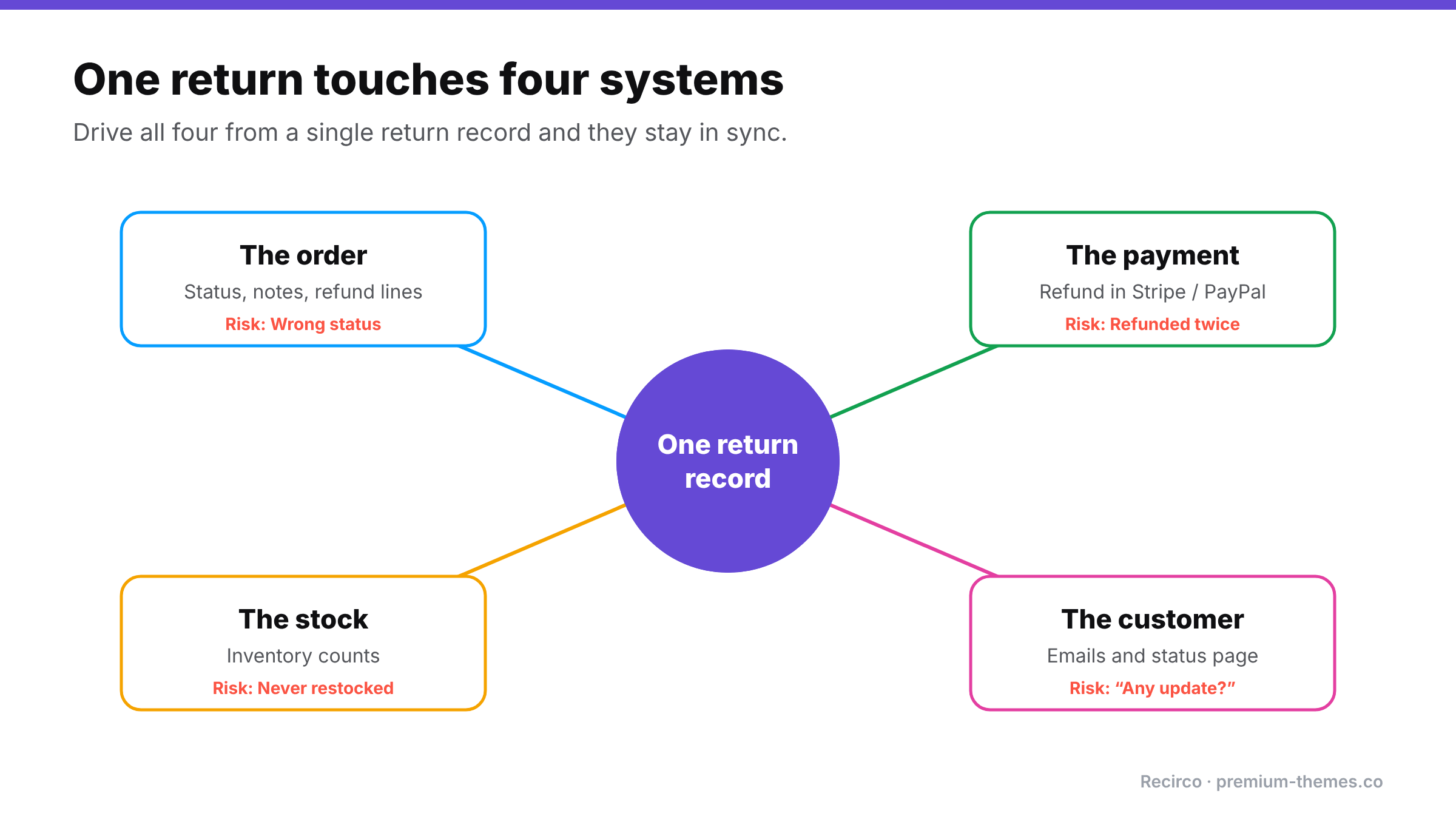
A return touches four different things at once:
1. The order in WooCommerce
2. The payment in your gateway (Stripe, PayPal, etc.)
3. The stock in your inventory
4. The customer, via email
When returns are handled by email and memory, those four drift apart. The refund goes through twice. The item comes back but nobody restocks it. The order says one thing, the gateway says another, and the customer has heard nothing for a week.
This guide sets out a clean RMA (Return Merchandise Authorization) workflow for WooCommerce, the mistakes it prevents, and how to make the store enforce it.
The five most common return-processing mistakes
1. Inventory drift
A returned item comes back, gets put on a shelf, and is never added back to stock in WooCommerce. Over time your counts drift: products show out of stock when you have them, and your reorder decisions are based on wrong numbers.
The opposite happens too: stock is restocked when the return is requested, and the item never actually comes back.
2. Duplicate refunds
There are three places to issue a refund: the gateway dashboard, the WooCommerce order, and (if you use a returns tool) the return itself. When two people use two different places, the customer gets refunded twice. Refunds made only in the gateway may also never reach WooCommerce, so your records still show the order as paid.
3. Unenforced return windows
Without a system checking dates, late returns get approved to avoid arguments.
4. No data on why items come back
Without a recorded reason on every return, you can’t see that one product’s sizing is wrong or one supplier’s quality has dropped.
5. Fragmented records
The return conversation is in email, the refund in Stripe, the stock change in a spreadsheet, and the order in WooCommerce. Answering “what happened with this return?” means checking four places.
A clean WooCommerce RMA workflow
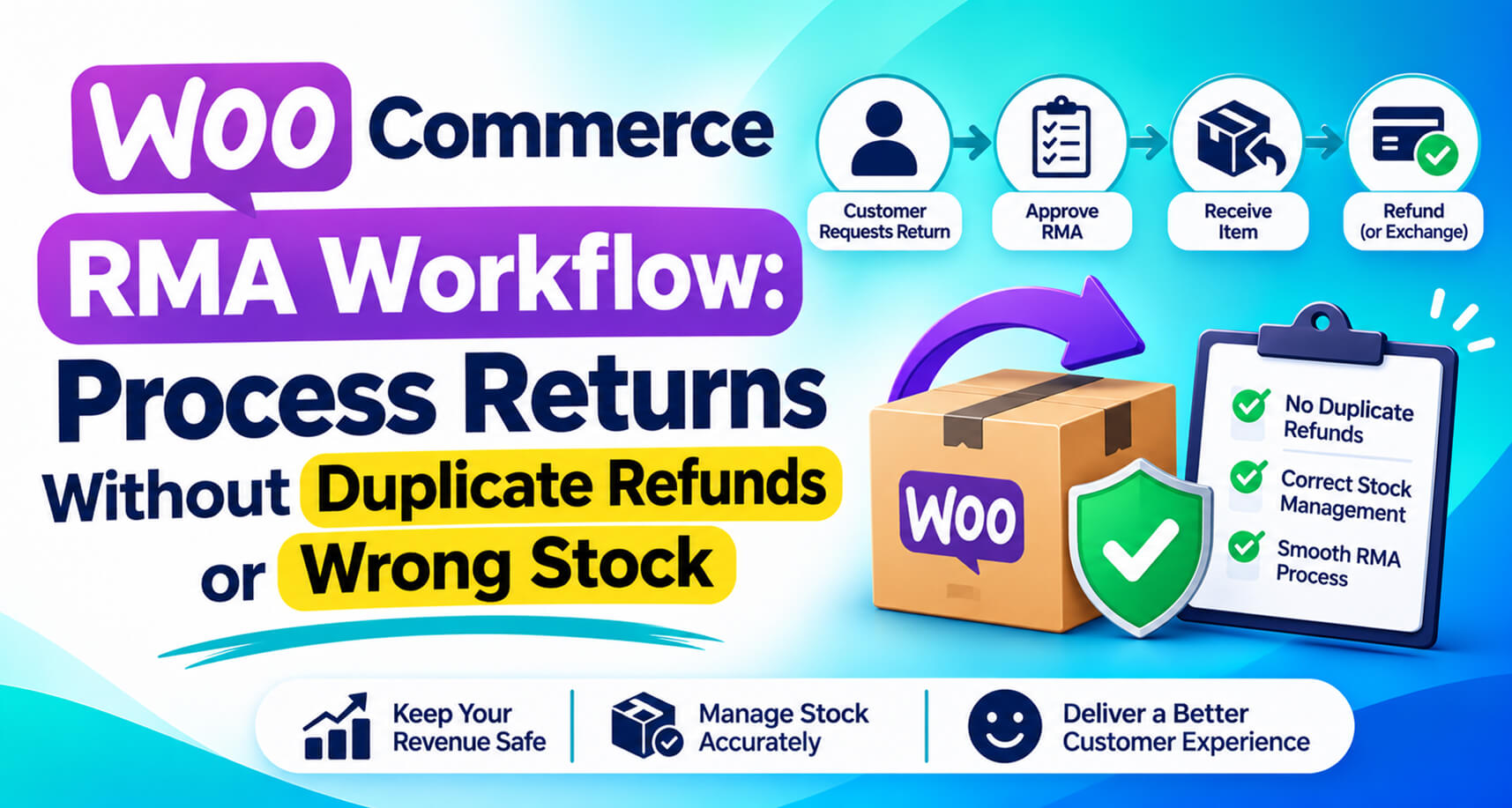
Here’s a workflow that avoids all five. The key idea: one record per return, moving through fixed statuses, with refunds and stock changes triggered from that record.
1. Request
(Setting this up from scratch? Follow our step-by-step returns portal guide.)
The customer requests a return from My Account, choosing the order, items, quantities and a reason. The system checks eligibility: inside the window, not already refunded, not an excluded product. An RMA number is issued.
2. Review and approve (or reject)
Your team reviews the request in a queue, sees the order history and reason, and approves or rejects with a note. The customer is emailed either way. If approved, they get the return address.
3. In transit
The customer ships the item and adds a tracking number.
4. Received
The item arrives and is inspected. This is usually the right moment to restock, because you only add back stock you physically have, in sellable condition.
5. Refund (or exchange, or credit)
The refund is created from the return record, as a proper WooCommerce refund that is optionally sent to the gateway in the same step. Because it’s linked to the return, the system can prevent a second refund for the same items.
6. Completed
The return is closed, the customer is notified, and the full history stays in an activity log.
When should you restock?
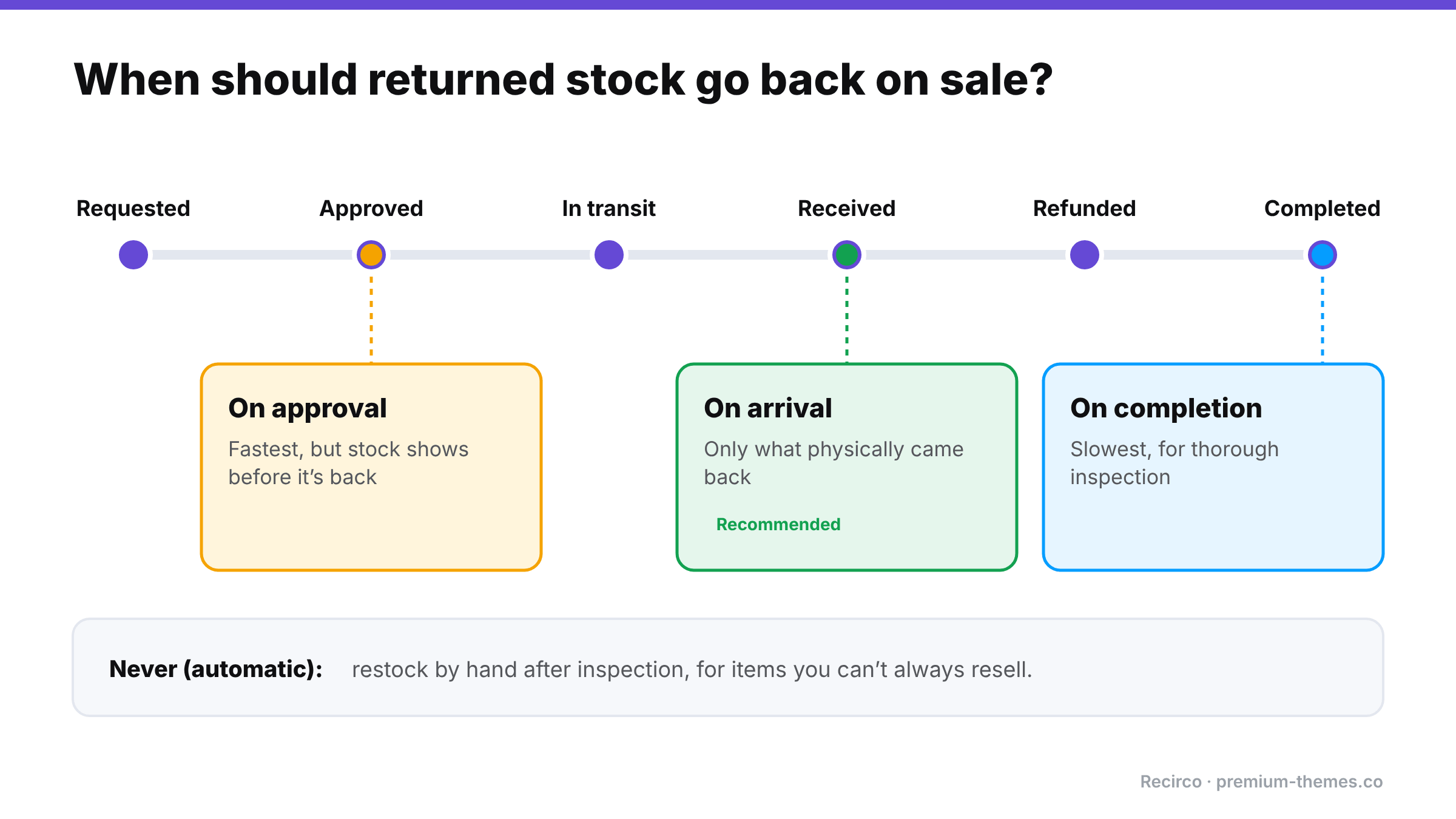
If you’re not sure, use on arrival.
Getting refunds right in WooCommerce
A few things worth knowing about how WooCommerce refunds work:
- Refund from the order, not the gateway. On the order screen, Refund via [gateway] sends the money and records the refund in WooCommerce. A refund made only in the gateway dashboard may never be recorded in WooCommerce.
- “Refund manually” records a refund in WooCommerce without sending money. Use it when the money was already returned another way (for example, already refunded in the gateway).
- Partial refunds need the tax split. If you refund one line item, the refund should include the correct share of that line’s net amount and tax. Getting this wrong makes your tax reports inaccurate.
- “Restock refunded items” on the WooCommerce refund screen adjusts stock at the moment of refund. If your returns tool already restocked on arrival, don’t restock again.
- Fully refunded orders should move to Refunded. A fully refunded order still sitting in Processing can get shipped by mistake.
Making WooCommerce enforce the workflow
The free Recirco – Returns & Exchanges for WooCommerce plugin is built around exactly this workflow:
- Seven statuses enforced by a guarded state machine. A return can only move to a valid next status, so steps can’t be skipped or reversed by accident.
- Restock timing you choose: never, on approval, on arrival, or on completion.
- Refunds from the return: creates a real WooCommerce refund, optionally sent to the gateway, with net and tax split from the original line. Auto-refund on completion is optional and off by default, and the plugin is designed to prevent duplicate refunds for the same return.
- Admin queue with search, filters, status counts, a pending badge and bulk approve, reject, mark received and delete.
- Activity log on every return and a panel on the order edit screen, so the order and its return are in one place.
- Internal notes or notes emailed to the customer.
- Six editable emails covering every step.
- Return windows, eligible statuses, excluded products/categories and reasons.
- HPOS compatible, data in three dedicated custom tables, and no outbound calls.
- 26 documented actions and 29 filters for developers who want to connect returns to an ERP, warehouse or helpdesk.
It writes to your orders only when you tell it to.
Recirco Pro adds automation on top: conditional approval rules, carrier return labels via Shippo generated on approval (cheapest rate by default, with manual label upload as a fallback), exchanges, store credit, analytics, and warranty claims with serial numbers and photos.
Is your current process leaking? A quick audit
- [ ] Can you list every open return and its status in under a minute?
- [ ] Is there exactly one place your team issues return refunds?
- [ ] Are returned items restocked at a consistent, defined moment?
- [ ] Does every return have a recorded reason?
- [ ] Can a customer see their return’s status without emailing you?
- [ ] Are late returns rejected by the system, not by a person?
If you answered “no” to two or more, a structured RMA workflow will save you time and money.
| Restock timing | Good for | Risk |
|---|---|---|
| Never (automatic) | Items that can’t be resold; manual inspection | You must remember to restock by hand |
| On approval | Very fast-moving stock, trusted customers | Stock shows available before it’s back |
| On arrival | Most stores | Small delay before stock is available |
| On completion | Stores that inspect thoroughly before closing | Longest delay |
Frequently asked questions
What is RMA in WooCommerce?
RMA (Return Merchandise Authorization) is the process of approving and tracking a return, usually with a unique RMA number. WooCommerce doesn't include it natively; plugins like Recirco add it.
How do I avoid refunding a customer twice?
Issue return refunds from one place only, ideally from the return record or the WooCommerce order, not the gateway dashboard, and use a system that blocks a second refund for the same items.
When should returned items be restocked in WooCommerce?
For most stores, when the item arrives and passes inspection ("on arrival").
Does a WooCommerce partial refund include tax?
It can and should. Refund the line's net amount and its share of tax so your tax reports stay accurate. Recirco splits net and tax from the original line automatically.
WooCommerce Returns
How to Add a Self-Service Returns Portal to WooCommerce (Free, Step by Step)

WooCommerce Returns