Handcrafted Beautiful Bootstrap HTML Templates for your Business Website.
A customer is charged, the gateway notification never arrives, and the order sits on Pending payment until it auto-cancels. A payment is captured twice. A refund is issued in Stripe and never recorded in WooCommerce. Order Integrity finds those orders, prices them in money, and tells you before your customer does.
The free plugin is free forever. No account, no phone home, no nag screens.
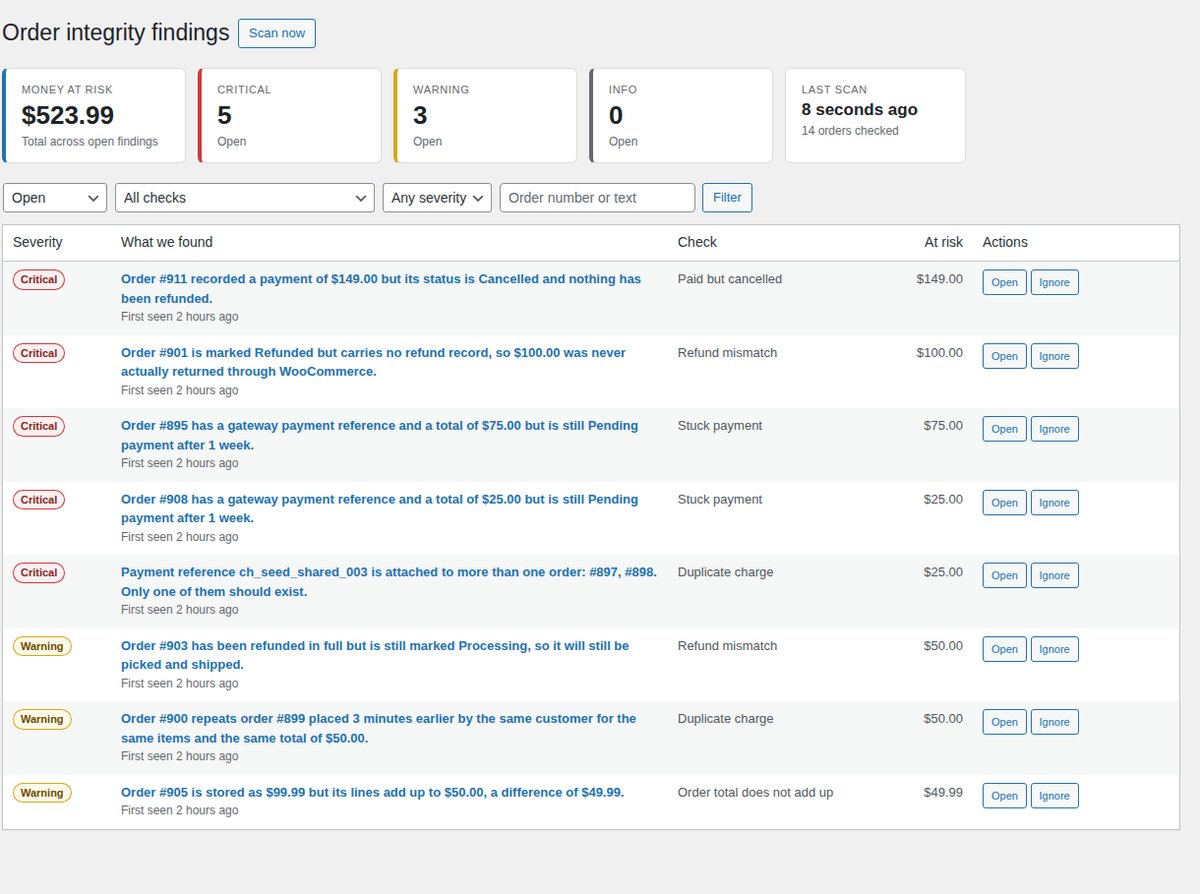
Every one of these leaves your store looking perfectly normal. You find out weeks later, from an angry email or an accountant's spreadsheet.
The customer paid. The gateway callback was dropped, so the order never moved off Pending payment, and WooCommerce cancelled it on schedule. Their money is with you. Their parcel is not.
A retry on a slow checkout charged the same card twice. Two orders, one basket, one customer, minutes apart — and a chargeback in three weeks unless somebody notices.
Somebody refunded in the Stripe dashboard. WooCommerce still shows the order as paid, your stock is wrong and your revenue figures are wrong.
Action Scheduler backs up and every order confirmation stops going out. Nothing on screen changes. Your support inbox fills up with "did my order go through?"
None of this is exotic. It is the ordinary failure mode of a payment path that spans a browser, a gateway, a webhook, a cron job and a mail server — five things that each fail independently.
No API keys, no external service, no configuration. Install it, press Scan, and read the list.
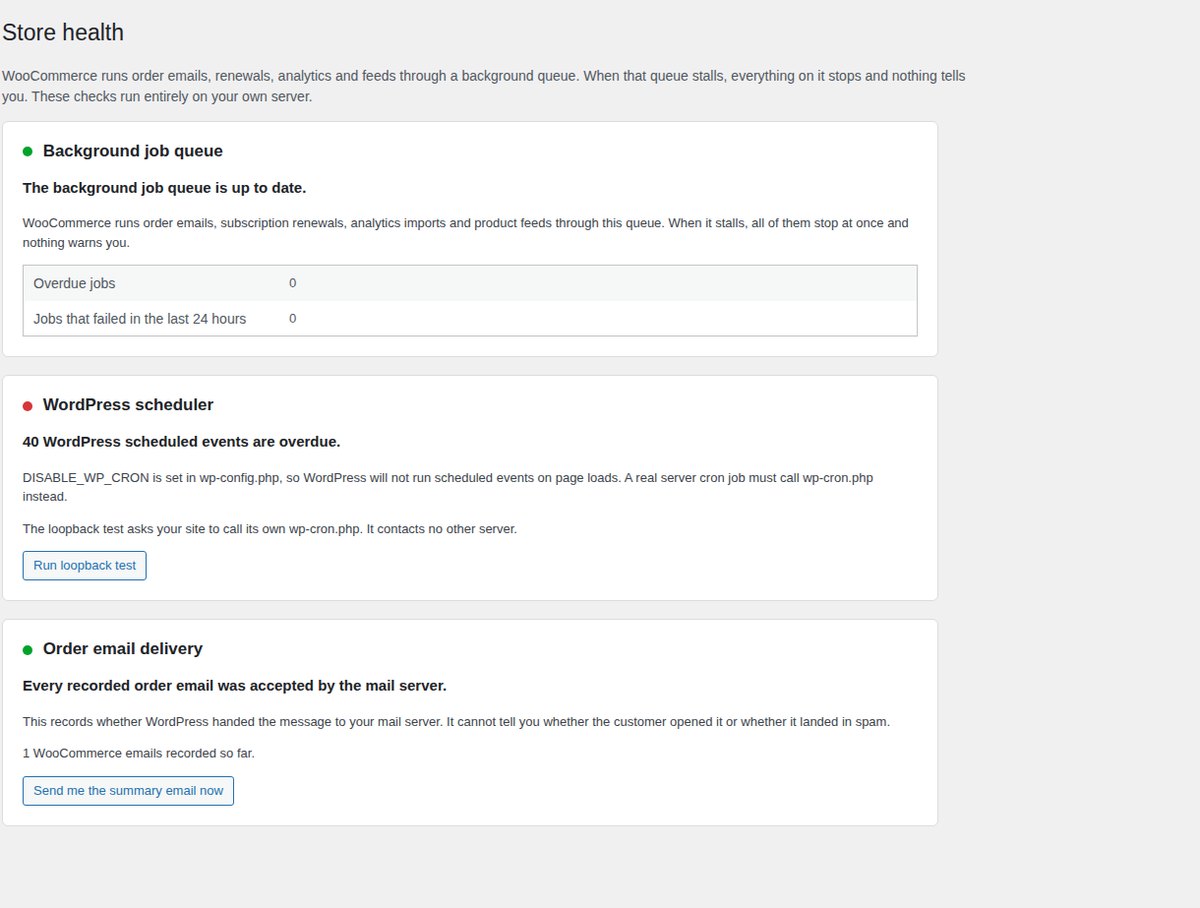
How far behind Action Scheduler is, how many jobs failed, and the most likely cause in plain language rather than queue jargon. This is the thing that makes everything else fail at once.
Every WooCommerce email recorded against its order, with the result your mail server returned, and a one-click resend.
Orders left on Pending payment or Failed even though the gateway wrote a payment reference on them. The classic dropped webhook.
Orders with a confirmed payment date sitting in Cancelled or Failed, with nothing refunded. Money taken, order dead.
One gateway payment reference attached to two orders, or the same customer charged twice for an identical basket within minutes.
Orders marked Refunded with no refund record, refunds larger than the order, and fully refunded orders still sitting in Processing.
Items plus shipping plus fees plus tax does not equal the stored total — usually a coupon or tax plugin that failed halfway.
Paid orders where no customer email ever reached your mail server, or where every attempt was rejected.
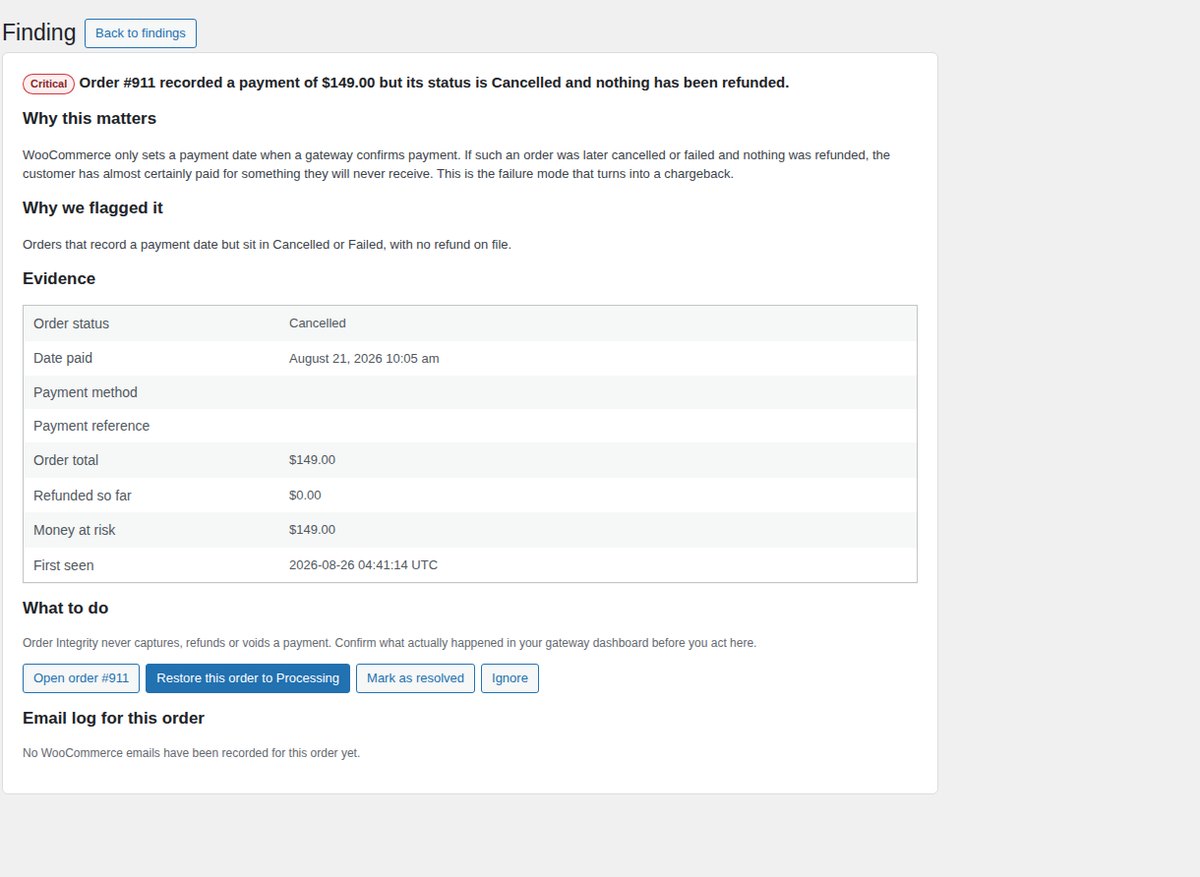
What was found, on which order, how much money is involved, and exactly what to check next — in a sentence, not a stack trace.
Findings tell you which orders are wrong. Store health tells you why they keep going wrong — the background job queue, the WordPress scheduler and order email delivery, each with a plain-language cause.
Your database can only tell you what WooCommerce believes happened. Pro compares that against what your payment gateway actually did, watches your checkout from the outside, and tells you the moment something breaks.
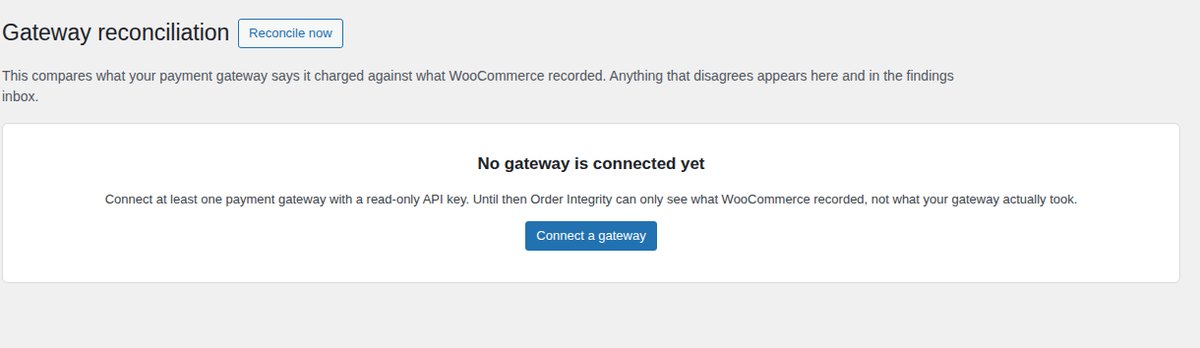
Read-only API keys for Stripe, PayPal, Square, Mollie and Razorpay. One diff engine compares the gateway's ledger with your orders and reports four things:
Findings land in the same inbox as the free checks, so you have one list to work through, not two. Credentials are encrypted at rest and never rendered back to the browser.
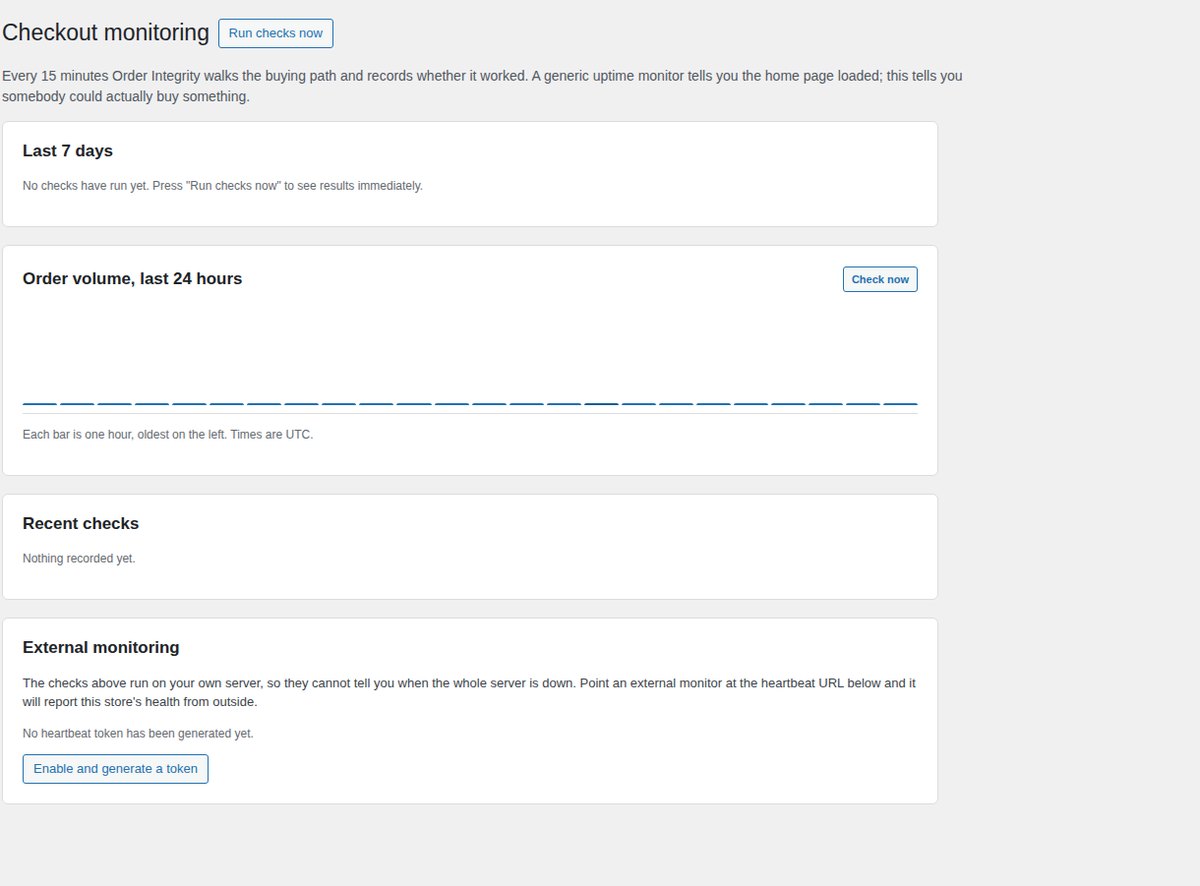
Every 15 minutes it walks shop → product → cart → checkout → Store API and records the status, the response time and whether the expected markup was really there. An optional deep mode adds a product to a test cart through the Store API, which catches pricing and session faults that a plain page load misses. It never creates an order.
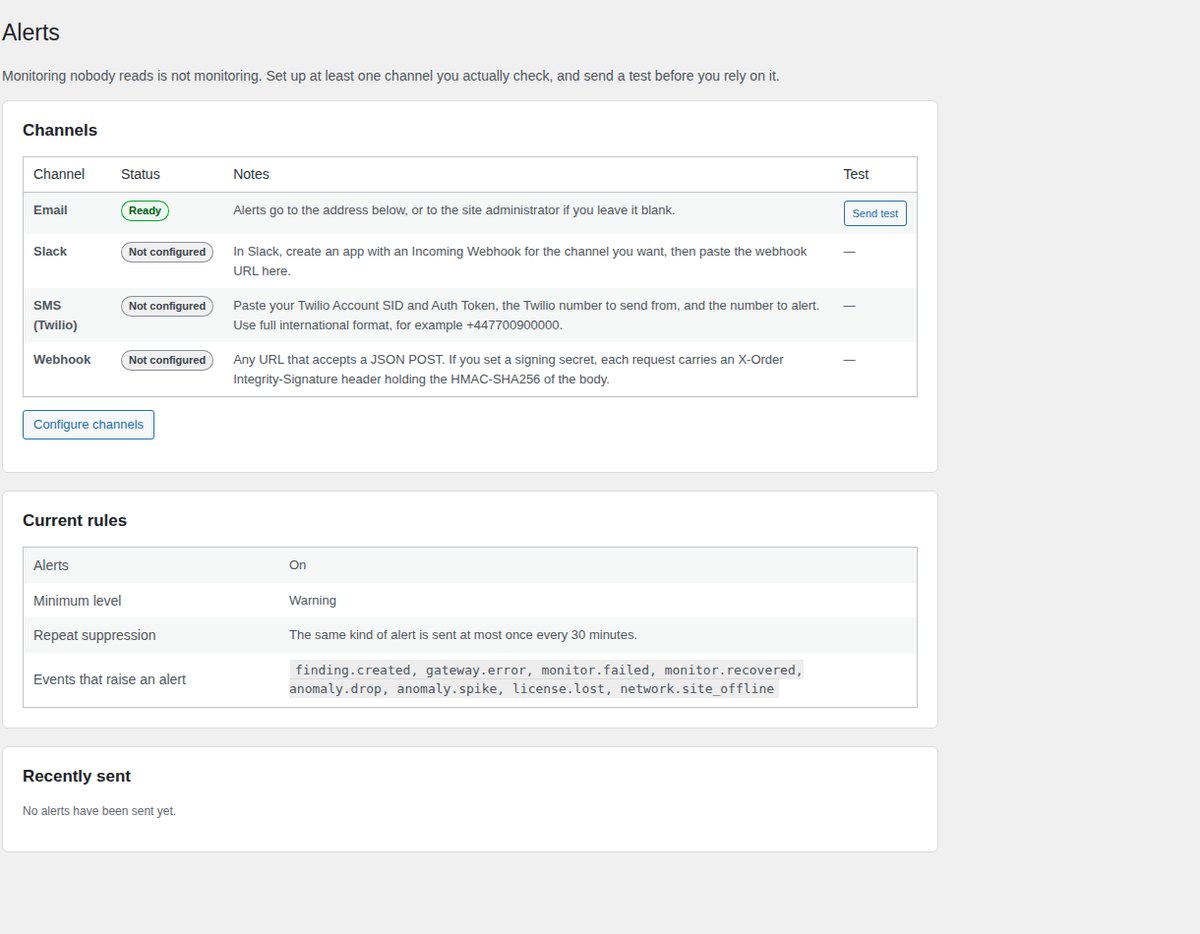
Alert fatigue is the real failure mode for a product like this, so it is designed against rather than left to you. Only eight event types can raise an alert at all; the rest stay in the log.
Compares this hour against the same hour on previous days and weeks — like for like, because retail traffic is shaped by hour and weekday. It uses median and median absolute deviation rather than mean and standard deviation, so one Black Friday does not poison the baseline for a month.
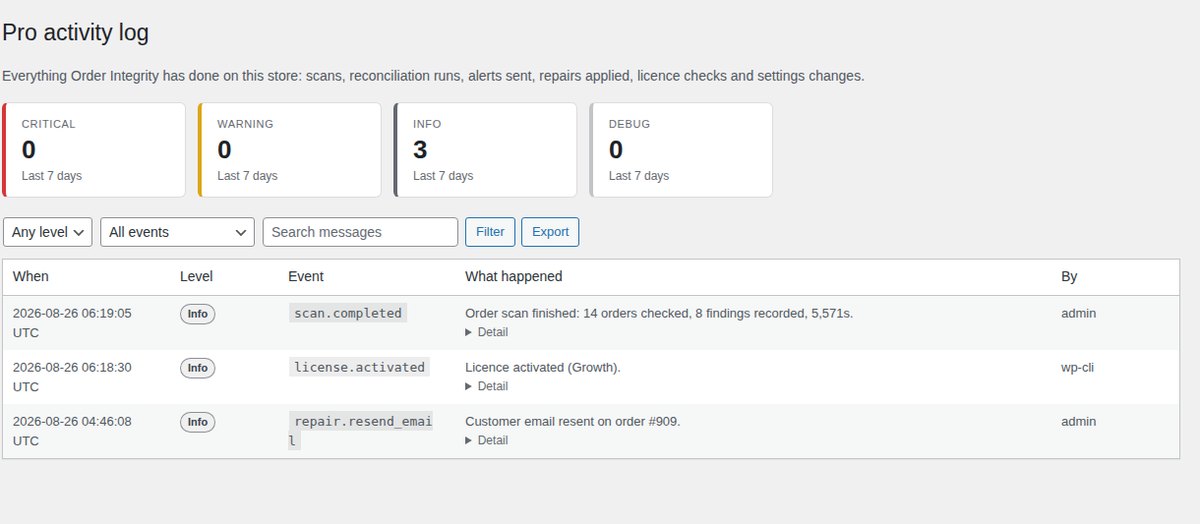
Every scan, reconciliation, alert, repair, licence check and settings change, browsable and filterable with expandable context. Export findings, activity, reconciliation, monitoring history and alerts to CSV or JSON over any date range — for your accountant, or for a dispute.
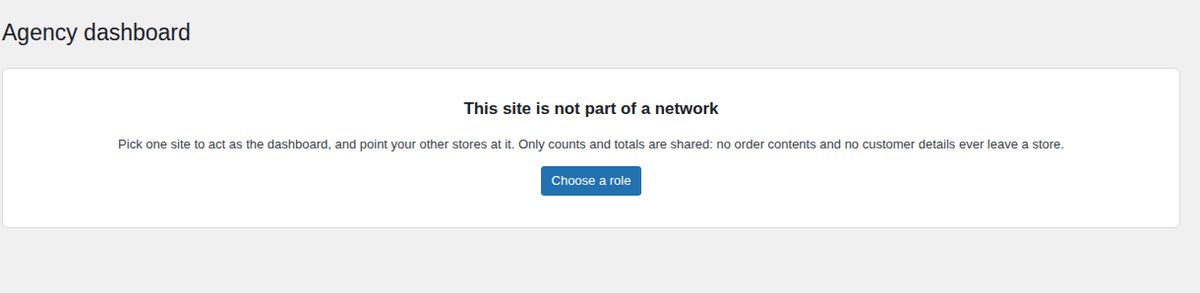
Hub and spoke, entirely inside WordPress. One site is the dashboard; each store pushes a signed hourly snapshot. Only counts and totals are shared — no customer data leaves a store. The hub flags any store that goes quiet for two hours.
A plugin that can silently move money is a plugin that can silently lose it. Order Integrity is built to be the thing you trust with production data on day one.
Order Integrity does not capture, refund or void anything, in your store or at your gateway. Gateway credentials are read-only. Everything it finds is a link to the order and an explanation of what to check.
It can resend a WooCommerce customer email, and restore an order to Processing when WooCommerce itself already recorded a confirmed payment date on it. Both are written to an activity log, and the status change can be undone.
No account, no licence key, no API, no analytics, no phone home. Every check is a query against your own database. Pro adds outbound calls only to the gateways and alert destinations that you configure yourself.
No developer needed.
If you can install a plugin and paste an API key, you can set
this
up.
Install the free plugin and press Scan now. It looks back 30 days by default and works through your orders in batches, so a store with hundreds of thousands of them never times out.
Findings arrive sorted by money at risk, each with a plain sentence, the evidence behind it, and what to do next. Anything that is fine, you ignore once and never see again.
Paste your licence key, then a read-only API key from Stripe, PayPal, Square, Mollie or Razorpay. Reconciliation starts on the next run and shows you what your database could not.
Point it at Slack, a phone number or a webhook, set your minimum severity, and get on with your day. From then on the store tells you when something is wrong.
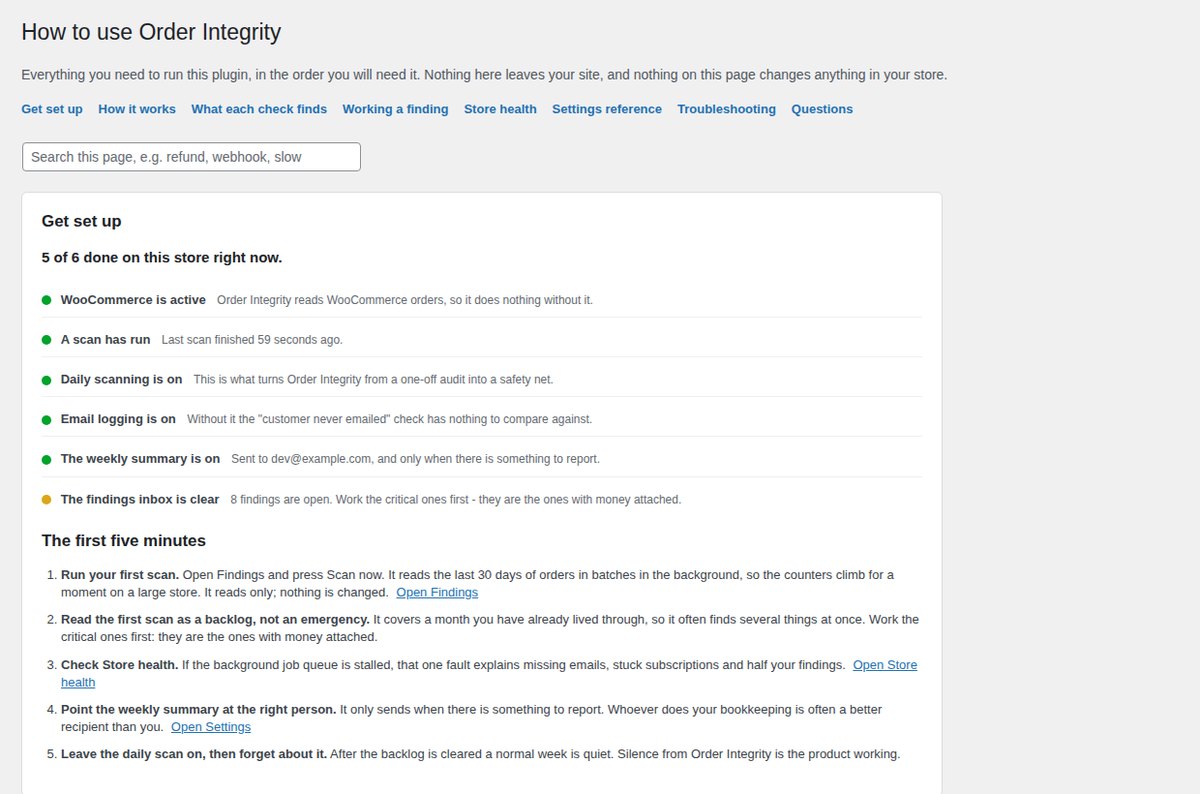
A checklist that reflects your store's actual state, step-by-step sections and answered questions — so you are never sent hunting through documentation in another tab.
Pro is a separate add-on that sits on top. If you never buy it, nothing you have expires, degrades or starts nagging.
| Capability | Free | Pro |
|---|---|---|
| 🛡️ Finding broken orders | ||
| Six order integrity checks | ✓ | ✓ |
| Findings priced in money at risk | ✓ | ✓ |
| Background job queue and scheduler health | ✓ | ✓ |
| Order email log with one-click resend | ✓ | ✓ |
| Two logged repairs with activity log | ✓ | ✓ |
| Weekly summary email | ✓ | ✓ |
| WP-CLI commands | ✓ | ✓ |
| 🔎 Checking against reality | ||
| Gateway reconciliation — Stripe, PayPal, Square, Mollie, Razorpay | — | ✓ |
| Money captured with no matching order | — | ✓ |
| Refunds issued in the gateway but missing here | — | ✓ |
| Synthetic checkout monitoring, every 15 minutes | — | ✓ |
| External heartbeat endpoint | — | ✓ |
| Order volume anomaly detection | — | ✓ |
| 📢 Being told, not discovering | ||
| Slack alerts | — | ✓ |
| SMS alerts via Twilio | — | ✓ |
| Signed webhook (Discord, Teams, PagerDuty, anything) | — | ✓ |
| Severity routing, throttling and retries | — | ✓ |
| 🗒️ Records and scale | ||
| Full event log of everything the plugin did | — | ✓ |
| Historical audit export to CSV and JSON | — | ✓ |
| Multi-store agency dashboard | — | ✓ |
| In-plugin setup guide and FAQ | ✓ | ✓ |
| Automatic updates | ✓ | ✓ |
| Priority email support | Forum | ✓ |
Written reviews from merchants and agencies using Order Integrity, and short videos from the people who installed it.
A useful plugin for keeping track of WooCommerce order integrity. I especially like the clear reports and straightforward interface. It makes troubleshooting order-related issues much easier.
Excellent plugin! It makes finding WooCommerce order issues much easier and saves a lot of time. The clear reports and simple interface are great for managing store problems before they become bigger issues. Great work!
This plugin makes it easier to catch payment, refund, and order-related issues before they become bigger problems. I especially like that the information is presented in a simple way. Definitely a useful tool for managing a WooCommerce store.
No feature gating between tiers — you are only choosing how many stores to run it on. Every licence includes a year of updates and support.
For one shop you care about.
For a brand with a few storefronts, or a small studio.
For the agency that maintains other people's stores.
Prices in USD. Licences renew yearly and can be cancelled at any time — the plugin keeps working until the term ends, then stops checking gateways. 14-day refund policy, no questions asked. The free plugin remains free and fully functional whatever you decide.
Once you are doing enough orders that you cannot eyeball every one, silent failures stop being rare events and start being a steady leak. If a single recovered order pays for the year, the maths is not complicated.
You are the one who gets called when a client's checkout has been broken since Tuesday. The multi-store dashboard and alerting turn that from an emergency into something you already knew about — and into a line item you can charge for.
It changes nothing unless you press a button, and it can only do two things: resend a WooCommerce customer email, and restore an order to Processing when WooCommerce itself already recorded a confirmed payment date on it. Both are written to an activity log, and the status change can be undone. Order Integrity never captures, refunds or voids a payment.
The free plugin contacts nothing at all — no account, no licence server, no analytics. Pro makes outbound requests only to the things you configure yourself: your payment gateway's API using read-only keys, your own store's URLs for checkout monitoring, and your chosen alert destinations. It also checks your licence once a day. Your order data is never sent to us.
Stripe, PayPal, Square, Mollie and Razorpay, using read-only API credentials. The adapters sit behind one interface, so adding a sixth is a small job — tell us which one you need.
The free plugin's checks work with any gateway, because they read what the gateway already wrote onto your orders. Reconciliation is the part that needs an integration.
Yes. Scans run in batches of 100 orders through Action Scheduler and every query is bounded, so nothing times out and nothing runs on your front end. On a test store of 600 orders a full scan completed in under a second.
Yes. Order Integrity declares compatibility with High-Performance Order Storage and reads orders through the WooCommerce CRUD layer, so it behaves identically whether your store uses the new order tables or the legacy post store. Both are tested on every release. Block and classic checkout are both supported.
WordPress 6.2 or newer, WooCommerce, and PHP 7.4 or newer. Pro additionally needs the free plugin installed, and outbound HTTPS so it can reach your gateway. Nothing else.
Pro features switch off and you stop receiving updates. Nothing is deleted, your findings and history stay where they are, and the free plugin carries on working exactly as before. Renew and everything comes straight back on.
If our licence server is ever unreachable, Pro keeps working for 14 days before it stops — an outage on our side should never take your monitoring down with it.
Yes, and you do not need to ask us. Every licence page in your account lists the sites using it with a Remove button next to each one. Free the seat, activate it elsewhere. A site you delete without deactivating is released automatically after 30 days.
No, and we would rather you started with the free plugin. It finds real problems on most stores the first time you run it. Buy Pro when you want to stop looking — when you would rather be told in Slack than remember to check, or when you need to catch the failures that only show up by comparing against the gateway.
Encrypted at rest using libsodium, with a key derived from your site's own salts, and never rendered back into the browser once saved. Use read-only or restricted keys — reconciliation never needs write access, and the plugin never asks for it.
It is designed hard against that. Only eight event types can raise an alert at all, you set a minimum severity, each check has its own throttle, and repeated instances of the same problem collapse instead of repeating. Everything else goes to the log, where you can look at it when you want to.
It has not been tested on Multisite, so we do not claim support for it. If you run a network of stores, the multi-store dashboard in Pro is the intended route — it works across entirely separate WordPress installs, which is usually what agencies actually have.
Yes. Each store you activate it on uses one seat of your licence. The Agency tier covers 25 stores and gives you a single dashboard across all of them. There is no separate developer licence to buy.
Press Ignore on that finding and it will not come back. You can also switch off any individual check, and every threshold — the stuck payment window, the duplicate order window, the rounding tolerance — is adjustable in Settings.
This plugin deals with money, so a support ticket about it is never routine. We treat it that way.
Pro licences include direct email support for the life of the licence. We aim to reply within one business day.
support@premium-themes.coFull setup guides, gateway-by-gateway API key instructions and troubleshooting. The same material is built into the plugin under Help, so you rarely need to leave your admin.
Using the free version? Ask on the WordPress.org support forum and we will answer there. Bug reports from free users get fixed just as fast as paid ones.
WordPress.org forumInstall the free plugin, press Scan, and see what comes back. If the list is empty, you have learned something worth knowing.
Don’t Miss Out — Choose Your Plan Before Time Runs Out